Stormworks: Build and Rescue

Stormworks: Build and Rescue

评价数不足
FCS Type 6 | HMD and IFF
   
奖励
收藏
已收藏
取消收藏
文件大小
发表于
更新日期
607.509 KB
7 月 26 日 下午 11:54
11 月 2 日 上午 1:18
13 项改动说明 ( 查看 )
您需要 DLC 才能使用该物品。

订阅以下载
FCS Type 6 | HMD and IFF

描述
Update Information
2025/10/11: IFF function added!

Features
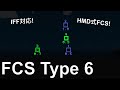
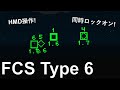
  • Lock-on via HMD operation
  • Multiple simultaneous lock-on possible
  • All-around surveillance
  • Maximum number of tracks: 9999
  • MTX1 output
  • ELI1 output
  • SRD3 output
  • Radar (Phalanx) x 4
  • Maximum detection distance: 8000m
  • Detection interval: Approximately 1 second
  • Includes HMD V4, Map V3, SM Type 3, and VLS Mk. 10

HMD Operation Instructions
Spacebar
Short press: Select target
Hold: Lock-on

You can lock on and attack multiple targets simultaneously.

When you lock on with the VLS fire key on, the weapon fires immediately. To synchronize launch timing, lock on to all targets and then press the launch key.
However, due to the radar's low accuracy, it is not suitable for guiding SARH missiles or controlling artillery fire.

Terminal Description
ELI2 Output Terminal
Number
Content
1
X Coordinate
2
Y Coordinate
3
Z Coordinate
4
X Speed (Vx) [m/tick]
5
Y Speed (Vy) [m/tick]
6
Z Speed (Vz) [m/tick]

Boolean
Content
1
Target Detected (Locked On)

MTX1 output terminal
number
content
1
X coordinate
2
Y coordinate
3
Z coordinate
4
X Speed (Vx) [m/tick]
5
Y Speed (Vy) [m/tick]
6
Z Speed (Vz) [m/tick]
7
Target ID (>0)
8~28
Repeat
7: Regarding ID, if no goal is being output, ID = 0 is output.

SRD3 Output Terminal
Number
Content
1
X Coordinate
2
Y Coordinate
3
Z Coordinate
4
Target ID (0<ID<10000)
5~24
Repeat
4: Regarding IDs:
When no targets are being output: ID = 0
Identification ID for each target: 1-999
When the target is centered on the screen: ID = ID + 1*10^5
When a target is selected: ID = ID + 2*10^3
When a target is locked on (output to MTX1): ID = ID + 1*10^3

Example: When a target with identification ID = 3 is centered on the screen and selected:
SRD3 ID = 3 + 1*10^5 + 2*10^3 = 0102003

Property Description
Property
Description
Vehicle radius [m]
Radius of the vehicle. Targets closer than this will not be detected.
Delay [tick]
Value for delay compensation by nodes, etc. Increasing this value will output a more future position.
Max target output time [sec]
The time the target continues to be output to the MTX1 after locking on.
Detection interval [tick]
The interval between target scans. Determined by the radar rotation speed and number of radars. Affects detection time, etc.
Mode[tick]
Fire control function on/off

Credits
I used INGENMAME's MAMElink v0.7 as the IFF!
29 条留言
OSCH04 11 月 28 日 下午 3:18 
I hope you got my message on Discord, but here is the modified version of the VLS controller with touch select:

https://psteamcommunity.yuanyoumao.com/sharedfiles/filedetails/?id=3614181931
MumenR  [作者] 11 月 22 日 下午 11:00 
The weapon selection screen is planned for implementation later, but since I'm busy right now, I think it's better if each of you develops it yourselves. That's why I made it keypad input to make development easier for everyone.
MumenR  [作者] 11 月 22 日 下午 10:56 
About VLS Mk.10
Information from VLS to missile:
num
1~6: ELI coordinate information
7: Mode (Freely configurable based on weapon type)
31: Radio Frequency
bool
1: ELI Detection Active

Information from Missile to VLS:
num
32: Weapon Type Number

Following this format should enable the launch of any missile.
OSCH04 11 月 22 日 下午 8:50 
I got back to looking into the NNTC AIM-120 that I placed in the VLS.
The system recognizes different missiles by the integer value sent on channel 32.
My problem with this is: instead of entering that value on a keypad, wouldn’t it be better to select the missile type through the touchscreen?

And more importantly: will you use the EHCS weapon-select screen, which you can find here:
https://psteamcommunity.yuanyoumao.com/sharedfiles/filedetails/?id=2959117425

If you want, I can modify it so it can be implemented.
MumenR  [作者] 10 月 13 日 下午 8:17 
For naval use, what I’m thinking now is a method of rotating the entire seat. I’ll prepare a seat that can freely rotate only in the yaw direction and place it on the roof. Let’s not worry about protection, haha.
craftyscotsman 10 月 13 日 下午 8:03 
this system is awesome! is there any way to adapt it for naval use , in terms of a fixed seat?
MumenR  [作者] 10 月 10 日 下午 5:14 
IFF機能を追加しました!再びサブスクライブして使用してください。
なお、SRD3規格はSRD2規格とは互換性がありませんので注意してください。

IFF function has been added! Please subscribe again to use it.
Please note that the SRD3 standard is not compatible with the SRD2 standard.
MumenR  [作者] 10 月 5 日 上午 4:12 
My code is in Japanese, but I have published it on Github. As an example of code to read SRD2, I think "HMD3 SR.lua" for HMD V3 is easy to understand.

https://github.com/MumenR/Stormworks-Microcontrollers/blob/main/products/Logic/HMD%20V3/HMD3%20SR.lua
Herro 1357 10 月 5 日 上午 4:00 
I've got the other stuff working :) But as always I've ran inte new problems.
Does the controller make a list internally of all the vehicles and outputs that serially over the SRD2? If yes, Do you have an uncompressed code snippit that reads the SRD2 signal and reassembels the list? I'm trying to evaluate what target is the highest threat to auto engage it with missiles and or guns.
Fisch1mTisch 10 月 1 日 上午 12:58 
6