Killing Floor

Killing Floor

144 个评价
ScrN Testing Grounds (TestMap)
   
奖励
收藏
已收藏
取消收藏
文件大小
发表于
更新日期
6.023 MB
2014 年 9 月 11 日 上午 10:10
2022 年 2 月 11 日 上午 4:39
7 项改动说明 ( 查看 )

订阅以下载
ScrN Testing Grounds (TestMap)

在 [ScrN]PooSH 的 1 个合集中
Custom Monsters & ScrN Balance Bundle
12 件物品
描述
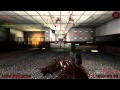
Contains two test maps:
  • KF-ScrnTestGrounds - a legacy test map compatible with vanilla KF or/and Zed Manager.
  • KFT-ScrnTestGrounds-SE - an enhanced test map, supporting the new ScrN Zed Spawning System. Requires ScrN Balance v9.69+.

Features
  • Spawns stock zeds, supports KF events.
  • Allows spawning the following custom zeds, if they are added to the game: Brute, Jason, Shiver, FemaleFP, FemaleFP_MKII, Tesla Husk, Sick, Shafter, Goreshank, Fatale, Hellfire.
  • Spawns any other custom zeds, if they are added via ZED Manager.
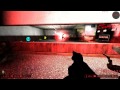
  • Allows blocking zeds by putting them inside blocking volume. Shoot security monitor to toggle zed blocking.
  • Allows blocking zeds with a small welded door. Shoot welded icons to instantly weld/unweld the door.
  • Switching between close and far spawns. If you want to kill zed as fast as possible, then choose close spawn. If you need a long hallway, then switch to far spawn.
  • Wave simulation. You can play real waves while adding specific zeds in between. For example, try chin-shooting Scrake while surrounded by Clots.

SE-only Features
  • Compatible with ScrnGames/Waves/Zeds.ini. Set or replace any custom or stock zeds with anything you want (e.g., Doom Demons) via ScrnZeds.ini.
  • Added back spawn to trap a spawned zed. Useful for damage and hitbox tests.
  • Change Zed spawn location by shooting the badge.
  • Kill all zeds on the map by throwing a nade into the "Kill'em ALL!" badge.
  • Removed annoying bots. Change zed health via the MVOTE FAKED X console command.
  • Difficulty change on-the-fly (without map restart) via the MVOTE DIFF NORMAL/HARD/SUI/HOE command.


Manual Download Link
https://www.dropbox.com/s/bkea1r5ax0ldj4z/KF-ScrnTestGrounds.zip?dl=1


Maps are NOT whitelisted.
58 条留言
Chick'n'Duck 2021 年 2 月 10 日 上午 8:19 
I downloaded an older version of it. One file was different. It seems to work as I am used to.
Chick'n'Duck 2021 年 1 月 27 日 下午 12:14 
Items from Workshop:
Unicode Support
de_dust2
Drum and Bass wave music (1-4)
Neptunia (2 skins)

It appears, one of the Neptunias was added after this map, but I do not remember when.
[ScrN]PooSH  [作者] 2021 年 1 月 27 日 上午 10:42 
What mods do you use?
Chick'n'Duck 2021 年 1 月 27 日 上午 10:33 
I can't access the trader anymore (2021). It worked the last time (2018).
skyla 2020 年 5 月 15 日 下午 1:13 
thanks a lot
[ScrN]PooSH  [作者] 2020 年 5 月 15 日 下午 12:42 
You need a separate debug mutator to show hitboxes. For example this:

https://www.dropbox.com/s/1uhoizzoqtvxc2d/ScrnDebug.zip?dl=1
skyla 2020 年 5 月 15 日 上午 9:20 
hi anyone know how to show hitbox in this version?
Trader 2019 年 3 月 19 日 下午 11:10 
Nice map, thanks for sharing!
[ScrN]PooSH  [作者] 2018 年 12 月 8 日 上午 11:40 
@𝓐-𝓜𝓔𝓘-𝓩𝓘𝓝
If you are using ScrN Balance, then you need to switch to GameLength=8 for Test Mode.

Example:
KF-ScrnTestGrounds.rom?Listen?Game=ScrnBalanceSrv.ScrnGameType?Difficulty=7?GameLength=8?VACSecured=true?MaxPlayers=6
Tiny_Tina 2018 年 12 月 8 日 上午 12:01 
Thanks for the update! Tho I can't enter the trader during free mode, only after a wave ends