Stormworks: Build and Rescue

Stormworks: Build and Rescue

评价数不足
Fueling Computer
   
奖励
收藏
已收藏
取消收藏
文件大小
发表于
更新日期
161.036 KB
2022 年 8 月 9 日 下午 1:22
2022 年 8 月 10 日 上午 2:18
2 项改动说明 ( 查看 )

订阅以下载
Fueling Computer

描述
It is microcontroller which helps to accurately fill the tank.

Microcontroller settings
It has 2 options in dropdown:

   ▶Custom
                  Use this option if you have custom liquid tank.
   ▶Stock
                  In this case you have to write your tanks capacity in the field


Modes

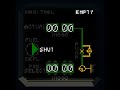
   ▶Auto (1st & 2nd screenshots)
                  MC will open and close valves, turn on or off pumps automatically. Just set fuel level in PRESELECT menu and choose mode (fuel/shut/defuel).

   ▶Semi-Manual (3rd screenshot)
                  MC will open and close valves, turn on or off pumps in the direction that you choose in mode selector and won't stop at preselected value.

   ▶Manual (needs pump outside this system. E.g. stock gantries or hangar tanks)
                  Open BYPASS VALVE and turn on MANUAL MODE . It will shut down system pumps. Fluid pressure in the system will be created only by pump outside the system. It won't stop at preselected value ofk :D.

                  It will be written on the screen HILVL if tank is full, or EMPTY if there is no liquid in the tank.


Update
   ▶Changed algorythm of work, now it shuts down pumps at preselected level in AUTO mode.

Setup

   You need to set monitor quality to hiqh.

   Just do the same thing as on my vehicle and everything should work. Leave comments in case of problems, I will try to answer.

   MC supports values up to 99 999 lts.


Please do not reupload this MC without mentioning me. I spent hours to make this stuff work smooth and corrrectly :D.

Enjoy!
1 条留言
Mr Lennyn 2022 年 8 月 11 日 上午 10:50 
So cool!