Starbound

Starbound

284 个评价
Epic Dye - An in game sprite editor for dyes MOD COMPATIBLE
5
4
2
3
3
6
3
2
2
2
   
奖励
收藏
已收藏
取消收藏
文件大小
发表于
更新日期
178.337 KB
2022 年 7 月 6 日 下午 5:31
2022 年 8 月 5 日 上午 12:38
28 项改动说明 ( 查看 )

订阅以下载
Epic Dye - An in game sprite editor for dyes MOD COMPATIBLE

描述
Epic Dye is Starbound's number one solution for creating your own personal dye, exactly how you want it, for any cosmetic. Every time.

The focus of this mod is creating dyes from scratch, exactly how you want them, with minimal distractions.

Can I use it to dye my modded cosmetics?
Yes! Epic Dye works seamlessly with all mods..

"Ok I'm sold, I have the mod now how do I use it?"
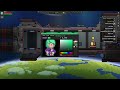
I've attached a video demonstration of the mod above and below are written instructions.

Firstly, to use this mod you must have Quickbar installed. Quickbar will replace the matter manipulator icon on the right of your screen, click it and you should see a menu containing the Epic Dye launcher.
Once you launch the program Epic Dye will immediately start loading your player model. You may notice that your cosmetics look a little different than they do in game and are orange instead. That orange color is the real color of most Starbound cosmetics, it's the color of the png in the game files. Most cosmetics are simply already dyed by default.

On the leftmost side of the editor you have the canvas, this is the area of the editor for selecting and applying dye. In the editor center you have a standard hue, saturation, value color picker. Then on the rightmost side of the editor is the color palette. The color palette lists every unique color you are wearing, you can click on the color palette to select a color and using the color picker while having a palette item selected will automatically apply that color.

Above the color picker resides the toolbar. Epic dye provides you with four tools. The pencil tool, the eraser tool, the eyedropper tool, and the pan/zoom tool. After clicking on the canvas you can switch between the tools using the WASD keys. By clicking on the canvas with the pencil tool selected you may apply the selected color to all of any color of pixel. Similar to conventional image editors, left click assigns the foreground color and right click for the background color. This is also true for the eyedropper tool which you may use to get the color of any pixel. Then you have the eraser tool which returns any pixel to its original color. And finally the pan and zoom tool (magnifying glass tool). Use left click to pan and right click to toggle your zoom. Saving and loading dyes is pretty self-explanatory. Although I would like to mention that both the save and save as buttons actually do the exact same thing I just didn't want to remove one of them.

You may use the new button to start a new dye and load any cosmetics you may have equipped. The get dye button will add one new dye to your inventory.

Epic Dye Requires The Quickbar Mini Mod To Function
Yes you may also use Stardust or any other Quickbar iterations.

Update
This mod is provided as is, and as I am no longer active in Starbound I will not be providing future updates or fixes. If anyone would like to create a fork just let me know, I am available to open source this, I don't really care, this is just something I would need to set up.
热门讨论 查看全部(1)
2
2024 年 5 月 29 日 上午 10:26
I'm looking to move Epic Dye out of beta very soon so please let me know of any bugs or crashes that are still persisting.
J Dog
101 条留言
Rib 8 月 5 日 上午 7:31 
@J Dog, thank you for the tip. I did get the color to stick though I had to apply the dye from another piece of the set for it to take, apparently that gear piece had the same color on its first frame (I tried adding the color to my save file first and had to load a backup, guess I did it wrong). Loving the mod btw
J Dog  [作者] 8 月 4 日 下午 4:52 
@Rib Dyes are saved to your player file in the status effects section I believe. Starbound doesn't allow saving files directly to disk. You are going to have to unpack your player file using the dumpjson CLI tool in the win32 folder where the starbound exe is.
Rib 8 月 2 日 上午 2:58 
Anyone know where the dyes are saved? Trying to manually add a color as the pixel isnt visible on the first frame of the animation.
dura 4 月 2 日 下午 12:36 
it doesn't seem to work with some of inkbound's items, like the scavenger's set. is it because it naturally can't be dyed?
Безумный Пророк 2024 年 7 月 29 日 下午 7:55 
Mod errors, flaws and disadvantages:
1) You can't paint a separate element, you have to undress to do it.
2) When choosing shades, there is a chance that 2 colors will combine and you have to start over.
3) When choosing a shade (Brightness and Darkness-Lightness), there is a chance that another color will be selected.
4) The ability to save colors.
5) Enter codes for your colors.
Безумный Пророк 2024 年 7 月 29 日 下午 7:55 
Ошибки мода, недоработки и Недостатки:
1) Нельзя отдельный элемент красить нужно обязательно раздеться что-бы это делать.
2) При выборе оттенков есть шанс того что 2 цвета объединиться и нужно начать сначала.
3) При выборе оттенка(Яркости и Темноты-Светлости) есть шанс что выберится другой цвет.
4) Возможность сохранять цвета.
5) Вводить коды своих цветов.
dura 2024 年 6 月 27 日 下午 2:31 
can there be an option to hide the player's body? my player's arm is blocking a couple parts I want to color.
AngryMiner5704 2024 年 6 月 19 日 下午 12:18 
Is there a way to turn the color of stuff from the orange back to its default color without having to do it manually in the color picker?
AtomicBeaverCleaver 2024 年 5 月 29 日 下午 1:17 
This looks and sounds fantastic! But the required mod Quickbar Mini has a successor called Stardust Core Lite. Can you please make this newer mod the requirement instead of the older one?
auhrorae 2024 年 5 月 29 日 上午 10:24 
OpenStarbound seems to break this mod with an 'Exception while invoking lua function 'update'. (LuaException)' error, other than that it works flawlessly on the vanilla client.