Stormworks: Build and Rescue

Stormworks: Build and Rescue

评价数不足
Reflector Gunsight (STW)
   
奖励
收藏
已收藏
取消收藏
标签: v1.3.6
文件大小
发表于
240.789 KB
2021 年 10 月 21 日 上午 6:53
1 项改动说明 ( 查看 )

订阅以下载
Reflector Gunsight (STW)

描述
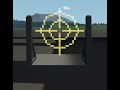
Reflector Gunsight for STW
Reflector gunsight MC made for STW,

A reflector gunsight IRL works in the way that no matter where your eye position is, the crosshair is supposed to point where your guns will fire.

In Stormworks normal gunsights dont work accurately when your head is to one side or the other, as the point of view moves slightly left, right, up and down depending on where you are looking.
This MC fixes this via taking your LookX and LookY to counteract this offset, keeping your guns shooting centred relative to the crosshair.

This specific example is set up for my IL-2 with a single block gap between the seats hitbox and the 1x1 hud, for a male character (Female character has slightly lower point of view), thus it might not work for everything, see below on info on how to tune it for your aircraft.


Setup Guide
To tune this MC for your own aircraft or whatever you feel like putting this on, you need to manually adjust the positioning and modifiers on the MC. (Warning: To set up your own crosshair, basic LUA knowledge is needed!)

On the properties when you select the microcontroller, there are three variables to tune:
  • Multiplier X
  • Multiplier Y
  • Vertical Pixel Offset
These control how your crosshair will be positioned,
Multiplier X will multiply the LookX output, to make the crosshair move horizontally. The higher the number, the more it will try to move to the side to compensate for your horizontal looking movement.
Multiplier Y is the same, but for your vertical looking.
Vertical Pixel Offset will offset your crosshair up or down depending on what you have set it to.

If the crosshair moves too much when you look to the side (Towards where you pointed), lower the number for that modifier
If the crosshair constantly points low or high, change the vertical offset to match the center of aim

For setting up your own crosshair, you will need to edit the LUA code, see inside the LUA script in the MC on what everything does and what to do with what variables.


Special thanks to CornFlaKs#0699 on the STW discord!
Link to STW server: https://discord.gg/3KGQemjccB
12 条留言
Lazakamikaza  [作者] 2024 年 9 月 26 日 下午 11:20 
@T-san honestly i dont remember (i made this 3 years ago) but it believe this is not a standalone microcontroller but a vehicle, so check your workshop vehicles section instead
T-san 2024 年 9 月 26 日 下午 10:09 
This doesn't show up in the microcontrollers section
Lazakamikaza  [作者] 2023 年 8 月 1 日 上午 1:41 
@skydestoryer1 yes feel free to use it
skydestoryer1 2023 年 7 月 31 日 上午 1:16 
Hey I used your microcontroller in a plane I built and I want to put the plane on the workshop are you cool with that?
Lazakamikaza  [作者] 2022 年 8 月 12 日 下午 2:43 
Yes you can add an offset inside it, if you look at the lua youll see the vertical offset variable and you can add it yourself to every draw function, and it should work :steamthumbsup:
CharlesDarles 2022 年 8 月 12 日 下午 12:09 
Is there a way to adjust the sight horizontally like the vertical offset option?
475213 2022 年 6 月 5 日 上午 12:18 
I love this thing so much. I'm adding it to every build/mod I do now. I've uploaded a biplane that uses it if you want to check it out.
Master-Class67 2022 年 4 月 12 日 上午 3:57 
Hi, I'm planning to use this for my spitfire, I will credit you.
Lazakamikaza  [作者] 2021 年 11 月 28 日 下午 3:21 
@Eaglezero6205 :steamsad: thats not what i meant .. I mean that you can just open your subscribed creations and find it there
Eagle 2021 年 11 月 28 日 下午 3:03 
Ohhhh Ok. I dont know how to access XML files in this game. I do know can modify items like pipes and such and windows. I used to have a link to a site that opened up the XML. but yeah Im not sure how to use this. I built myself a P51 and wanted to add it in.