Squad
评价数不足
Squad Fixes & Troubleshooting
由 Mr.Phileo 制作
This guide will assist in fixing issues that the daily player comes across.

THE GUIDE IS NOT CLOSE TO COMPLETE. ITEMS WILL BE MISSING.

Please DM me on Steam or Discord[Https//] if you want to add to this guide, If you have a few fixes with screenshots of issue. I will add you as a contributor.

11/18/2025
Squad v10.0.0.523216.1005-5.5.4--SHIPPING
   
奖励
收藏
已收藏
取消收藏
Troubleshooting
  • Update GPU drivers

  • Disable all workshop mods (Steam/Squad/Properties/Workshop/Uncheck)

  • Validate game files (Steam/Squad/Properties/Installed Files/Verify integrity)

  • Have a minimum of 20GB of Storage free on Squads Drive

  • Clear Cache, this can be done by pressing Windows Key ⊞ + R, Type %localappdata%, delete the SquadGame folder.

  • SFC Scan, this can be done by opening Command Prompt as Admin, then typing sfc /scannow. If files are found to be corrupted type, DISM /online /cleanup-image /restorehealth. After done, restart PC.
Fixes
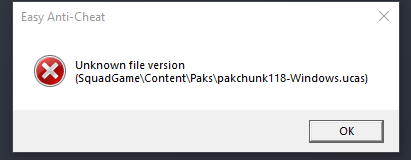
Unknown file version
Validate game files as a file is corrupted (Steam/Squad/Properties/Installed Files/Verify integrity)


Radeon GPU Launch Error
Roll back to driver version 25.9.1
AMD Radeon Software > Performace tab > Driver & Software > Rollback Driver > Restart Computer
Or
Find driver version 25.9.1, click download.
Radeon Drivers [www.amd.com]


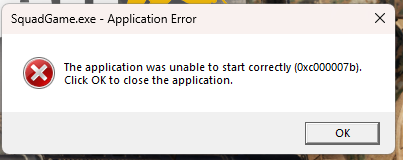
Unable to Start Game Correctly
Download the latest Visual C++ -> Restart
Microsoft Visual C++ Downloads [learn.microsoft.com]


Unabale to skip intro
Common fix: disable all workshop mods (Steam/Squad/Properties/Workshop/Uncheck)

Fully turn off the startup movie.
(Not recommended for some cases, as the game will still not launch)
Open Steam > Squad Properties > Installed Files > Click Browse > SquadGame\Content\Movies > Delete "welcome_to_squad.MP4"

Bugged Curser
Unplug any joystick, controller or USB devices than can cause issues.
Crash Fixes
Game keeps crashing
  • Update GPU drivers
    Nvidia APP > Drivers > Download > Restart Computer
    Radeon APP > Download > Restart Computer

  • Validate game files (Steam/Squad/Properties/Installed Files/Verify integrity)

  • Clear Cache, this can be done by pressing Windows Key ⊞ + R, Type %localappdata%, delete the SquadGame folder.
Performance Fixes
Audio Fixes
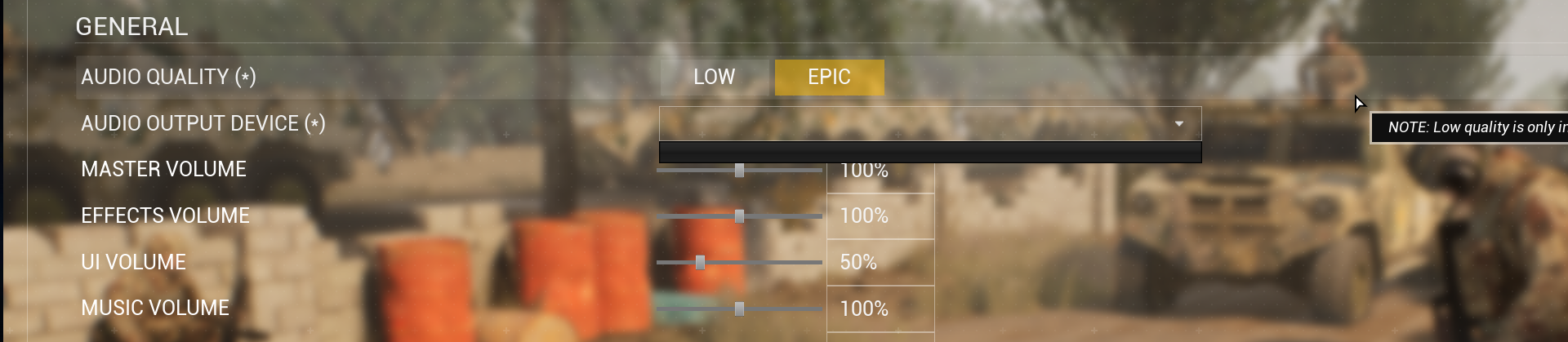
No Audio Input Option
Clear Cache, this can be done by pressing Windows Key ⊞ + R, Type %localappdata%, and deleting the SquadGame folder.


No Input Device
Turn off "Audio enhancements" in Windows
Windows 11 - Settings > System > Sound > Properties > Change Device Default Effects -> Off


Network & Connection Fixes
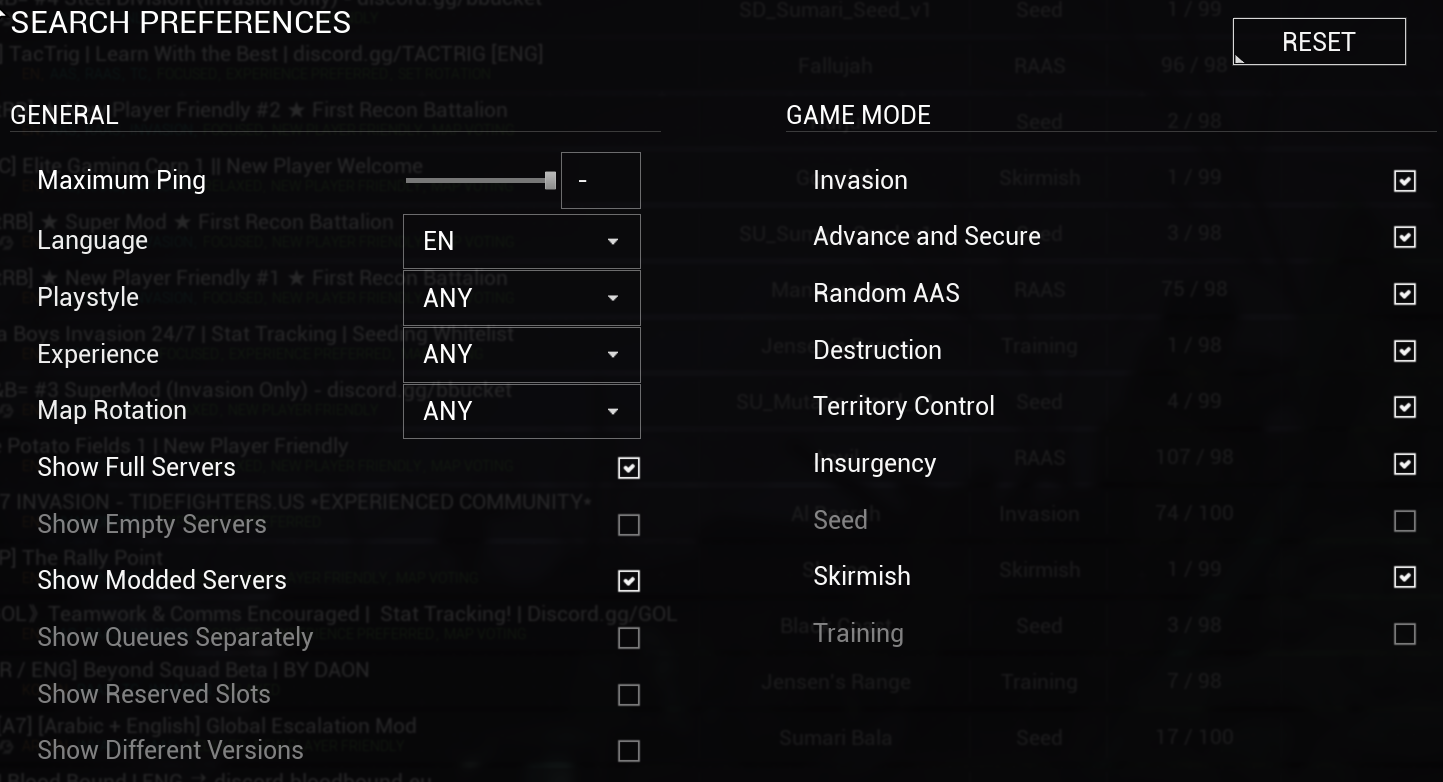
No Servers Showing Or Infiniate loading
Put "Maximum Ping" up in server filters and double-check what's on/off.


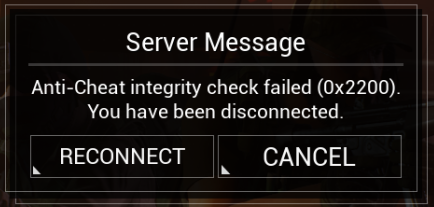
Anti Cheat Integrity Check Failed
EOS connection is blocked or down.
Turn off VPN and check firewall
Check EOS status here[status.epicgames.com]


Steam Offline
Visual Fixes
Black Around Scope
Turn off wake simulation. Settings > Graphics > Wake Simulation

Low Quality Textures
Can be due to low amount of GPU VRAM.
Lower texture quality and use upscaling
Last resort option if you have under 4GB of VRAM, turn on uncap texture pool.
Squad > Settings > Graphics > Texures > Uncap Texture Poolsize

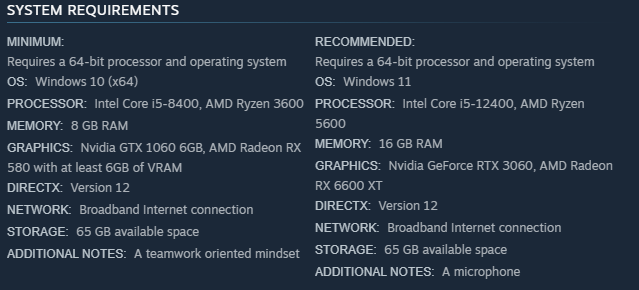
Please keep in mind Squad has new system requirements
Issue not listed or more support needed?
Please go here and explain the issue in full detail.

If an issue is not listed and you found a fix please contact me on Steam or Discord[Https//] as I want to keep this list up to date with the latest issues.

Hope this helped!
1 条留言
Motik_32 12 月 5 日 上午 9:14 
thank you:spycon: