Wallpaper Engine:壁纸引擎

Wallpaper Engine:壁纸引擎

446 个评价
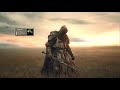
Medieval Soldier (Shortcut, Calendar, Media Vis.) | 𝙎𝙚𝙮𝙪𝙡.𝙎𝙖𝙡𝙩𝙯
   
奖励
收藏
已收藏
取消收藏
Type: Scene
Age Rating: Everyone
Genre: Medieval
Resolution: 3840 x 2160
Category: Wallpaper
文件大小
发表于
更新日期
99.453 MB
10 月 28 日 上午 9:11
11 月 19 日 下午 9:20
2 项改动说明 ( 查看 )

订阅以下载
Medieval Soldier (Shortcut, Calendar, Media Vis.) | 𝙎𝙚𝙮𝙪𝙡.𝙎𝙖𝙡𝙩𝙯

在 『℧』𝙎𝙚𝙮𝙪𝙡 的 1 个合集中
𝙈𝙮 𝘽𝙚𝙨𝙩 𝙒𝙖𝙡𝙡𝙥𝙖𝙥𝙚𝙧𝙨
13 件物品
描述
𝗬𝗼𝘂 𝗰𝗮𝗻 𝘀𝗲𝗲 𝗺𝘆 𝘄𝗮𝗹𝗹𝗽𝗮𝗽𝗲𝗿 𝗰𝗼𝗹𝗹𝗲𝗰𝘁𝗶𝗼𝗻 𝗵𝗲𝗿𝗲 𝙈𝙮 𝘽𝙚𝙨𝙩 𝙒𝙖𝙡𝙡𝙥𝙖𝙥𝙚𝙧𝙨

𝗔𝗻𝗶𝗺𝗮𝘁𝗲𝗱 𝗕𝘆 𝙎𝙚𝙮𝙪𝙡.𝙎𝙖𝙡𝙩𝙯

𝗔𝗿𝘁 𝗕𝘆 𝙈𝙚𝙙𝙞𝙚𝙫𝙖𝙡 𝙎𝙤𝙡𝙙𝙞𝙚𝙧[mx.pinterest.com]

𝗥𝗲𝘀𝗼𝘂𝗿𝗰𝗲𝘀 𝗨𝘀𝗲𝗱 :
🔧 Calendar By Hope麻匪 : 麻匪 𝘿𝙤𝙘𝙠 多组件交互壁纸 𝘾𝙤𝙢𝙥𝙤𝙣𝙚𝙣𝙩 𝙢𝙤𝙙𝙪𝙡𝙚
🔧 App Launcher Dock By seekay_labs : 𝘼𝙥𝙥 𝙇𝙖𝙪𝙣𝙘𝙝𝙚𝙧 𝘿𝙤𝙘𝙠
ㅤㅤ└ 🪟 𝙂𝙪𝙞𝙙𝙚 / 𝙏𝙪𝙩𝙤𝙧𝙞𝙖𝙡 (𝙎𝙝𝙤𝙧𝙩𝙘𝙪𝙩)
🔧 Media Visualizer By Seyul : 𝙈𝙚𝙙𝙞𝙖 𝙑𝙞𝙨𝙪𝙖𝙡𝙞𝙯𝙚𝙧
16 条留言
『℧』𝙎𝙚𝙮𝙪𝙡  [作者] 11 月 21 日 下午 12:58 
Hi @thony38, I hope you understand me. There are many layers and really too many sublayers that would each have to be linked to their position on the Z axis in order to invert them and link them to a user property.
I wish it were as simple as enabling the “invert” checkbox, which appears by default on all wallpapers.
thony38 11 月 21 日 上午 9:48 
It's really great :steamthumbsup:! But is it possible to add an option to reverse the orientation of the different modes (app launcher, calendar, media visualizer, time)? Since I reversed the wallpaper, now all the modes are upside down.
『℧』𝙎𝙚𝙮𝙪𝙡  [作者] 11 月 18 日 上午 9:09 
Hi @SoulSauce, If it's a good suggestion, I'll implement it when I have time, as I'm working on other projects. :WinkingMDS:
SoulSauce 11 月 17 日 下午 3:56 
Very well done. This is an excellent wallpaper, truly. There's something heavy about the aesthetic of the nearly still knight with wind blowing (with subtle breathing animation). I only have some suggestions because I like this a lot, but it would be nice if it had just a few more optional bells and whistles, such as Time/Date, etc. It might be nice to have some optional texts/time/date etc. with an ability to move them x/y, size, etc. Even without it, it's great.
月照孤魂 11 月 14 日 下午 8:24 
Nice!!! perfect!!
『℧』𝙎𝙚𝙮𝙪𝙡  [作者] 11 月 9 日 上午 7:53 
Hi @WORLDOVERHEAVAN, it's simple. If “Enabled” and “Shortcut Setup” are already enabled in “App launcher dock,” click on “Assign shortcut,” then on the sheet symbol, and then on the path. If you want to add a shortcut to a website, just copy its URL and paste it into the third symbol (the planet). The other two are a little more advanced. :LaughingMDS:
WORLDOVERHEAVAN 11 月 9 日 上午 1:05 
how do i add apps to the icon thing I just statred using this
Vizionblind 11 月 4 日 下午 9:04 
@seyul ah perfect! thank you!
『℧』𝙎𝙚𝙮𝙪𝙡  [作者] 11 月 4 日 下午 8:49 
Hi @Vizionblind, If you are referring to the “app launcher dock,” you can disable it in the user properties. :WinkingMDS:
Vizionblind 11 月 4 日 下午 8:18 
I like this a lot but could you make a version without the icon things at the bottom? I just want the knight