Left 4 Dead 2

Left 4 Dead 2

89 个评价
Minigun Plunderers (Vscript)
   
奖励
收藏
已收藏
取消收藏
Game Content: Weapons, Scripts, Miscellaneous
Game Modes: Single Player, Co-op
文件大小
发表于
更新日期
109.457 KB
2024 年 8 月 31 日 下午 4:11
1 月 8 日 上午 2:51
3 项改动说明 ( 查看 )

订阅以下载
Minigun Plunderers (Vscript)

在 kurochama 的 1 个合集中
Useful "Side-Dish" Mods (Especially for Bots)
64 件物品
描述
"What if I can take any miniguns on streets & buildings, & deploy it anywhere I want?"

Ellis, as a mechanic, suddenly got a crazy idea. So, he decided to plunder any miniguns he found along the way. To make it more fun, he taught other survivors to plunder miniguns too...

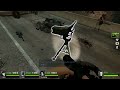
That's for the background story. Now, for this mod, this mod allows survivors to remove miniguns they find on streets, trucks, buildings etc & store them into virtual inventory so they can be deployed anytime & anywhere. It's kind of a waste to leave a minigun alone, so, why not plundering & carrying it along the way instead?

There are 3 available features in "minigun plunderers cfg.txt" file:
  1. Minigun Plunder Mode: This controls which mode is active. Based on the value, there are 4 modes with different mechanisms:
    - Manual Mode
    Manual mode is active when the value is set to 0. Manual mode uses event functions to store & spawn the plundered miniguns. There are 3 mechanisms on "Manual Mode":
    - Hold "E (Use)" & then reload your gun while looking at an unused minigun in melee range to plunder.
    - Press "CTRL +TAB + JUMP" while looking at the ground in melee range to spawn the plundered minigun.
    - Hold CTRL + S (move backward) & keep shoving the minigun with crosshair at the minigun to change the direction. When successful, you'll automatically use the minigun.
    - Auto Mode
    Auto mode is active when the value is set to 1 or higher. Auto mode uses automatically executed scripts. This mode has 1 second of cooldown on each use, to prevent the minigun from spamming too fast. 3 available mechanisms on Auto mode:
    - Press "TAB + RELOAD" while looking at an unused minigun in melee range to plunder.
    - Press "TAB + E" while looking at the ground in melee range to spawn the plundered minigun.
    - Hold CTRL + E) while looking at the minigun in melee range to change the direction. When successful, you'll automatically use the minigun.
    - Combined Mode
    This mode is combination of Manual & Auto when the value is set to 2. All mechanisms on both Manual & Auto modes can be used.
    - Combined Mode + Chat Commands
    Same as Combined mode, but with chat command features added. This one is active when the value is set to 3. There are 3 available chat commands:
    Chat Commands
    Effects
    transform to minigun
    Converts certain items to minigun
    - GL= L4D1 minigun
    - M60= L4D2 minigun
    - Incendiary pack= L4D1 minigun
    - Explosive pack= L4D2 minigun
    install minigun
    Deploys a minigun in crosshair nearby
    steal minigun
    Plunders a minigun in crosshair
  2. Minigun Limit: How many miniguns can be stored into virtual inventory. Min= 1, max= 4 (4 L4D1 miniguns, 4 L4D2 miniguns).
  3. Minigun Notification: When enabled, a notification about how many miniguns in virtual inventory will show up anytime a minigun is stored or spawned.

So, with Ellis's help, from now on you can steal any miniguns you find along the way to use them later.

NOTES:
  • A video preview will be added later.
  • The spawned minigun follows the default spawn direction, so if you want to change direction, press "CTRL + E" (Auto Mode), "CTRL + S + SHOVE" (Manual Mode) with crosshair at the minigun to the direction where you're looking at (like on the video preview).
  • As the minigun can be spawned freely based on where player is seeing, try not to spawn it on a wall or on other survivor to prevent the bugged/ floating minigun spawn.
13 条留言
Sieg Rem 3 月 26 日 上午 3:49 
@kurochama thanks
kurochama  [作者] 3 月 25 日 下午 11:51 
@Sieg Rem , it depends on "Minigun Plunder Mode". If you set it to 1, you can pick a minigun by pressing "TAB + RELOAD", & deploy by pressing "TAB + E".
Sieg Rem 3 月 25 日 下午 11:47 
I'm kinda confused how do I pick up and put down the minigun?
kurochama  [作者] 1 月 16 日 上午 6:16 
@TrueKringe , well, that happened to me several times too :steamhappy: . I think I can add a feature to remove it, or completely remove it.
TrueKringe 1 月 16 日 上午 3:37 
Aight, can you please remove the stupid roll animation when I take/deploy the gun? cuz it made me fall of the ledges if I'm using it to close to one.
Doomgamer9000 2024 年 9 月 6 日 下午 1:27 
Cool mod this could work for a auto turret type of mod :D
Turbo Vieja 2024 年 8 月 31 日 下午 6:17 
gud
Echo 2024 年 8 月 31 日 下午 6:10 
are you a girl
kurochama  [作者] 2024 年 8 月 31 日 下午 5:39 
@Narco , I see... No wonder that I rarely saw you online these days. & about the last 2 mods, one of them was a flare mod. I remember that back then you wanted such mod & tried to make it, so, I decided to make it with a cfg file to freely change the flare settings.

@$₩AT☆AnnaV7 , thanks. Glad that you liked it.
NeotyShame 2024 年 8 月 31 日 下午 5:28 
pretty cool script