Stellaris

Stellaris

评价数不足
Reforged Custom
   
奖励
收藏
已收藏
取消收藏
文件大小
发表于
更新日期
2.502 MB
2024 年 6 月 17 日 上午 7:44
5 月 20 日 上午 8:47
9 项改动说明 ( 查看 )

订阅以下载
Reforged Custom

描述
I'll be uploading a video later on how to do this. This mod is to change or add the portraits to a different species class.

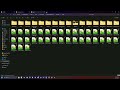
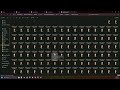
Load up paradox launcher. Go to All installed mods. Click Upload Mod. Click Create a Mod. Give your custom mod a name, version, and directory. If on windows Go to your documents, find Paradox Interactive, go to Stellaris, then lastly click on mod. This is where your custom mods are on windows, example - C:\Users\User\Documents\Paradox Interactive\Stellaris\mod ----. open up any ugc text.mod file and view where path= etc. Copy that directory example SteamLibrary/steamapps/workshop/content/281990/727000451. open to that directory if it leads to your stellaris workshop directory. Go back one in the folder from 281990/727000451 to 281990 which is the workshop folder. So now you should have two explorers open. One for where your custom mod is located and the stellaris workshop mods are. Subscribe to this mod. Refresh the steam workshop and look for the latest folder added. Open it. Copy the gfx folder and paste it to your new custom mod in documents explorer you had open in the beginning. Open your custom mod and paste it into it. Open gfx > portraits > portraits. I pasted all stellaris portraits txt files in it. Open mycustommod_portraits.txt SEARCH for human_legacy = { ---- Change human_legacy to what portrait group you want to see these humans in. So open up another txt file that has the machines you want to be. So find that portraits txt you like that has machines and find where it says:
portrait_groups = {
the_name_of_the_group_portrait_that_will_show_machines = {
Once you find the portrait group you are looking for change it to that. This is just an example. Once you find it delete every other txt file you didn’t use. So now you have two text files left. mycustommod_portraits and one of the stellaris portraits that has the group. If you want to remove the other portraits and only the mycustommod_portraits… Then you have to go back to the stellaris portraits and go back to the portrait_groups of the code. Example –
portrait_groups = {
human = {
The human group is the new humans.. Remove all human_male_01
human_male_02
human_male_03
human_male_04
human_male_05
and remove the females from the code. Save it and now they won’t pop up, only the human reforged will to that portrait set.

Some portrait_group names - double click and copy inside the quotations.

"cyb1"
"cyb2"
"cyb3"
"cyb6"
"cyb7"
"cyb4"
"cyb10"
"cyb11"
"cyb5"
"cyb9"
"cyb12"
"cyb8"
"cyb13"
"synth01"
"synth04"
"synth07"
"synth02"
"synth08"
"synth09"
"synth03"
"synth05"
"synth06"
"synth_machine_01"
"synth_machine_02"
"synth_machine_03"
"synth_machine_04"
"synth_machine_05"
"synth_machine_06"
"synth_machine_07"
"synth_machine_08"
"synth_machine_09"
"cyb_machine"
"default_robot"
"sd_hum_robot"
"sd_mam_robot"
"sd_rep_robot"
"sd_avi_robot"
"sd_art_robot"
"sd_mol_robot"
"sd_fun_robot"
"aqu_machine"
"tox_machine"
"nec_machine"
"lith_machine"
"sd_pla_robot"
9 条留言
Devourwulf  [作者] 2024 年 11 月 7 日 上午 10:44 
And make sure to change back the portrait group to what you liked before.
Devourwulf  [作者] 2024 年 11 月 7 日 上午 10:43 
I'll update it this when I am back home. Best temporary fix would be to copy legacy txt files from gfx/portraits/portraits and assets files
nikolas 2024 年 11 月 7 日 上午 9:42 
Thanks for the update, how can I fix the invisible custom portraits?
Devourwulf  [作者] 2024 年 10 月 8 日 下午 10:25 
Updated Legacy mod to match same directories as reforged humanoid. This may make your custom mod invisible portraits.
nikolas 2024 年 6 月 26 日 下午 1:18 
thanks so much man appreciate it.
Devourwulf  [作者] 2024 年 6 月 25 日 下午 11:36 
Uploaded part 2 on how to edit clothing.
Devourwulf  [作者] 2024 年 6 月 25 日 下午 8:12 
I still need to do the video, but added in the assets of - All clothes unlocked for any leader.
Devourwulf  [作者] 2024 年 6 月 23 日 下午 12:40 
Sure. I'll add a new video tonight about clothing.
nikolas 2024 年 6 月 23 日 上午 8:27 
hey, could you explain how to do clothing?
thanks for the mod!