Wallpaper Engine:壁纸引擎

Wallpaper Engine:壁纸引擎

3,824 个评价
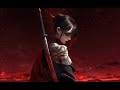
Katana Girl with Hologram (Adjustable; 4k; Cyberpunk Samurai) MX
3
2
   
奖励
收藏
已收藏
取消收藏
Type: Scene
Age Rating: Everyone
Genre: Girls
Resolution: 3840 x 2160
Category: Wallpaper
文件大小
发表于
更新日期
16.723 MB
2024 年 5 月 3 日 上午 8:26
7 月 30 日 上午 6:17
17 项改动说明 ( 查看 )

订阅以下载
Katana Girl with Hologram (Adjustable; 4k; Cyberpunk Samurai) MX

在 。✧MamiXayah✧。 的 2 个合集中
All of my Wallpapers
194 件物品
My Favorite Wallpapers Created By Me
101 件物品
描述
Tags: Girls, Cyberpunk, Fantasy, Anime; 4k resolution, Puppet Warp, Adjustable, Media integration, Bloom settings, filter settings, Changeable background and body type; Audio responsive;
if you like my animation and plan on reposting, make sure to link me and give me credits. Thanks

Don't rate the animation negatively, just tell me what annoys you so I can change it

I would appreciate it if you want to support me on Ko-fi[ko-fi.com] since I don't make any money from these wallpapers :(

If you want to support me: Theres a link on my profile.
Image: AI art; https://www.uhdpaper.com/2024/04/anime-girl-katana-tattoo-4k-8k-2283a.html
Image 2: https://www.uhdpaper.com/2022/10/blood-moon-scenery-anime-girl-4k-3520h.html?m=0


Be sure to check out the V2 of this one if you want some additional colour settings, an FPS counter and music, as well as a few other changes. All the changes from V2 to V1 are listed when you scroll down on V2.

(っ◔◡◔)っ ♥ subscribe for more wallpapers like this to my workshop ♥

Check out my workshop here

​UPDATE: Groups, Stars, FPS Counter and another Media Integration added.
Dynamic media integration by Gariam and Seekay https://psteamcommunity.yuanyoumao.com/sharedfiles/filedetails/?id=3219510589&snr=

UPDATE: Color changes added; Cursor trailer added; Clouds added; under clock you can now remove "animated by MamiXayah"
UPDATE (January 2025): theres now a matrix code and a numeric clock system with the days being displayed in Chinese. Enjoy.
UPDATE: (April 2025): moveable clock + moveable butterfly; circular star rail cycle. Enjoy.

𝐈𝐌𝐏𝐎𝐑𝐓𝐀𝐍𝐓:

In Case you experience 𝐅𝐏𝐒 𝐃𝐑𝐎𝐏𝐒, try the following settings:

- 1. Scroll down on the wallpaper and go to "𝐀𝐝𝐝𝐢𝐭𝐨𝐧𝐚𝐥 𝐒𝐞𝐭𝐭𝐢𝐧𝐠𝐬". Turn off "𝐁𝐥𝐨𝐨𝐦", which should be enabled by default.
- 2. After that go to "𝐒𝐭𝐚𝐫𝐬" and turn off the following: "reactive stars (both additonal and default) , Red Stars, Glowing
stars (both additonal and default), shining stars and blinking stars"
- 3. After that go to "𝐀𝐧𝐢𝐦𝐚𝐭𝐢𝐨𝐧" and turn off "𝐄𝐦𝐛𝐞𝐫"
- 4. If all of these changes aren't enough, go to 𝐖𝐚𝐥𝐥𝐩𝐚𝐩𝐞𝐫 𝐄𝐧𝐠𝐢𝐧𝐞 𝐒𝐞𝐭𝐭𝐢𝐧𝐠𝐬 in the top right corner. From there on on the "Performance Tab" set FPS capped to 15. (Trust me it doesn't look bad, I use the same Setting.)
- 5. The last step from here on is to turn off Anti-Aliasing.
- 6. In case you want to see if you get the consistent 15 FPS: Turn on "Show FPS" under "Clock".
I hope this fixed all issues!

Note: Keep in mind that I do not make any money from these Wallpapers and that each of them is free. Therefore I would appreciate it if you want to support me on Paypal[paypal.me]

Find me on 𝐹𝒾𝓋𝑒𝓇𝓇[de.fiverr.com] if you are interessted in a commission.
热门讨论 查看全部(1)
2
2 月 23 日 上午 9:24
workshop wallpaper help
CurSed×ZoRo
119 条留言
R1sinG_Ph03niX 11 月 5 日 下午 12:43 
此留言正在等待我们的自动内容检查系统分析。在我们证实其内容无害之前(例如试图窃取信息的钓鱼站点链接),留言将暂时隐藏。
。✧MamiXayah✧。  [作者] 8 月 8 日 上午 6:57 
@恩六
禁用媒体集成(选择类型3关闭)或在后台播放一首歌
恩六 8 月 8 日 上午 6:49 
这个齿轮怎么让它隐藏啊,有没有大佬知道的?
。✧MamiXayah✧。  [作者] 7 月 22 日 下午 12:56 
@KSinCore
Thanks for the compliment, but honestly I'm unsure If I will add something like that. I've done 16 overall updates since this wallpaper was released about 1 year ago and it has over 100 settings.
I'm kinda tired to be honest to add anything new since I already feel it's quite clustered with all the available settings.
KSinCore 7 月 21 日 下午 6:40 
Any chance of making it Ultrawide? This wallpaper is amazing.
。✧MamiXayah✧。  [作者] 7 月 19 日 下午 2:36 
@HOLLOW KNIGHT
you could turn off the clock and media support
。✧MamiXayah✧。  [作者] 7 月 19 日 下午 2:35 
@Dampuurt
There is no option for that other than changing the background.
贝牢黑 7 月 18 日 下午 6:42 
Hello, I would like to ask how to set the effect of that aperture.
Dampuurt 7 月 15 日 上午 9:18 
Hi I was wondering how to turn off the anime cat ear girl when selecting body type 2. Changing the background gets rid of it, but I want the background to remain the same.
HOLLOW KNIGHT 7 月 13 日 上午 1:24 
Increíble, solo un detalle, al invertir la imágen para que quede a corde al monitor en donde esta ubicado también invierte los gadgets.