Tabletop Simulator

Tabletop Simulator

270 个评价
Make Anything Editable
13
21
3
4
5
5
2
2
2
2
2
   
奖励
收藏
已收藏
取消收藏
Type: Utility
Complexity: Low Complexity
文件大小
发表于
更新日期
2.613 MB
2024 年 3 月 11 日 下午 3:42
5 月 29 日 下午 1:56
30 项改动说明 ( 查看 )

订阅以下载
Make Anything Editable

描述
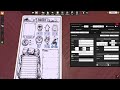
Write text and add images and checkboxes to any object! Use this stamp to give any object the ability to have text and images on it. Its ideal for making a character sheet out of an image, creating a card that you need, or writing a number on a token!

Thanks everyone for your bug reports and feedback! Your comments have made this tool much more polished than it would have ever been without them!

Instructions
Place the stamp on top of the object you want to edit and press the Stamp button. That object is now editable. Right click on that object and select "Edit Layout" from the context menu to open the popup. In that popup, you can add 'Texts' to the object, which you can later edit. You can set their color, size and alignment. You can also add 'Images', using a URL. Finally, you can add 'Checkboxes', which you can toggle with a click, and even enable/disable, for those games that require so.

You can also use the stamp to copy the settings from one object onto another. Just place it on top of the source object and right click the Stamp button. Then place the stamp on top of another object and left click the button to paste. If you want to clear the selection, place the stamp somewhere empty and right click the Stamp button to clear the clipboard.

Arrays
In some cases you may want a list or a grid of text fields. Instead of duplicating and moving each one individually, you can use the Array setting, which replicates the field in as many columns and rows as you want.

Committing
If you are worried your players will edit the layout of your cards, or if you don't want all of the extra file size that comes with the layout editing code, you can use the Commit Layout option to trim away all of the editing related code, leaving behind only whats necessary to keep the functionality of the fields and decals. You will still be able to modify the values of unlocked fields, but you wont be able to change the layout. You can re-inject the layout editing code by copying and pasting with the stamp.

What's new in v2
▶ There is a whole new UI to edit stuff! You can now select texts, checkboxes and images by clicking on them directly on the sheet.
▶ You can finally click through those pesky locked fields to pick up the object instead of selecting an uneditable text!
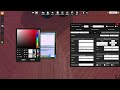
▶ There are color pickers, cool character presets for checkboxes and prompts when changing an image's URL.
▶ Also, a new feature allows you to set different colors for all states of a checkbox.
▶ Finally, you can now edit stuff in tables with pre-existing UI without breaking it, and other players can't see the menus you open!

Thank you!

I really hope you enjoy my work and it will always be free, but if you want to donate I would really appretiate it! https://ko-fi.com/marianol
224 条留言
Leo 12 月 12 日 上午 7:26 
Is it possible to make the check boxes a toggle? For example in the score card video. There was 5 boxes at the bottom to represent rounds. Is there a way to make it so if you click on any of the boxes the other 4 boxes would turn off/uncheck?
Adil3tr 12 月 11 日 下午 7:38 
And if possible, it would be really helpful to use an image as the "on" image for a checkbox.
Adil3tr 12 月 11 日 下午 7:35 
You might want to make "can fill checkbox even if disabled" the default because a lot of modders don't realize that they want the functionality and then are confused as to how to fix it after the fact.
kermit 11 月 28 日 上午 8:53 
thanks for the reply! i'll try and figure it out.
Marum  [作者] 11 月 28 日 上午 4:06 
Pages are kind of beyond the scope of this addon, it's mostly just to make generic sheets and cards. for more specific things like pages you my need to code it yourself, sorry
kermit 11 月 27 日 下午 1:00 
is there any chance a function to add pages could be added to this? i love it for it's customizability, but am unsure how to go about coding in pages myself.
Furizu 11 月 3 日 下午 4:32 
I love this, but is there any way to get decals to stay on edited objects? They keep vanishing
Fran 10 月 19 日 上午 7:13 
Thanks! This is great!!
Is there any way to rotate the labels? Cards in landscape format are often scanned rotated 90 degrees, so the labels appear vertical.
Anyway, thanks again, this is excellent!!
BLACKHEART 10 月 18 日 下午 1:49 
Fantastic tool. Hope v2.1 will have the option to duplacate and move several selected textboxes at the same time.
hyzer 9 月 12 日 上午 4:26 
thanks for making this!