



安装 Steam
登录
|
语言
繁體中文(繁体中文)
日本語(日语)
한국어(韩语)
ไทย(泰语)
български(保加利亚语)
Čeština(捷克语)
Dansk(丹麦语)
Deutsch(德语)
English(英语)
Español-España(西班牙语 - 西班牙)
Español - Latinoamérica(西班牙语 - 拉丁美洲)
Ελληνικά(希腊语)
Français(法语)
Italiano(意大利语)
Bahasa Indonesia(印度尼西亚语)
Magyar(匈牙利语)
Nederlands(荷兰语)
Norsk(挪威语)
Polski(波兰语)
Português(葡萄牙语 - 葡萄牙)
Português-Brasil(葡萄牙语 - 巴西)
Română(罗马尼亚语)
Русский(俄语)
Suomi(芬兰语)
Svenska(瑞典语)
Türkçe(土耳其语)
Tiếng Việt(越南语)
Українська(乌克兰语)
报告翻译问题









 奖励
奖励


1) If you don't have it already, download GCFScape.
2) Go to the directory "C:\Program Files (x86)\Steam\steamapps\common\Left 4 Dead 2\left4dead2\addons\workshop" and type "3169220953" (the addon's ID) in the search bar.
3) Double click on the file "3169220953.vpk" with GCFScape.
4) In GCFScape, go to root -> left4dead2 -> media. There you will see the files for the background. Right click on the on the menu file you want to change and click "Extract".
5) Once you've chosen your files, go to the directory "C:\Program Files (x86)\Steam\steamapps\common\Left 4 Dead 2\left4dead2\media" and drag the background file(s) there. Remember to make a backup folder with the original files!!!
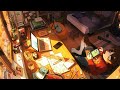
And that's it! Also, the artist is steviefeesh and this is the art's source!
https://twitter.com/steviefeesh/status/1442534023457230856
Also, to note, there are five main menu backgrounds, each for every L4D2 campaign (except The Passing):
- Dead Center (l4d2_background01)
- Dark Carnival (l4d2_background02)
- Swamp Fever (l4d2_background03)
- Hard Rain (l4d2_background04)
- The Parish (l4d2_background05)