Cities: Skylines

Cities: Skylines

评价数不足
Wakashan Bay Theme Mix
   
奖励
收藏
已收藏
取消收藏
Map Theme
标签: Theme Mix
文件大小
发表于
13.425 KB
2022 年 8 月 19 日 上午 8:13
1 项改动说明 ( 查看 )

订阅以下载
Wakashan Bay Theme Mix

描述
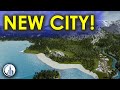
This is the official theme mix for my Wakashan Bay map.

To use this Theme Mix, do these steps:
1. Subscribe to all the required items for this mix. Check the list at the right column (Required Items).

2. Run Cities: Skylines and from the main menu, open the “CONTENT MANAGER”.

3. Select the category “MODS” and make sure you’ve enabled Theme Mixer 2. You will also find the Wakashan Bay theme in there; check the option to turn it on.

4. While in the Content Manager, go to MAP THEMES and verify that the following themes are switched on:

- Generic Temperate 4K
- SCT-Homecoming
- Alps Dolomites

5. Load your savegame or start a new map. In-game look for a new icon at the bottom left. Click to activate the Theme Mixer 2 menu/panel. Locate "Mixes" button at the bottom, which will bring up the Mixes panel where you are going to select Wakashan Bay. Press the Load button to load the mix and finally press the Theme Mixer 2 button in order to close the panel.
2 条留言
k.m 2023 年 8 月 9 日 下午 7:25 
Not seeing this working with Theme Mixer 2.5 - Switching over to the old theme mixer, but wondered if support for the new one was coming any time soon? Looks like a beautiful map and theme!
quasar1334 2022 年 10 月 2 日 下午 12:31 
I'm subscribing to this, mainly because you've been so thorough with the instructions on how to enable it.

Many developers don't take this most very important step, which is: doing something while having total beginners users like me, in mind.