



安装 Steam
登录
|
语言
繁體中文(繁体中文)
日本語(日语)
한국어(韩语)
ไทย(泰语)
български(保加利亚语)
Čeština(捷克语)
Dansk(丹麦语)
Deutsch(德语)
English(英语)
Español-España(西班牙语 - 西班牙)
Español - Latinoamérica(西班牙语 - 拉丁美洲)
Ελληνικά(希腊语)
Français(法语)
Italiano(意大利语)
Bahasa Indonesia(印度尼西亚语)
Magyar(匈牙利语)
Nederlands(荷兰语)
Norsk(挪威语)
Polski(波兰语)
Português(葡萄牙语 - 葡萄牙)
Português-Brasil(葡萄牙语 - 巴西)
Română(罗马尼亚语)
Русский(俄语)
Suomi(芬兰语)
Svenska(瑞典语)
Türkçe(土耳其语)
Tiếng Việt(越南语)
Українська(乌克兰语)
报告翻译问题






 奖励
奖励


I would suggest using this tool on the prop that you're attaching the wheel to.
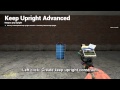
You cannot attach a keepupright constraint to entities, but you can keepupright a prop that's attached to the entity you want to keep upright.
The way keep-upright constraints work in the source engine makes them always able to rotate around their local up/down axis (not something I can change, it's just how the physics behind them work).
So if you want a prop to hold a specific angle, I would suggest using wiremod for it, you can apply physics to props with an E2 chip, other people have done this before so there should be code for it if you search for it.
If you want to hold a specific angle for a prop using only keep-upright constraints, you'd have to get a bit creative with how you use keep-uprights, and possibly weld multiple props together at different keep-upright angles so they lock each other out of being able to spin around their local up-down axis.
I try to stand something up on its end and it still just falls over :(
"I Have A Question, Where Is The Original Keep Upright?"
it's been years, but iirc "keepupright" was a vanilla tool in earlier versions of Gmod.
But at some point, the tool was removed and replaced with a "keep upright" checkbox in the context menu when aiming at a prop and holding C.
However, the context menu version of it sucks, as it has no options at all, and is generally too strong and makes things spazz out.
So in 2014, I tried searching for the tool version of a keepupright, but could not find one anywhere (since it seemingly was a vanilla tool that had been removed), so I decided to make this tool to provide something similar to the OG vanilla keepupright, with some QoL additions to make it even easier to use.
So... I guess you could say that this is the new OG Keep Upright after the removal of the vanilla tool, since at the time of making this the only other option was using the context menu.
"Does it work with ragdolls?"
A:
"Keep upright constraints only work on props, but not special entities like ammo boxes, vehicles, chairs, NPCs or ragdolls. That's just how the constraint works in the game engine, and has nothing to do with this tool.
However, you can bypass this by adding a keep upright constraint to a prop and welding it to the special entity you want to keepupright, then disable the prop's collisions and use the color tool to make it invisible."