Black Mesa

Black Mesa

28,587 个评价
Black Mesa: Blue Shift
1,663
340
159
199
366
521
100
198
181
70
268
245
241
218
109
118
83
70
55
27
49
43
28
   
奖励
收藏
已收藏
取消收藏
文件大小
发表于
更新日期
15.070 GB
2021 年 3 月 14 日 上午 7:38
11 月 16 日 上午 6:02
15 项改动说明 ( 查看 )

订阅以下载
Black Mesa: Blue Shift

描述


The fifth chapter of the Half-Life: Blue Shift remake, Focal Point, is now released!

Relive the Black Mesa Incident as Gordon Freeman's best friend - Barney Calhoun!

This is a work-in-progress modification, the content may change in the future.


Installation via symbolic link (Recommended):

This method allows Blue Shift to automatically update from the Steam Workshop!
Important: If you already have an active "bshift" folder in Black Mesa root directory, you have to delete it or otherwise the symbolic link might fail to create!

-Go to "*/Steam/steamapps/workshop/content/362890/2424633574";
-Launch the "bshift_gamelink.bat" as administrator;
-Check, if the symbolic link "bshift" has been created in the Black Mesa root directory ("*/Steam/steamapps/Common/Black Mesa");
-Done.


Installation via "bshift_install.bat":

-Subscribe to the mod in Workshop and wait for it to download.
-Go to your Library, click right mouse button on Black Mesa, go to "Manage" and click on "Browse local files";
-Go from current directory ("steamapps/common/Black Mesa" up to the "steamapps" folder;
-From this directory, go to "workshop/content/362890/2424633574";
-Once you locate the mod files, double click on "bshift_install.bat" and follow what it says.
-Done.


Installation via file browser (If previous methods didn't work):

Important: Delete the old "bshift" folder from the Black Mesa root directory before copying the new one or you'll face some issues.

-Go to "*/Steam/steamapps/workshop/content/362890/2424633574";
-Copy the "bshift" folder and the .bat files into your Black Mesa root directory ("*/Steam/steamapps/Common/Black Mesa");
-Proceed to the launch instructions.

Important: You will have to do this again each time a new version is released since Steam will only Update your workshop folder!


Launch via file browser (If used the Symbolic Link Method):
-Go to "*/Steam/steamapps/workshop/content/362890/2424633574";
-Launch using the .bat files.


Launch via Desktop Shortcuts (If used the "bshift_install.bat" Method):

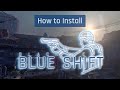
-Launch the game via "Black Mesa: Blue Shift" or "Black Mesa: Blue Shift (Old UI)" shortcut on your Desktop. This is the Step 5 in the installation video.


Launch via file browser (If used the File Browser Method):
-Go to your Black Mesa root directory ("*/Steam/steamapps/Common/Black Mesa/");
-Launch using the .bat files.


Launch via Steam Library:

-New UI: Go to Black Mesa game properties in Steam and type "-game bshift" into your launch options.
-Old UI: type "-game bshift -oldgameui" into your launch options.


Important: Don't forget to remove this entry when you want to play Black Mesa again.


Uninstall via bshift_uninstall.bat:

-Go to Black Mesa root directory and launch "bshift_uninstall.bat".


Uninstall via file browser:
-Go to your Black Mesa root directory ("*/Steam/steamapps/Common/Black Mesa/");
-Delete:
-"bshift" folder
-All of the "bshift*.bat" files
-"bshift_gamelink.bat"
-"bshift_icon.ico"
-"bshift_uninstall.bat"


[discord.gg]


[patreon.com]
[paypal.com]


- Game may hang when starting (Fix: Please wait a few minutes, some machines may take a while to boot the game)
- The new UI is highly likely to crash the game on loading/opening menus (Use -oldgameui as launch parameter if you launch it via Steam)
- DXVK still might cause some visual issues in a few areas on certain systems
- Some captions and display messages are still missing on certain language settings


Initial description formatting by Ghost#0782
热门讨论 查看全部(165)
7
20 小时以前
silly question regarding last 2 chapters
MW12
7
11 月 30 日 上午 6:13
Kaspersky anti-virus blocking bshft_install.bat
Cyberkotleta
217
11 月 30 日 上午 7:37
置顶: General Feedback and Bug reporting
Cyvo
4,382 条留言
YodaIsHere 3 小时以前 
Linux mint user: Bootup takes long, game crashes when i press ESC, Really good mod overall, 8/10
December 9 小时以前 
This is just f*cking awesome! :kratos_rage:
FireWood556 12 月 4 日 上午 11:50 
@Jofoy ok. I guess it will be fixed in the next update or something like that?
Hippie.sabotage19 12 月 4 日 上午 11:27 
no funciona. Intento entrar a la campaña, crashea y cierra el juego.
Jofoyo  [作者] 12 月 3 日 下午 6:18 
Yes we saw.
FireWood556 12 月 3 日 下午 3:53 
@Jofoyo. Did you see the problem with the Jeep?
Jofoyo  [作者] 12 月 3 日 上午 8:13 
@JustANormalGam3r Can you try going into bshift/autoexec.cfg with a text editor and setting r_4way_use_fast_normals 0 to 1 instead?

It may cause visual skybox bugs with blend textures but there's a possibility it might help with crashes. Let us know!
JustANormalGam3r 12 月 3 日 上午 6:08 
this is a great mod, but it crashes a lot especially in xen. i've had four crashes in an hour in just Xen alone and turning down the texture graphics don't do anything. still an amazing mod
FireWood556 12 月 2 日 下午 5:07 
https://psteamcommunity.yuanyoumao.com/sharedfiles/filedetails/?id=3616886738

Roof rack clips through light bar on this Jeep in Duty Calls before you enter the canal.
ItsMeSB 11 月 30 日 下午 3:45 
If i do not see Black Mesa; Opposing Force done by you guys or by ANYONE in the near future I'm going to off myself :steamsad::headcrab: