



安装 Steam
登录
|
语言
繁體中文(繁体中文)
日本語(日语)
한국어(韩语)
ไทย(泰语)
български(保加利亚语)
Čeština(捷克语)
Dansk(丹麦语)
Deutsch(德语)
English(英语)
Español-España(西班牙语 - 西班牙)
Español - Latinoamérica(西班牙语 - 拉丁美洲)
Ελληνικά(希腊语)
Français(法语)
Italiano(意大利语)
Bahasa Indonesia(印度尼西亚语)
Magyar(匈牙利语)
Nederlands(荷兰语)
Norsk(挪威语)
Polski(波兰语)
Português(葡萄牙语 - 葡萄牙)
Português-Brasil(葡萄牙语 - 巴西)
Română(罗马尼亚语)
Русский(俄语)
Suomi(芬兰语)
Svenska(瑞典语)
Türkçe(土耳其语)
Tiếng Việt(越南语)
Українська(乌克兰语)
报告翻译问题




 奖励
奖励


I made a Health Counter for the Too Many Nones Chips and your Tool was great for copying the script to all heros and Baddies.
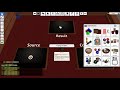
• ADDED : A small tool to remove scripts from objects. Simply place all the objects you wish to remove the scripts from in a bag and place on the pad. Then press the button. If you edit the script there is also a simple TRUE / FALSE value at the very top. Setting that them to TRUE will also remove NAMES or DESCRIPTIONS.
• ADDED : I have added some a little more advanced error checking to make the mod easier to use. The old mod would not stop on errors and didn't report anything.. it now does.
Make sure you follow the instructions on the mod page. if you have any other issue, let me know in the comments.