Space Engineers

Space Engineers

244 vurderinger
Projector Aligner
4
2
   
Utmerkelse
Favoritt
Favoritter
Fjern som favoritt
Merkelapper: visualization
Filstørrelse
Lagt ut
Oppdatert
343.058 KB
24. jan. 2021 kl. 11.50
20. juli 2024 kl. 12.07
13 endringslogger ( vis )

Abonner for å laste ned
Projector Aligner

Beskrivelse
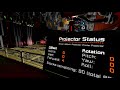
Script to align a projector's projection from a control seat, and to switch projectors from a menu. This script can handle several groups of projectors, each with their own sets of screens and control seats.

All configuration is done through Custom Data. Simply create a heading
in the custom data of any block that you wish to use with this script:

[projector]

You may add cockpits, flight seats, remote controls and projectors.
By default all blocks will be in the "default" projector group. You can
change this by specifying a group name. For example:

[projector]
group=Ship Printer

To make use of a display, specify a display number and (optionally) a
scale and a color. For example:

[projector]
display=0
scale=0.5
color=00CED1

Change the number to the screen that you wish to use; numbers start at 0, so a
five-screen cockpit has screens 0, 1, 2, 3 and 4.
Color should be entered as six hexadecimal digits representing red, green and blue.

Additionally, you can specify details for a specific display using
numbered headings. This allows you to configure the display for more
than one group on a multi-display block, such as a cockpit, or to
display the output on a cockpit without using it for control. For example:

[projector_display0]
scale=0.8
color=F07020
group=Second Printer

Arguments
---------

up Move up one line on screen
down Move down one line on screen
apply Enter Menu / Select current projector from Menu
select "
build Re-read the Custom Data of blocks, and reconfigure
rebuild "
save Store the current alignment values in Custom Data
load Recover the alignment values from Custom Data

Follow the argument with a group name if other than "default". Use quotes if the
group name contains spaces or begins with a hyphen.

This script is released under the MIT license. You can find the MDK project here:
https://github.com/Brianetta/Projector-Aligner/

If you find a bug, or want to request a feature, feel free to create an issue on GitHub:
https://github.com/Brianetta/Projector-Aligner/issues

If you need help using the script, I can be reached in the comments or on the official Keen discord.

Building a ship printer, and want something to move a print head made of welders around? Check out the 3D Printer Script from SpaceEngineers.de:
https://psteamcommunity.yuanyoumao.com/sharedfiles/filedetails/?id=2376883341
153 kommentarer
Brianetta  [skaper] 29. sep. kl. 23.40 
The script doesn't care about the names of any blocks, other than displaying projector names on screen. All configuration is in Custom Data. If it's listing an unrelated prog block in the info panel, that's either a mis-configuration or a bug. I'd like to hear about those through the Github link.

Save and Load is subtle; it just allows a quick save and reload of projector position data.

The grouping is done in Custom Data - again, no config is done anywhere else. Regular in-game block groups aren't supported.

Running a rebuild causes less of a load spike on the server than a full recompile. It can also be bound to a button.
MagNerdic 29. sep. kl. 17.55 
@Spencer if you make any changes to the grid or CustomData, use the 'build' argument and RUN the script again (or just RECOMPILE it).

Also, without looking at code, try specifying a custom 'group=' tag under the [projector] header for each block you want the script to monitor. The description seems to indicate that the script is supposed to handle multiple groups. An empty string (no specified group) is also considered the 'default' group.

Other observations:
* Save and Load Arguments don't seem to work.

* Script shows the blocks it's monitoring in the Output console in lower right corner of terminal window. However, it will mislabel itself with the name of a different progblock on the same grid. If it's using that blockname data for more than display output, could cause some conflicts.
Spencer 17. feb. kl. 7.04 
hmm I think its got to do with groups I removed the group tag from the projectors and it works...going to keep testing this.
Spencer 17. feb. kl. 6.57 
Please let us know if or when this beautiful piece of work gets fixed!
Spencer 17. feb. kl. 6.55 
This is a great script and almost works, but it's broken, I am afraid. Firstly, the script doesn't compile without error, which is only a warning, so I gave it a try. Strangely, the first temporary cockpit I placed allowed me to use the arguments, but then once I tried putting it in a permanent place, any fiddling with arguments just broke the code on me. Weirdly even directly using arguments in the PB broke it but my temporary cockpit did just fine lol
Leconite 11. sep. 2024 kl. 5.17 
I've never run it on a corner LCD in the normal orientation, so I don't know how that looks.
The corner LCD in the screenshot is placed sideways, and has it's rotation set to 90.
Brianetta  [skaper] 10. sep. 2024 kl. 12.56 
Weird. I haven't ever tried running it on those. Looks like the padding value might be part of the problem. I'll see if I can figure it out.
Leconite 10. sep. 2024 kl. 6.51 
Jakewhistler 26. aug. 2024 kl. 3.42 
@Brianetta I've tried what you said, I think I've gotten it the way you said but nothing's happening. I've got a "Not Configured" error on my control chair screen and on the program block screen.
Brianetta  [skaper] 25. aug. 2024 kl. 8.31 
Just pop the config header and (optionally) the group name into the Custom Data on the remote control block. The script will take position input from the remote control when you take control of it.