Team Fortress 2

Team Fortress 2

168 个评价
How to add someone on the current server
由 Red Z 制作
Here's the easy way on how to add someone who is currently playing on the same server as you in Team Fortress 2.
   
奖励
收藏
已收藏
取消收藏
Introduction
After I've seen a lot of people in-game trying to add another person via the + Add Friend function and getting no results, I thought of making this guide on how to reliably do it.
In case you don't know, the + Add Friend function sometimes hides players when you enter their current name, you sometimes need to know the name the account was created with to make it work. As such, here are three ways of doing it: The first and second one are TF2 specific, while the third one works with any game on Steam.
The first way - Scoreboard
Go to advanced options in the menu and find enable mouse input on scoreboard. Now you can right click a person while holding tab to add them to your friends list.

Note: You might have to reconnect or restart your game for it to work.
The second way - Utilising the TF2 console
Note: This way of doing it is TF2 specific and doesn't work on other games. Since it takes longer than the first way, you should only do it if you encounter problems with the first way.


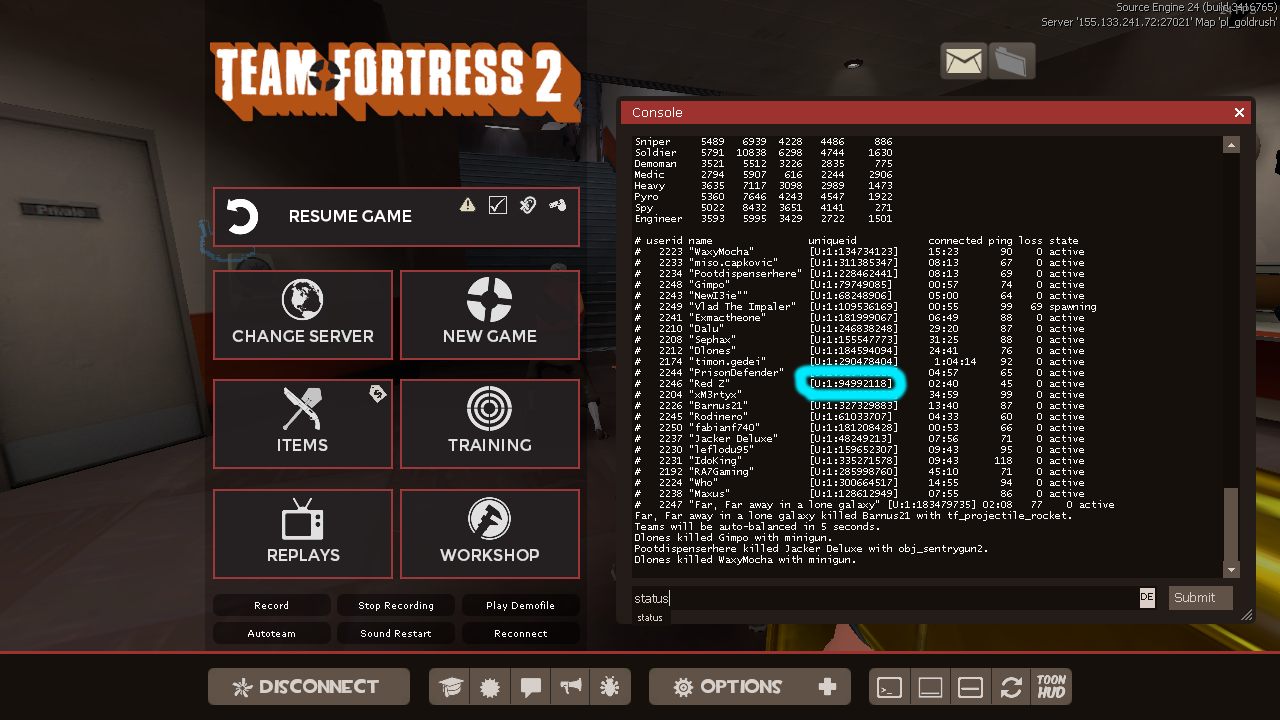
1. Open the console and type status
Now copy the unique ID which is displayed for each player. I am going to use my own for reference.
You first need to enable the console in the advanced options and open it with ~ by default


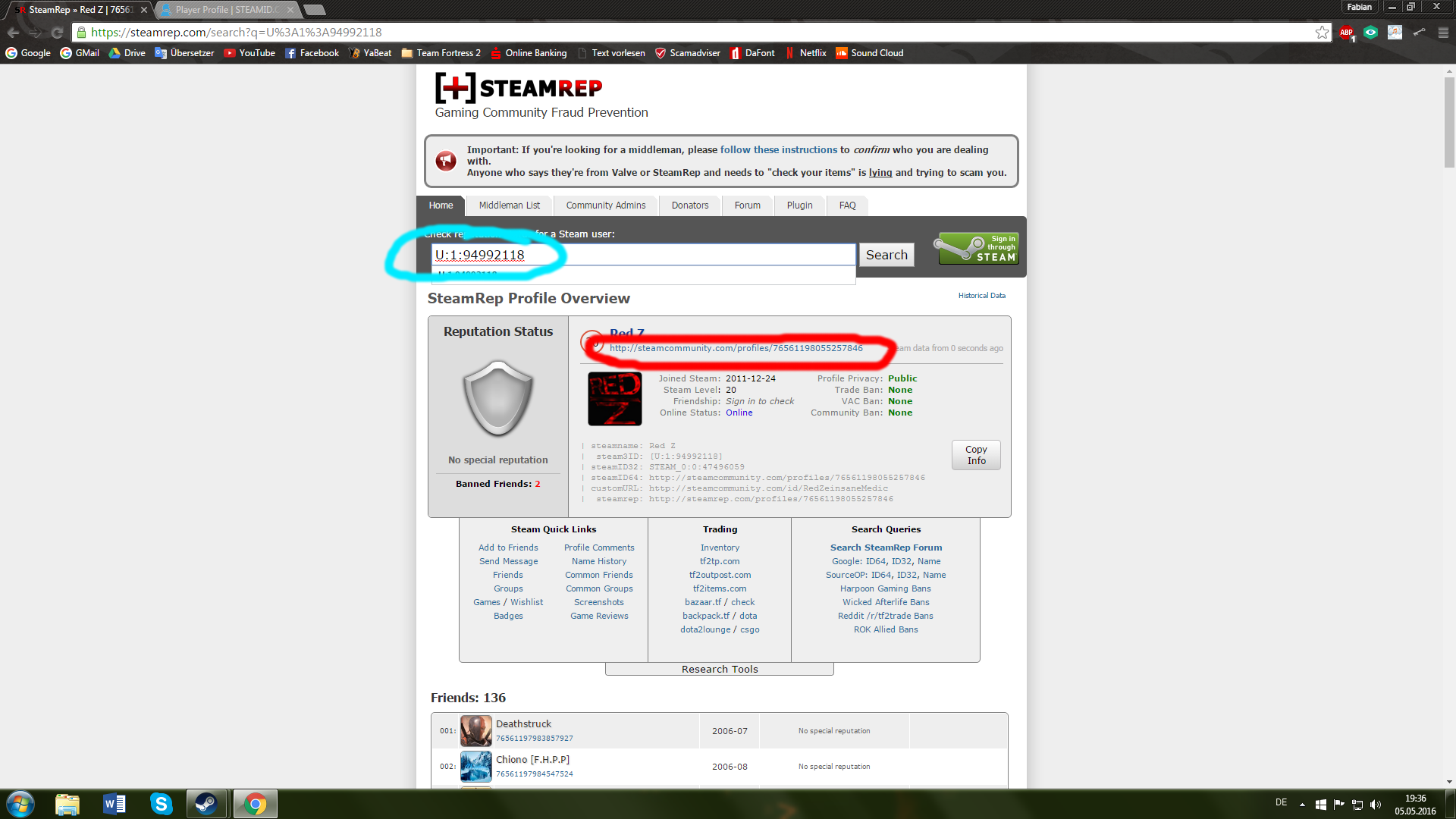
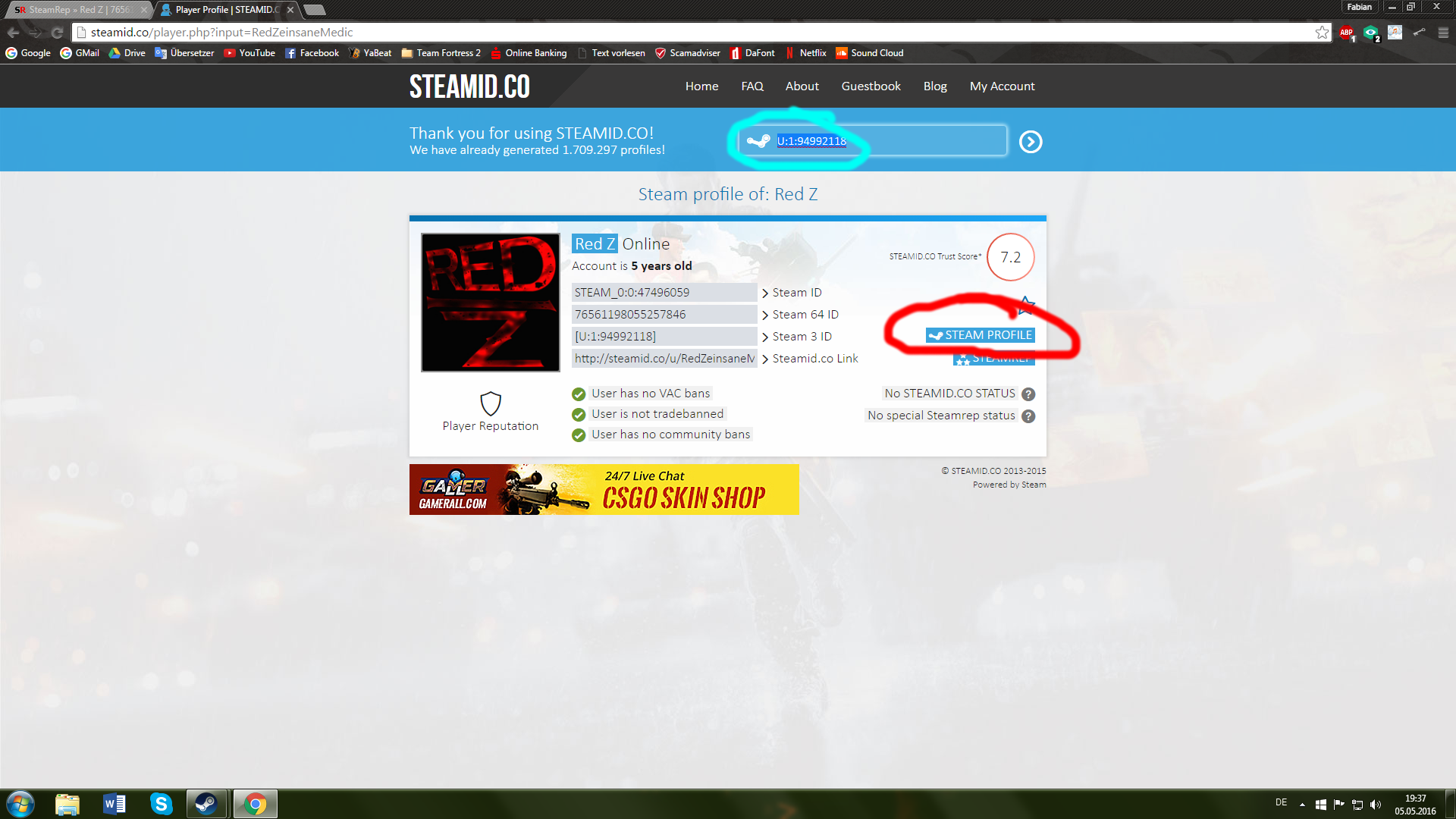
2. Now go to either Steamrep[steamrep.com] or Steamid[steamid.co] and paste the unique ID.
The console doesn't display the SteamID64 which is displayed as the User's URL when not using custom URLs. As such, we need these external sites. After you copied the unique ID, just go to the Steam Profile from these websites.


The third way - Showing current Server Playerlists
Note: This method has been reported to sometimes not working properly; I personally never encountered a problem with it once but if you do, use the second method.


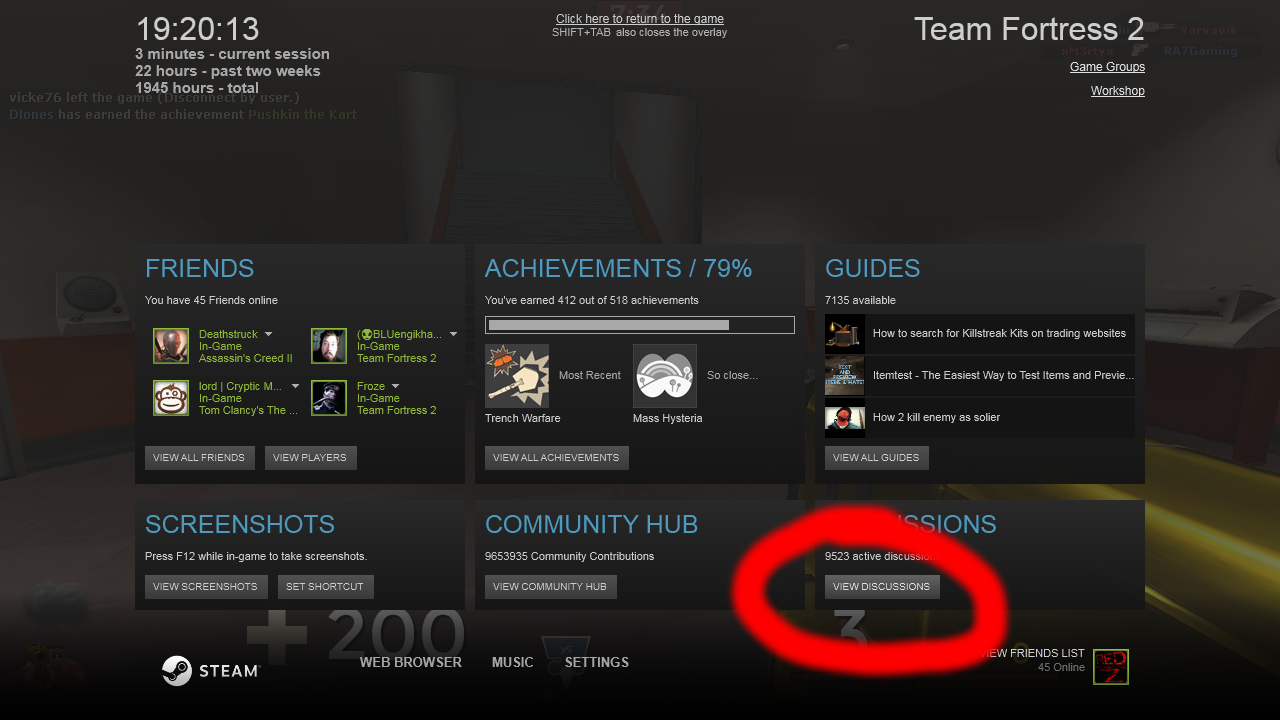
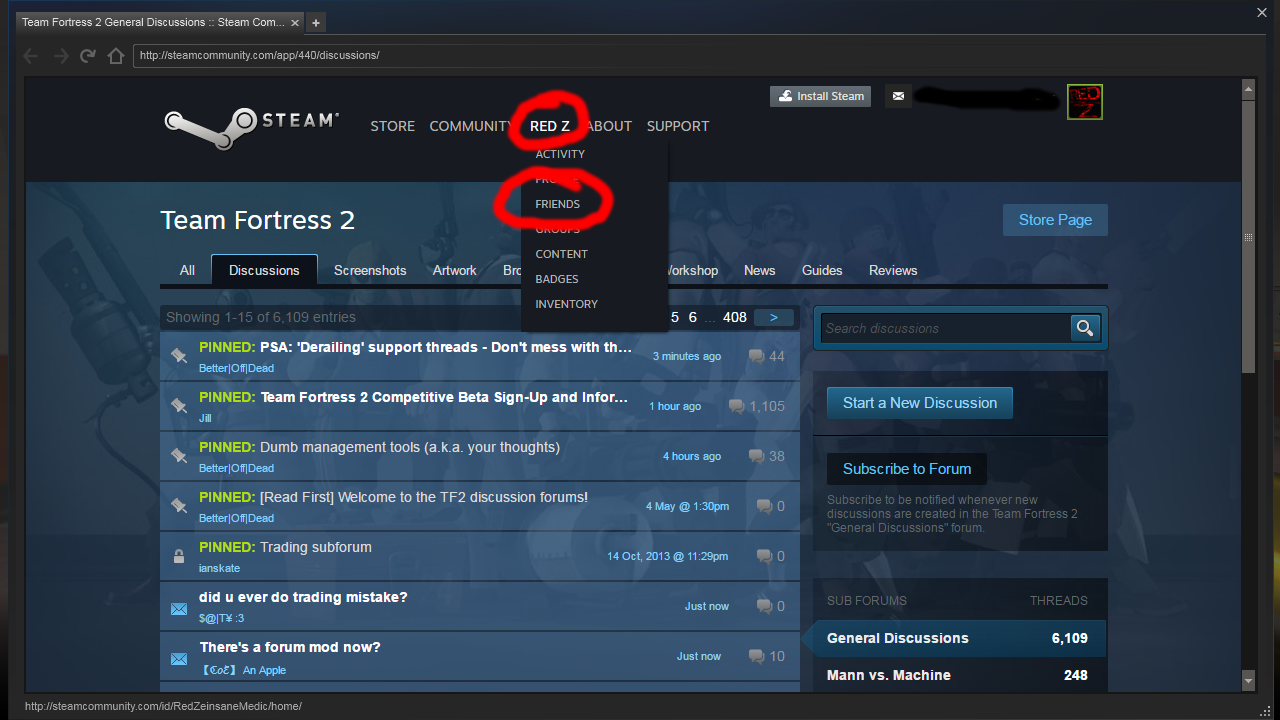
1. Open the Steam Overlay with Shift+Tab (Windows Default) and go to discussions, your profile or any other Steam related window.


2. Now go to the tab with your name and select "Friends"


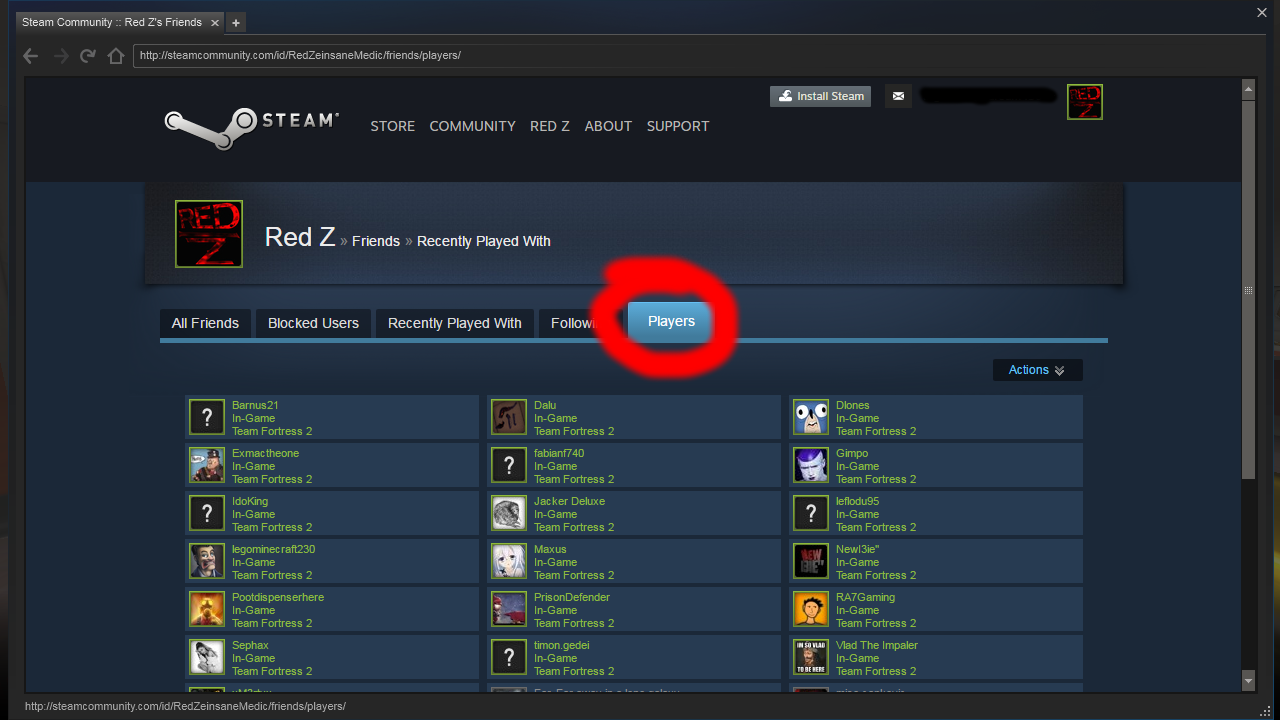
3. Afterwards, go to the tab "Players" and you should see all of the people that are currently on the server you play on. This works for any game on Steam.
Outro
I hope I was able to help you with this guide. :P
Have a nice day!


103 条留言
Ken 7 月 12 日 下午 1:49 
this guide could use an update
Nightwing 2021 年 2 月 19 日 下午 6:00 
they shouldn't have removed "players" tho. it was very useful to find someone quickly
CloudsAbound 2020 年 9 月 18 日 下午 10:54 
none of em work
Not A Whale 2020 年 8 月 11 日 上午 11:08 
thanks
Charles 2020 年 7 月 5 日 下午 4:44 
The first doesn't work anymore bc of the new scoreboard layout i guess, but thx anyways bro
BIGEC 2019 年 6 月 14 日 下午 2:39 
is nic
Sintaq 2018 年 11 月 26 日 下午 7:42 
Thank you so much
¯\_(ツ)_/¯ 2018 年 8 月 6 日 上午 9:16 
OMFG TYTY
Kon4wa 2018 年 6 月 18 日 上午 12:40 
TY
sigma 2018 年 6 月 9 日 下午 2:52 
Thanks