Garry's Mod

Garry's Mod

193 个评价
How to add a startup music on the main menu
由 chopper385 制作
How to add a startup music on the main menu that plays like in most games.
   
奖励
收藏
已收藏
取消收藏
Before anything
What you absolutely need :
- MP3 or WAV file on 16 bit wave
Optional :
- Audacity if you need to change the file format and the playback rate
- GoldWave for looping the music
Beware! The file must not exceed more than 61,000 KB or 6.10 MO or the main menu will lag due to very slow play.
All these softwares have a free version.
What to do with the file
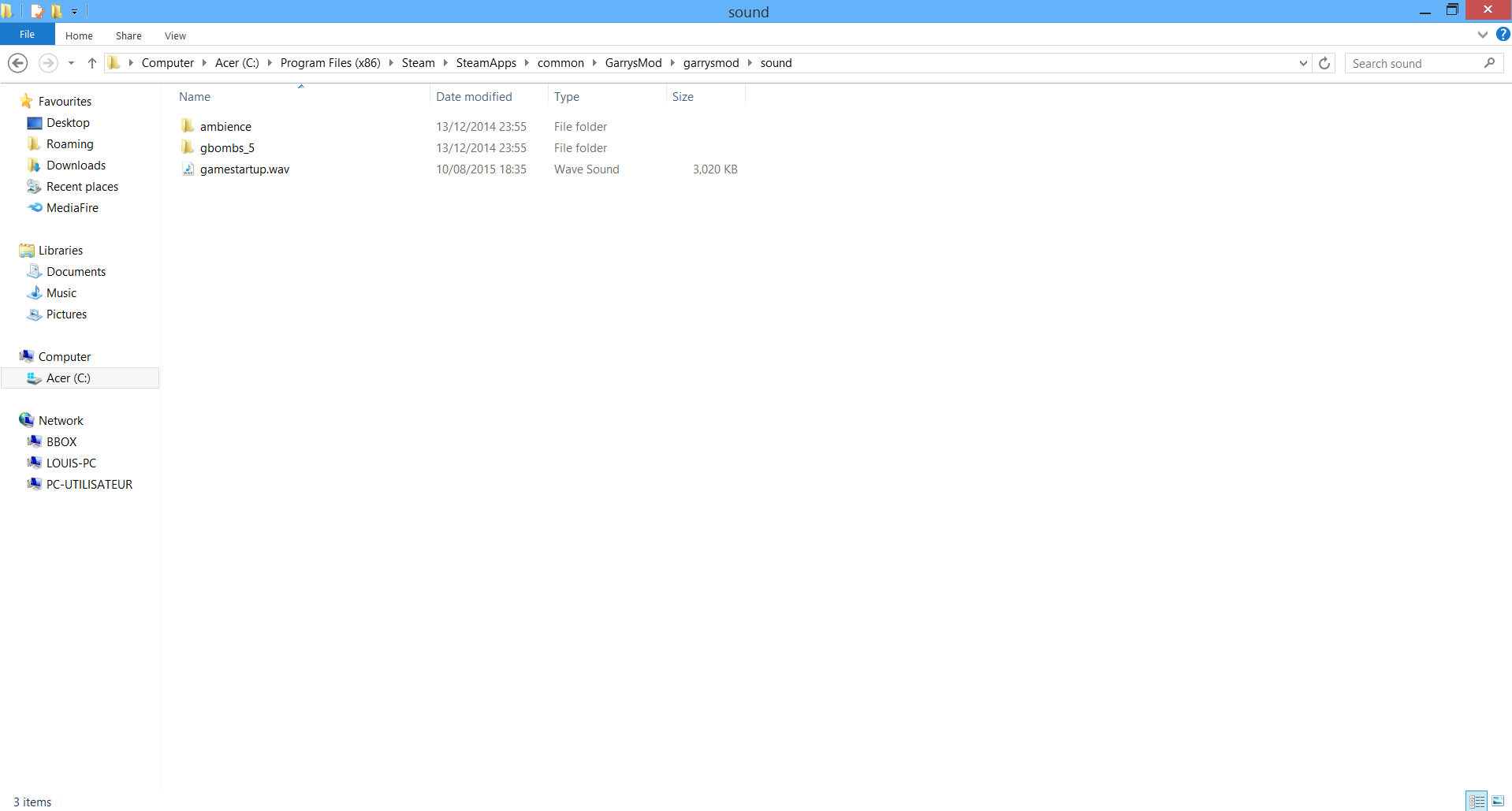
(Since the new updates, the sound folder doesn't create himself when first installing (or re-installing) Garry's Mod, you need to create a new folder and name it "sound" as shown in the picture.)

Now that you have your music/sound file, you need to go to the Garry's Mod folder of the game and add your music/sound in the sound folder. For example, i named my file gamestartup (do not add .wav or .mp3 at the end of the file, it's because i activated the file name extension in view)

Note that you can see the path on where to go if you needed to know.
How to ask the game to play the file
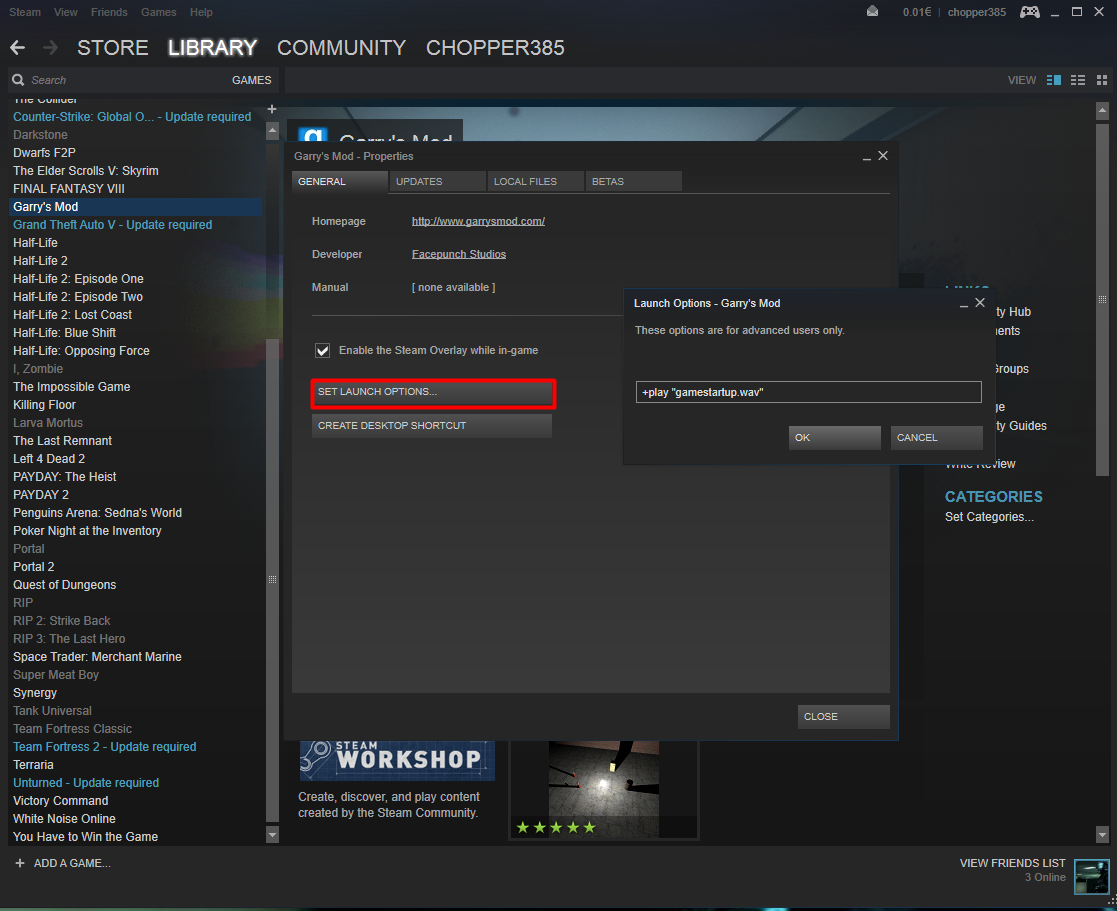
You must enter a specific line onto Garry's Mod launch option to play the music/sound file. The line is : +play "yourfile.format" For example : +play "music.wav" or +play "music.mp3"

If you'd like to put it in a folder for any reason, you can! Just add a folder in the sound and add a slash into the line like this : +play "yourfolder/yourmusic.format"

You can skip the other parts and go to "You're done!" section if you don't intend do to anything more.
How to change the file format with Audacity
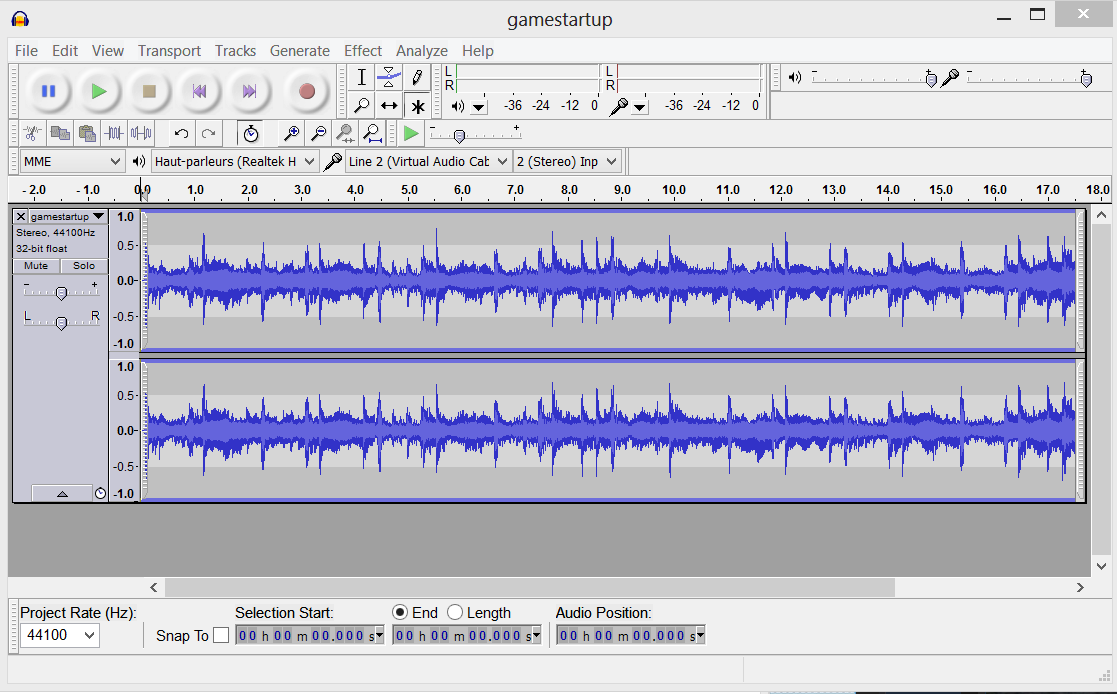
First, launch it and open your music/sound file.
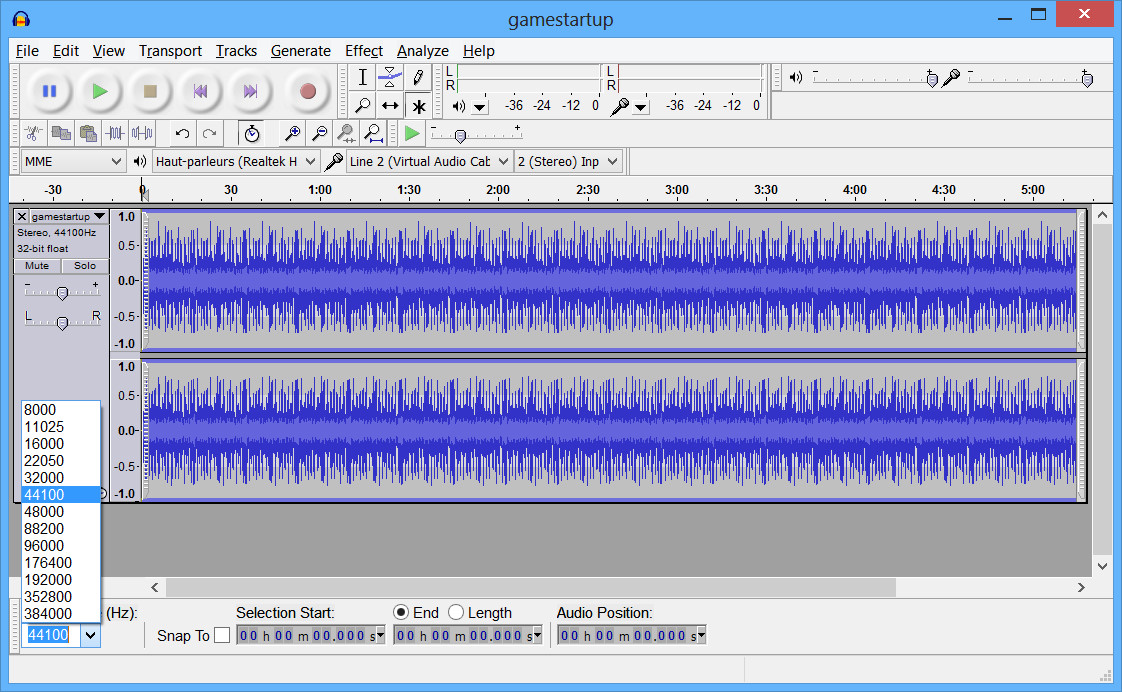
Verify that the Sample Rate is at 44100

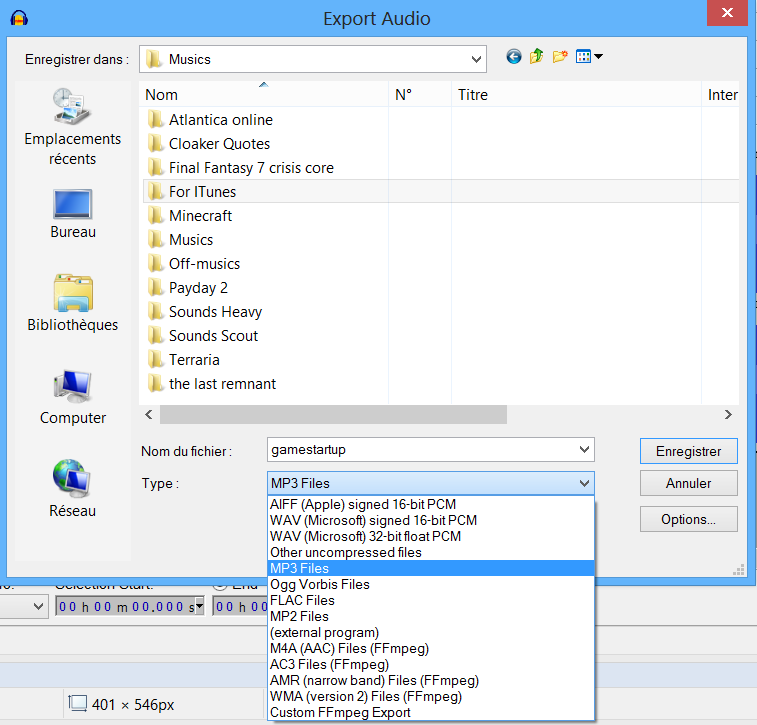
Now go to File and Export, then choose the format you want (MP3 or 16 bit wave, 32 bit is not supported by the game)

And save it anywhere.
How to loop the music with GoldWave
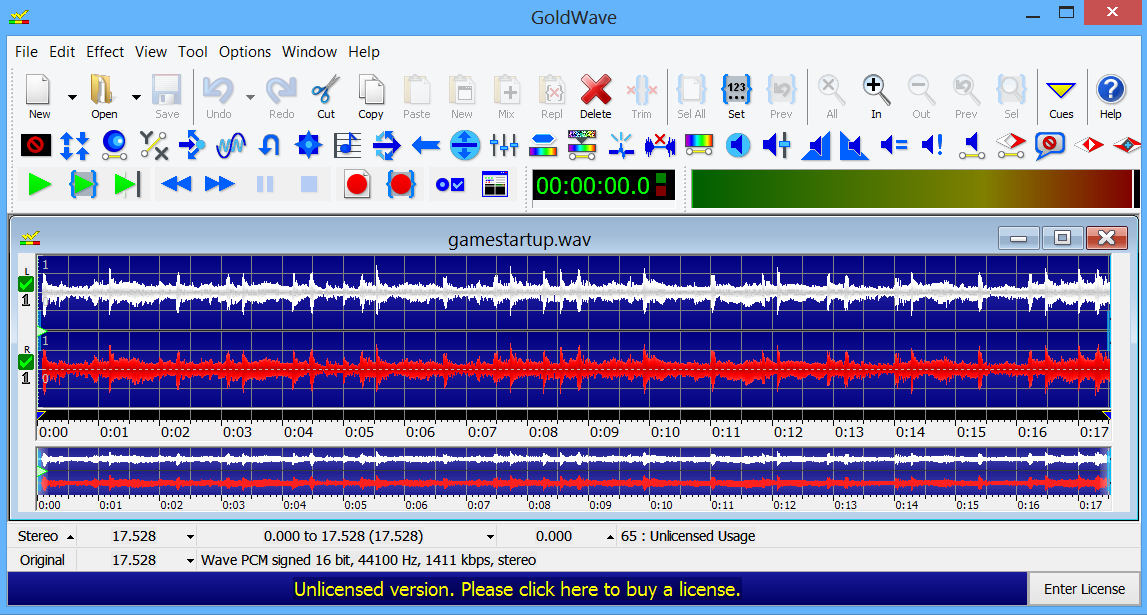
Launch it and open your music file in WAV format (Don't try with a MP3 file as the format doesn't support cues and it will create a .cue file with no sounds in it rather than adding the cues in the music file) and you should be here now :
[The following only apply for looping the entire music only, if you want to edit it so the music loop a certain part only, you'll have to it yourself with the position option]

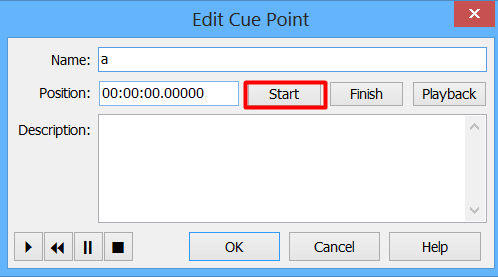
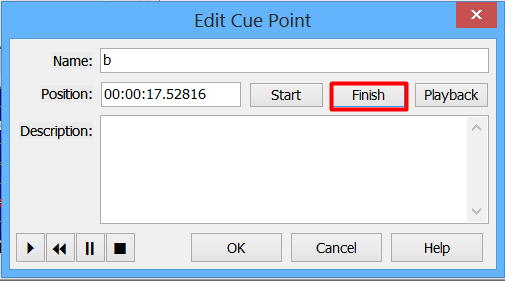
Now click the "Cues" option on the upper-right of the picture and this will open a window about "Cue Points". You will need to create 2 cues points : one for Start and one for Finish (Write anything in the name, it doesn't have any purpose for what we want)
Now just save it, exit the program and place the music file in the sound folder or your custom one.
You're done!
If you open Garry's Mod, the music/sound will play. Beware that when the background picture change, there may be a slightly music glitch.
Something's missing? Need more explanations in one of the parts? Send a comment and i'll see what i can do.

Note : i didn't test this yet, but this could work for most Valve games as long as the music file is in the sound folder of the said game.
Errors fixes
The music/sound doesn't play.
Look in the console in Garry's Mod. If you get this error:
You have to use Audacity to set it to 44100 and if necessary, re-use GoldWave to re-insert the cues points (Do not use GoldWave to change the sample rate to 44100, it will only slow and low-pitch the music).

If you get this one:
You didn't install the music properly or named it correctly in the launch option. Re-read the section "how to ask the game to play the file" and try again.

If you get this one:
It's pretty self-explanatory, the music file is on 32 bit wave, use Audacity and export it to 16-bit instead.

Even after followed the guide, there is no music playing and no console error.
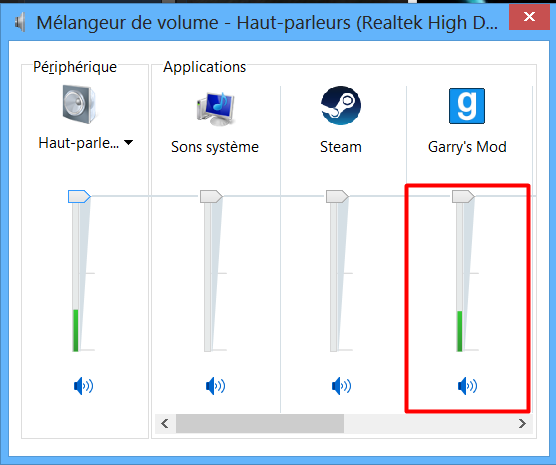
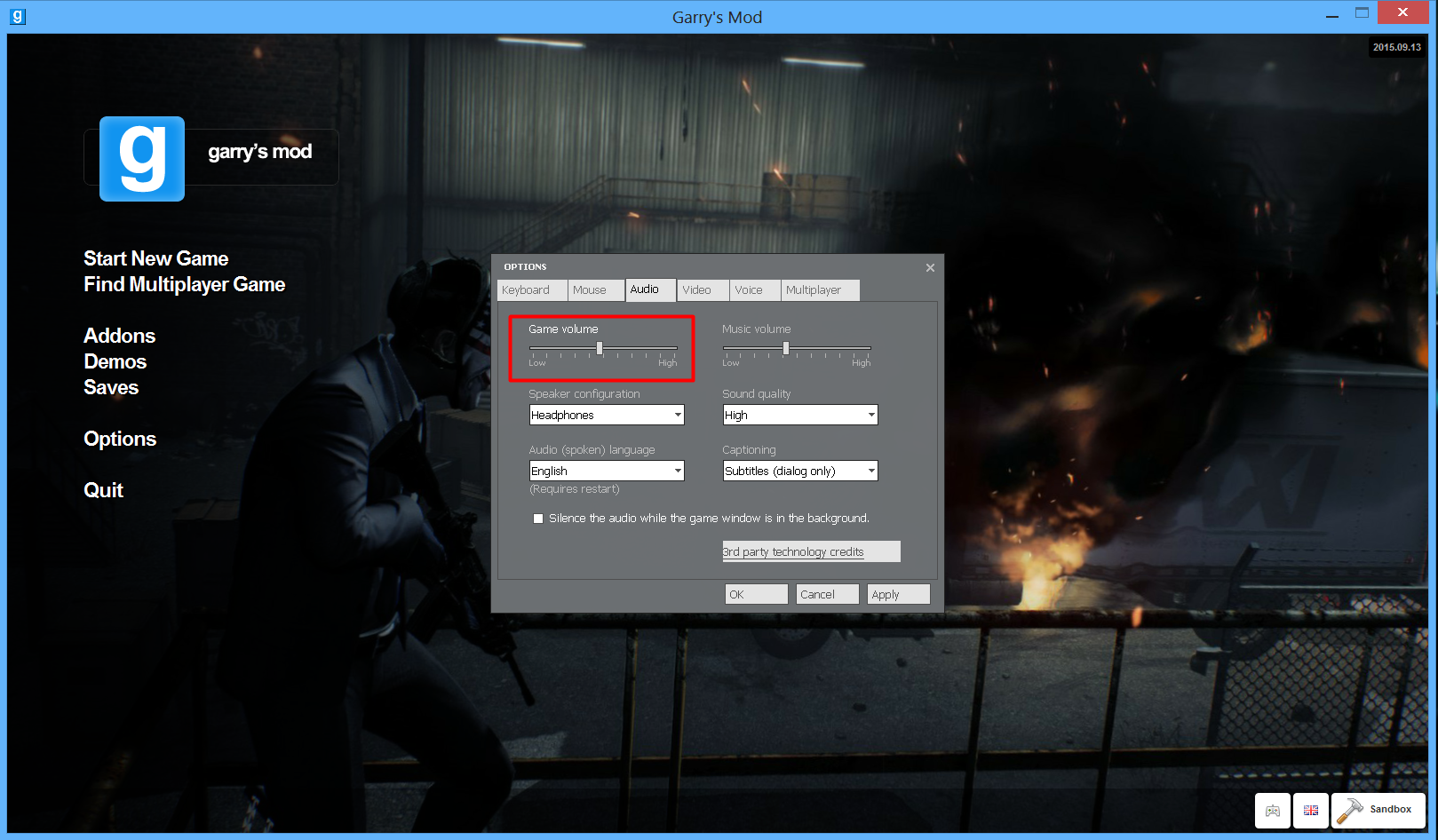
If you have no console errors and have correctly followed the instructions on this guide, then verify that your volume for this game is not at 0 as well as your in-game volume :
.
.
.
.
.
.
.
.
.
.
.
.
.
.
It there's still no sounds, add -console in the launch option. If the console doesn't open when the game launch, then the launch option is not working. In this case, you have 2 options :
- Reinstall the game to fix the launch option.
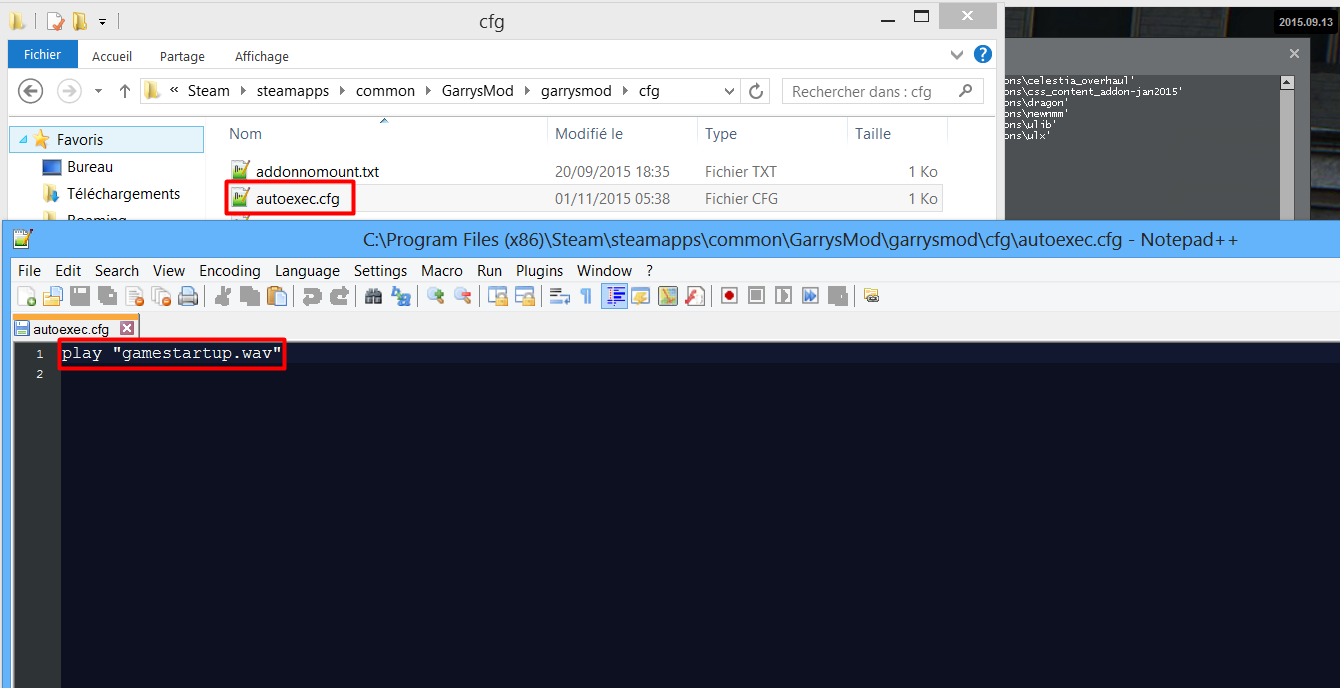
- Go to autoexec.cfg and add the command : play music.mp3 (or .wav)

The music/sound plays too soon while Garry's Mod start, it does an annoying repeated sound.
Add a 3-5 seconds delay in the music/sound if your Garry's Mod tend to load slowly when starting it.
Tips
1: When you join a server while in the main menu, the music should stop immediately but if you want to stop the music at any time on the main menu, use the "stopsound" without quotations command in console

2: If you join directly a server via Steam server browser without opening Garry's Mod first, the startup music/sound will play/loop after being connected on the server. You have to use the "stopsound" command without quotations in console to stop it.

3: If you want to replay your music/sound, use the console command : play yourmusic.mp3 (or .wav)
Quick note
- I am not a Lua coder at all, i can't create any scripts to tell the game to play more than 1 music in the main menu or to play musics through another file or software without knowing anything about Lua. Only thing i can do is edit musics/sounds and loop/extend them.
If you want to make this thing happening, ask a Lua coder, not me.

- I created this guide by taking many informations around old discussions on many websites about that and putted them together to create this guide so that players that want it can find this guide and put their prefered music into Garry's Mod without searching everywhere like I did.

- This guide will always be supported and updated with new informations (when found).

- Updated 28/05/16: Added a new error fix (found by Sildude², solved by me)
- Updated 16/06/16: Due to English having improved, fixed many grammar errors on the guide (mainly double past tenses).
- Updated 18/12/16: After 6 months of laziness I finally added the missing picture for the 32-bit wav on Errors Fixes.
- Updated 02/03/17: Typo on "32-bit wav" that was "36-bit wav".
- Updated 22/09/17: Typo on "Slightly" on "You're done!" section that was named "Slighty".
92 条留言
Nucleus U_U 3 月 15 日 下午 9:48 
Now i can play Kensuke - nicopatty in the main menu
GRXXNDXXM 2023 年 8 月 6 日 下午 1:49 
how to create a music for specific custom gamemode?
NOT_zyro 2023 年 7 月 4 日 下午 3:27 
Failed to load sound "mainmenumusic.mp3", file probably missing from disk/repository

i am to retarded to understand it
Alucard 2022 年 8 月 22 日 下午 2:05 
Hey, thanks for this guide, it works great I do have a question though, the music plays when i first launch the game but when I load up a map and exit back to the menu it doesn't play it anymore, is there a way to make it so the music plays whenever I'm at the title menu?
chopper385  [作者] 2022 年 3 月 23 日 上午 9:23 
The error indicates that you added a symbol "?" inside the launch menu. Make sure it only says "gamestartup.mp3"
DeaD EyE 2022 年 3 月 23 日 上午 4:05 
and i'm sure i followed the guide correctly
DeaD EyE 2022 年 3 月 23 日 上午 4:04 
Hi ,

Failed to load sound "�gamestartup.mp3", file probably missing from disk/repository

But i did all the thing have been said in the guide and still not working , same errors all time
Nehu 2021 年 3 月 24 日 上午 10:40 
i did all the collection sayed, music still not working
E4 2020 年 5 月 25 日 下午 7:32 
Music isn't playing what do I do?
FogFatigue 2020 年 5 月 8 日 下午 5:33 
Awesome guide!