Warhammer: Vermintide 2

Warhammer: Vermintide 2

评价数不足
Fortunes of War - Cataclysm Spawn Overlay (AHK)
由 ChadMasodin 制作
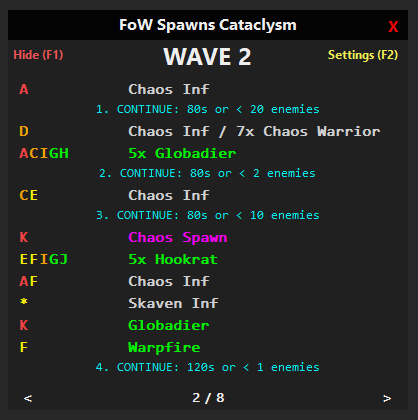
This guide describes a script that helps display enemy spawn locations and the composition of all 8 waves for “Fortunes of War” (Cataclysm).
   
奖励
收藏
已收藏
取消收藏
Introduction:

I made AHK script, that helps display enemy spawn locations and the composition of all 8 waves for “Fortunes of War” (Cataclysm).

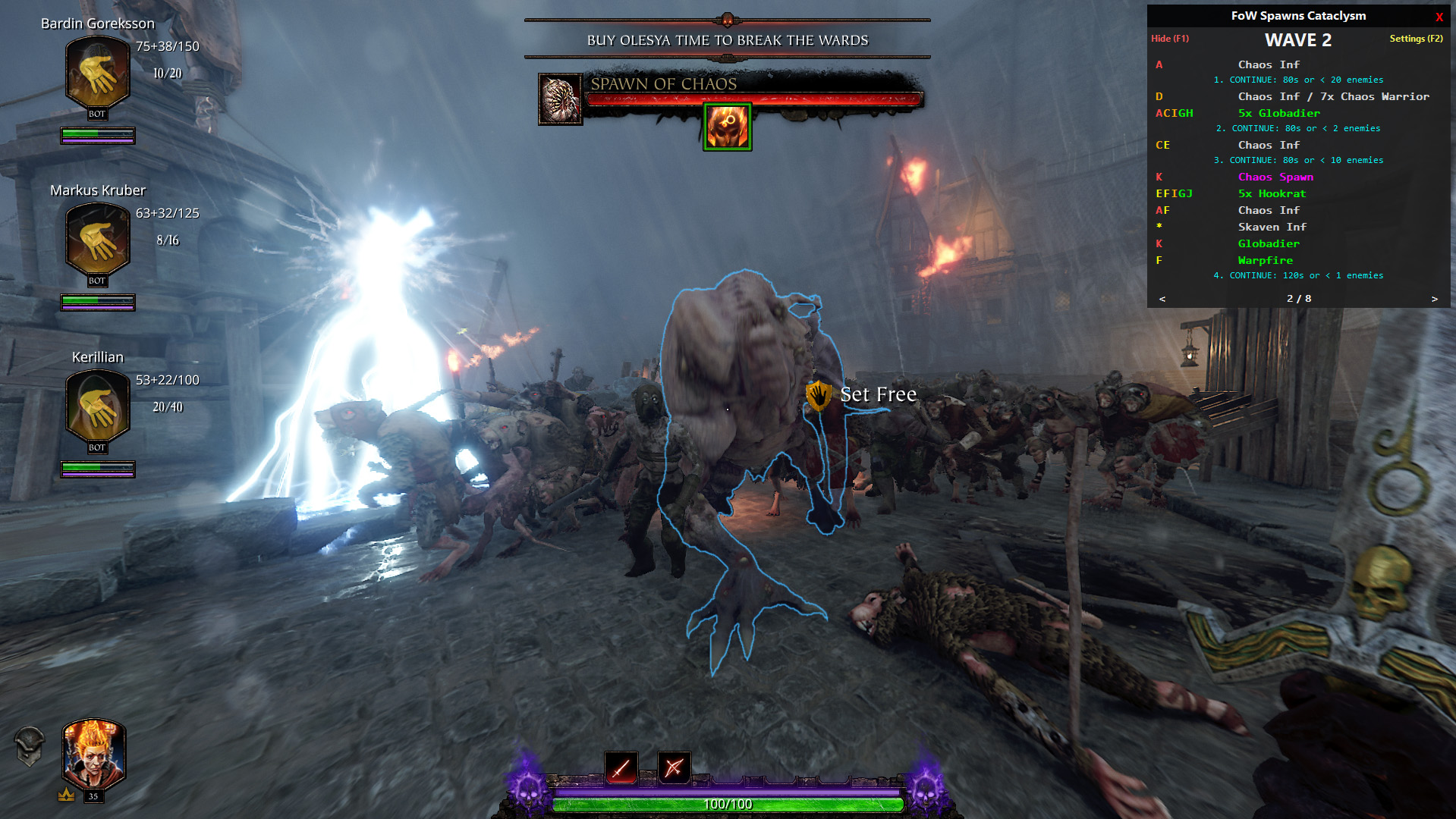
It is designed for quick and convenient viewing of enemy spawns during the game, which is especially useful in moments when you do not have time to switch to another window with a hint (ALT+TAB).

List of features:
  1. Necessary information about all waves.
  2. Convenient navigation.
  3. Color coding.
  4. Change hotkeys.
  5. Adjust overlay transparency.
  6. Save window position on screen.

Russian version of the guide:
https://psteamcommunity.yuanyoumao.com/sharedfiles/filedetails/?id=3619696537
Installation:
  1. First, go to the releases page GitHub.
  2. In the list of assets, select the archive with the word (ENG).
  3. Unzip the archive to any location on your disk and install AutoHotKey v1.1.
  4. Done, you can now run the AHK script.
How it work:
Before you begin, there are two important things to keep in mind:
  • You can move the overlay by holding down the LMB in the upper black panel area.

  • Start the game in Borderless Fullscreen so that the overlay can be displayed on top of the game.

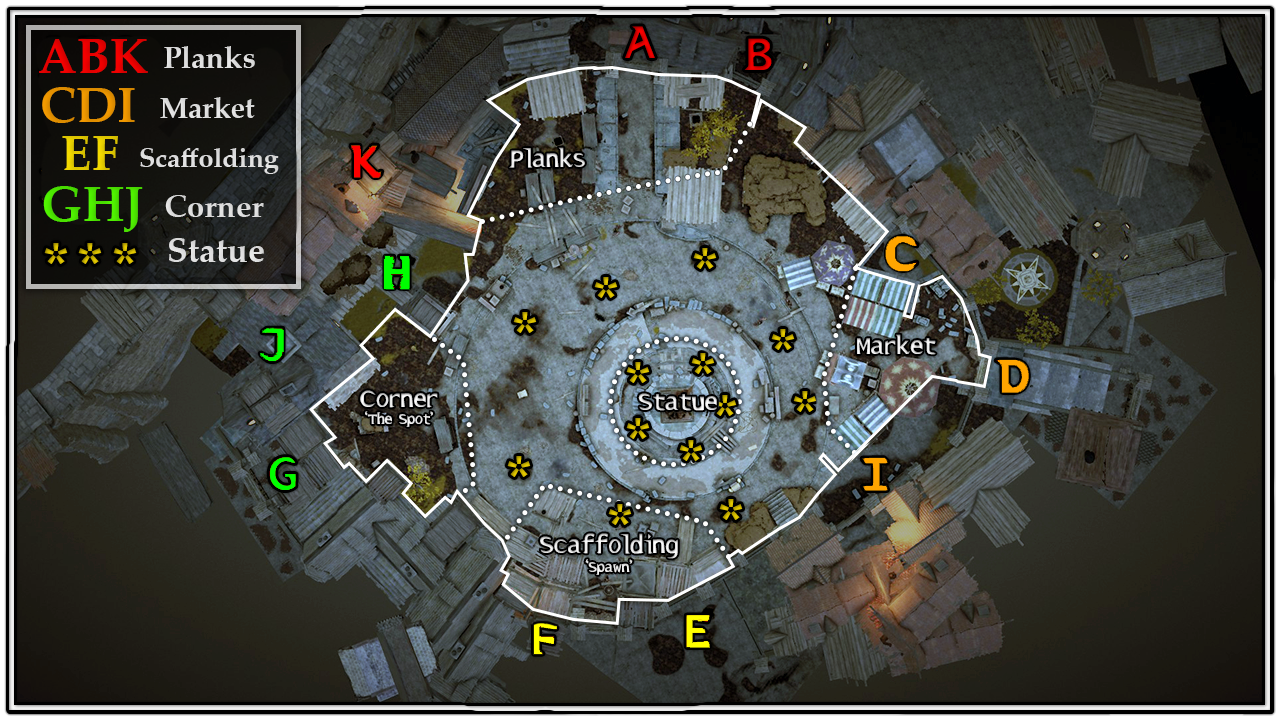
List of all Enemy Spawns & Waves was taken from this guide created by Lance:
https://psteamcommunity.yuanyoumao.com/sharedfiles/filedetails/?id=2866912351&searchtext=fow
The only thing I changed was combining several letters into one common place and adding a color for each one.


I recommend memorizing or even learning these enemy spawn locations so that you can fully utilize the overlay hints and have an idea of which side or place a particular enemy (or enemies) will appear.

I also strongly recommend reading the above guide for more complete information on completing “Fortunes of War” in Cataclysm.

Settings


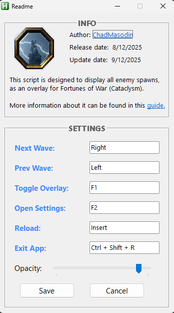
To change the transparency of the overlay or rebind keys, go to the “Settings” window by clicking on the overlay or pressing the F2 key.

A new window will open with brief information about the script and hotkey settings. By default, the pre-set hotkeys are used, but you can rebind them to others if you wish:

Action
Default key
Next Wave
Right (Right arrow)
Previous Wave
Left (Left arrow)
Hide / Show
F1 (Toggle Overlay)
Open Settings
F2
Reload
Ctrl + R (for example, to quickly switch from wave 8 to wave 1)
Close Script
Ctrl + Esc (or the cross in the window)

Transparency: The slider allows you to adjust the transparency of the entire overlay.

When you click the “Save” button, the script remembers your settings and the current position of the overlay on the screen, saving them to a separate file in the same directory where the script is located. To apply the changes, it is recommended to restart the script. The next time you start it, the overlay will appear in the saved position.