Kenshi
评价数不足
Simple and Fast Load Order Guide
由 SCARaw 制作
This is guide designed to get you to play the game and not keep pondering your load order forever
Guide use mod weighting method which assign value to each mod by eye/vibes/description
its literally devided into 4+1 categories based on weight and from here you just go to play
Guide should be safe to implement for your save files, however it relay on players a lot
Players who wanna utilize this Load Order Method need to make sure their mods don't conflict
There are many people who just download whatever often mods changing same things twice
and for that this load order might break or overwrite changes you would want to preserve
   
奖励
收藏
已收藏
取消收藏
Introduction and what is mod Weight method
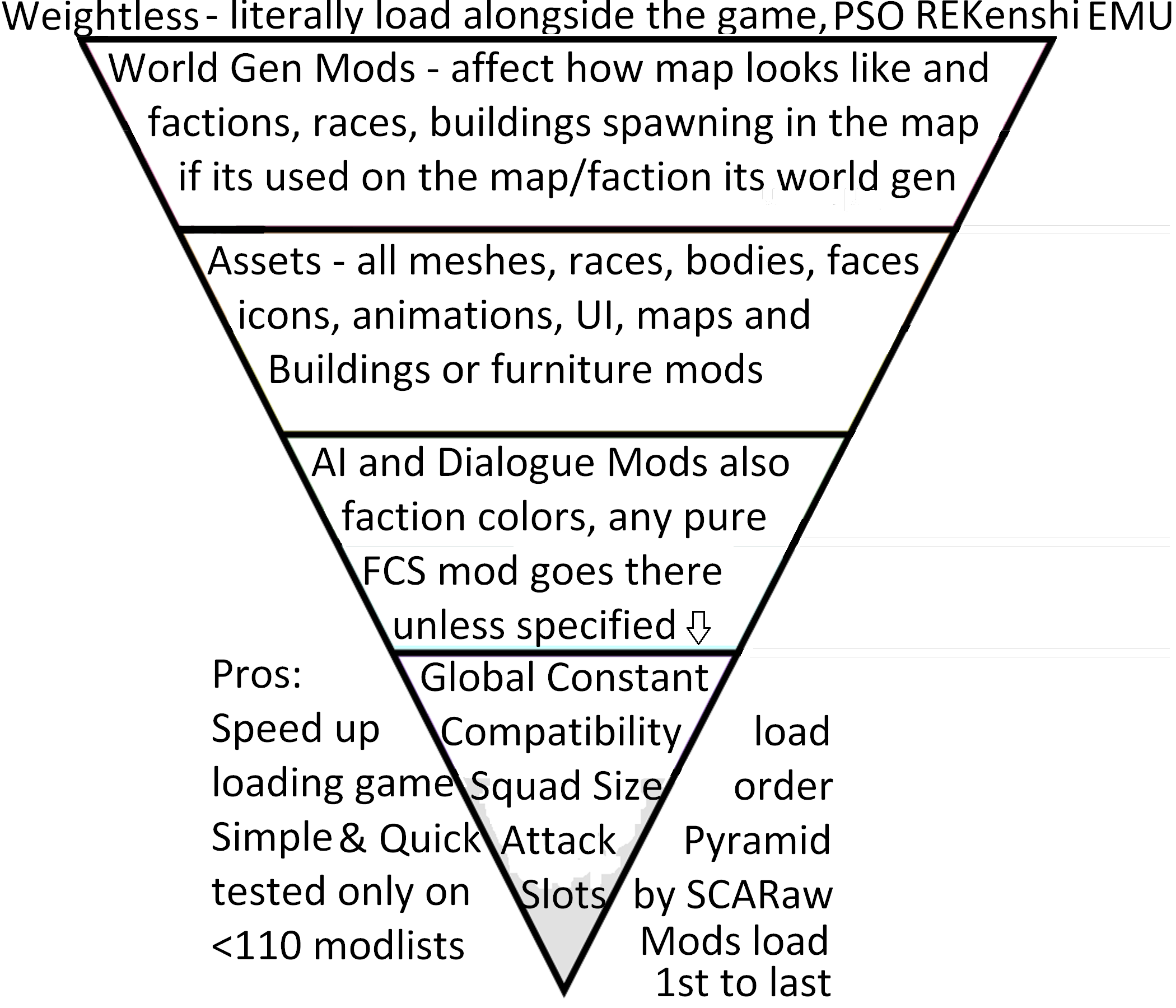
Lets Consult the Graph
We can now tag our mods accordingly
  • [Free]
  • [World]
  • [Asset]
  • [FCS]
  • [Global]
we might need better tags, but you get the idea

Core of the idea
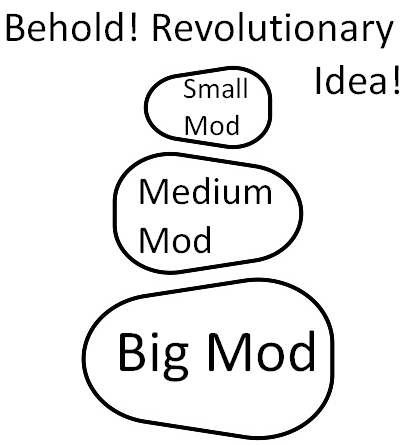
Lets say you wanna build tower of rocks:
  • 1st you place Big Rock
  • 2nd you place Medium Rock
  • 3rd you place Small Rock
WOW, nobody ever thinked of that
Now you just invert the Rocks because kenshi load 1st on the list as 1st to load
Order of Loading things in kenshi
  • Splash Screens
  • Title Screen
  • UI
  • Loading Screen
  • Map shape
  • Visual config
  • World Generation
  • Assets (as they are called)
  • AI, Squads, Dialogues
  • Global Constants
By this logic you can see the Exception to Asset Category
  • Splash Screens
  • Title Screen
  • UI
  • Loading Screen
  • Map shape
  • Visual config
by all means most of this assets are single Png/jpg files
so whenever you load them will not drastically affect anything
with real exception of:
  • Map shape - Simple Map Fixes - need REKenshi to load
  • Visual config - native stylise / Shader SSAO / Shader Fix
Some Assets can be loaded as weightless mods
Simply replace the original texture/ui files and roll with it :)
most of the times this operation is seamless
unless you have conflicting ui mods
in this case load preferred UI in Asset Category and hope for the best
FCS Colors:
Loading mods in FCS can indicate info with colors
  • Red: item has been deleted in a previous mod
  • Blue: the active mod in FCS has changed the item
  • Green: a new item the active mod in FCS has added
  • Orange: an item added by a later mod in the load order
  • Grey: a previously added item that has been deleted by the FCS active mod

Source
https://kenshi.fandom.com/wiki/FCS:_Load_Order_%26_Color_Definitions
Number of Mods is not good indicator for changes
Captain obvious with more common sense

Whenever you browse mod collections you see name, image, number of mods
Sadly said number does not really mean anything
its fair to assume
10x 1KB mods load faster than 2x 3GB mods
yet its fair to believe 2 mods will have more changes and edits that can potentially collide with things
More About Weightless Mods
i like to call them Mods that doesn't load
They are most common on Nexus or Github
some of them can do it on steam in form of diet version

benefits of weightless mods
  • Load significantly faster than .mod counterparts
  • Does not require load order
  • does not conflict with other mods in regular way (rather than crashes you can stack too many ui changes or textures with UV/MIPMAPS which cause lags (you can do the same by staying steam only, just keep installing 30 texture mods and see how it goes...))
  • Provide unique benefits and possibilities to the game - Some mods can only be possible to implement like this
  • Replacing or editing files directly avoid double-loads or loading bar going backwards
Potential risk
  • You might install UI mod on top of ui mod causing your text to be invisible or hard to read
  • Whenever you wanna remove such mod you need to either have backup or verify integrity of the files
  • Any .mod mod that edit similar thing might remove benefits of the weightless mod
World Generation
Game load faster when you load big scale edits 1st
here we have:
  • zone files
  • Foliage editors
  • non-PSO weather editors
  • City Tweaks
  • World overhauls
  • New Factions with base
Mod size in this category can be from 5mb to 10gb :)
its easy to mistake them with assets due to how some modders deal with map fixes
for example:
Better Crop Fences is World Gen mod (zone files)
Little Better Farm Fences is Asset mod (no zone files)

Exception: Mod Dependency
Lets just say Mod A add Race to the game
and mod B make Race spawn in brand new faction
in this case:
Mod B - World Gen lifts
Mod A - Asset right above itself :)
Thus Correct Load Order Being:
Mod A
Mod B
Assets is quite Wide category
Here is how i weight assets
  • New mesh and new texture for new object
  • New mesh and new texture for existing object
  • New Meshes
  • New Textures
  • New Animations
  • New Icons

There is no need to stress too much about them
If asset is called previously its dependency or small size mod (less than 10mb)
if asset is big, its good idea to get it out of the way now
Eventually just replace vanilla assets or tangle them together into 1 big mod
out of sight = out of mind :)
there is nothing to worry about or reason to spend hours categorizing assets to lighter and heavier if you don't know it immediately
AI & Dialogues - Pure FCS mods
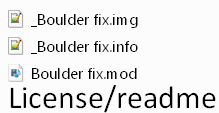
Pure FCS mods usually looks like this:
You have image file - what you see in workshop front of the mod
you have description - mouse over the mod in load order :)
you have mod file itself - the actual mod
Optionally you can see Readme or License file or even example image
Global Constant - final adjustments
Compatibility patches
By all logic they should be right next to lightest mod they change
however due to people making mistakes and by going with the rule:
Better safe than Sorry, i listed it here
  • Once again goal of the guide is to get your list sorted, not ponder with it for hours
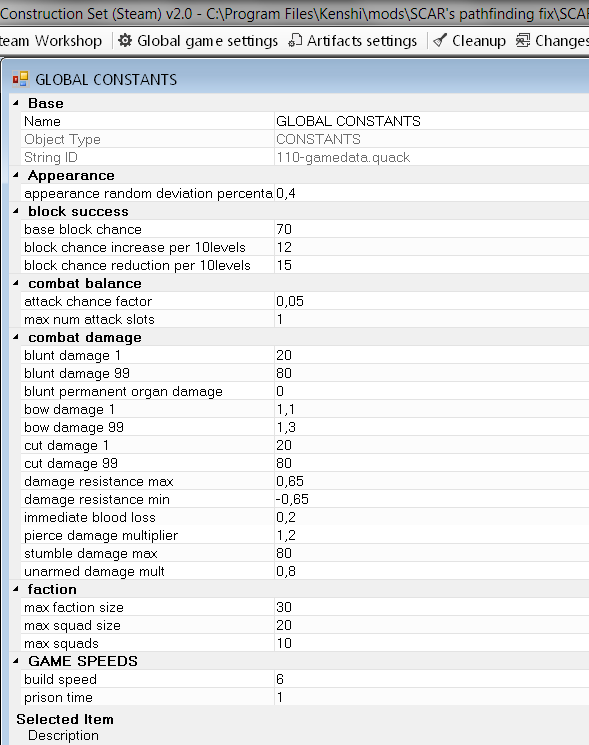
Global Constant

its category in FCS changes
night darkness scale
Squad and Faction size for player
Attack slots

mods that delve into this changes are tiny 0-1Kb + image
Closure
Load Order is not that hard
there are configurations of mods where things breaks no matter what
pondering load order might not be able to fix it for you

Biggest load order mistakes
People trying to make work mods that even authors said will conflict
People double/triple dipping same changes with different mods
People don't even read what the mods do, just follow modlist/recommendations
Players take whatever is popular without checking when it was last updated
People misinterprets what QoL and bugfixing mods actually are or if said bug wasn't patched in 2019
2 条留言
dundulisb 11 月 22 日 上午 5:30 
TY! U r The GOAT!
GEARPUNK 11 月 22 日 上午 4:52 
:steamthumbsup: