Empyrion - Galactic Survival

Empyrion - Galactic Survival

Otillräckligt med betyg
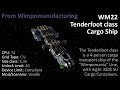
WM22 Tenderfoot class Cargo Ship
   
Utmärkelse
Favorit
Favoritmarkerad
Avfavoritmarkerad
Blueprint: Capital Vessel
Custom: Airtight
Taggar: Blueprint
Filstorlek
Lades upp
Uppdaterades
208.179 KB
13 nov @ 11:57
17 nov @ 12:56
3 ändringsnotiser ( visa )

Abonnera för att ladda ner
WM22 Tenderfoot class Cargo Ship

I 1 samling av Wimpoman
Wimpomania Line by Wimpomanufacturing
31 artiklar
Beskrivning
Mod/Scenario - None (Vanilla).
Cargo Transport CV; 8x 320k SU Cargo Containers; UL 20; CPU T4.


The twenty-second vehicle in my Wimpomania line of vehicles is the Tenderfoot class Cargo Ship, a 4-person long duration cargo-hauling transport with eight 320k SU Cargo Containers (plus a couple of 160s too). It is, however, quite lightly armed, coming stock with only 6 Sentry Turrets.
The Tenderfoot class is also the fifth of six full-modular-construction "Segment Ships" in the Wimpomania Line. The parts and segments that make up the Tenderfoot class, from back to front, are: an Engineering Segment with a Flat-Top Pad and rear access to it; a "Foyairlock-B" Connector with a boarding ramp for ground access, a Small Gravity Generator, Ammo containers, O² Tanks and EVA Equipment; a Cargo Segment, with four 320k SU Cargo Containers, a WiFi, 2 medium (T2) Fuel Tanks and 6 large Cargo Boxes; a Medical Connector, with a Small Grav Gen, all 4 medical devices plus a bed & ablutions for a casualty; another Cargo Segment equipped the same as above; a "Foyairlock-A" Connector with doors and ramps out, a teleporter, a Small Gravity Generator, Ammo containers, O² Tanks and EVA Equipment; a Habitation Segment with a living area, a dining area, a kitchenette, and two bedrooms, each with a double-bunk, shower & head (toilet); an "Equipment Ring" with another WiFi, a Small Grav Gen, & the Detector; three "Thrusters Rings"; and a large, 4-person cockpit.


Door Operation:
Inner Doors - Most of the doors are automatic (by default), however, the Nacelle Access Shutters, head doors and door into the Engineering Segment are manual.
Outer Doors - All outer doors are automatic (by default).
"Window Shutters" - The top doors covering with windows in the "bedrooms" are set to the signal from the door below them, so operating the bottom Window Shutters will open/close both.
Ramps - Both the on-foot "Ground Access" ramps from the Fore "Foyairlock" and the stern vehicle ramps are automatic (on Motion Sensors), but the Boarding Ramp from the Aft Foyairlock is manual.

Upgrade/Adaptability Space
The Thruster Nacelles of the Tenderfoot class are somewhat empty and can be accessed via both the orange Shutters in the Engineering Segment (near the generators) and from shutters found between the hull and the nacelles; and, if you can find space for any on the outer hull, feel free to strap on some more turrets.

Alternate Paints
As shown in the above screenshots, the colour palette includes 2 primary colours to choose from: the Wimpomania Blue, that the vehicle comes in, and a Brownish Grey. To swap the colour, simply click on the "Replace Mode" check box on the Colour And Texture Tool's UI, then (ensuring that no texture is selected) click on the colour that you want to change to, then "fire" the Colour & Texture Tool at any part of the vehicle that is painted the colour you want to replace.


- NOTE - any Fridges on board come turned off by default (unless I forgot) to save power until food is inside needing to be kept cold, and can only be turned off manually (or by turning off all power to the vehicle) from the fridge's own UI to limit instances of food being accidentally spoiled.

(Clicky linkies)
Other related Wimpomanufacturing workshop entries
Builds adjacent in the line/series:
WM21 Freshman class Transporter
WM23 Novice class General Purpose Ship
Wimpomanufacturing Info:
Wimpomanufacturing 'Terms, Definitions and Conventions' Guide.