Space Engineers

Space Engineers

25 个评价
Pathfinder – Bi-directional Octree A* for Space Engineers
2
   
奖励
收藏
已收藏
取消收藏
Type: Mod
Mod category: Script, Other
文件大小
发表于
更新日期
559.907 KB
11 月 1 日 上午 3:53
11 月 27 日 上午 3:10
9 项改动说明 ( 查看 )

订阅以下载
Pathfinder – Bi-directional Octree A* for Space Engineers

描述
Overview
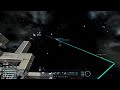
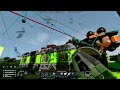
Bi-directional Octree A* pathfinding solver API. Use with programmable block to find optimal paths through 3D space, avoiding obstacles and terrain while respecting altitude constraints. Supports advanced collision avoidance with sphere-based path scanning and sub-OBB collision detection for real-time obstacle avoidance.

Use this script to get started: Control script: PathfinderNavigation

Alpha build – behaviour may change. While I haven't experienced any crashes, use at your own risk!

Note: Lag spikes during long distance path claculations is caused by path optimization. If you want no lag, set MaxPathOptimizationSteps to 0 in PathfinderSettings.xml (this will cause very zig-zaggy paths though).

Quick Requirements
Remote control. Pathfinder settings located in remote control terminal at the bottom.

Terminal Properties
  • PathfinderDestination (Vector3D?) – set/clear target (null clears). Will automatically recompute path when set.
  • PathfinderDestinationName (string) – GPS/beacon name to follow (matches grid name for beacons). An alternative way or setting destination, especially for mobile grids that don't have static position. Overrides PathfinderDestination property.
  • PathfinderDestinationTolerance (double) – distance threshold for destination updates (default: 50m). When PathfinderDestinationName is set to mobile grid that moves, this determines the distance delta after which path is automatically recomputed.
  • PathfinderMinDistanceFromDestination (double) – inner radius to skip when searching for destination (default: 0m).
  • PathfinderMaxDistanceFromDestination (double) – outer radius to search for reachable destination (default: 50m).
  • PathfinderMaxRdpDistanceFromDestination (double) – outer radius for collision avoidance destination search when dynamic path refinement is enabled (default: 50m).
  • PathfinderEnableDynamicPathRefinement (bool) – legacy setting, replaced by PathfinderEnableCollisionAvoidance (default: true).
  • PathfinderEnableCollisionAvoidance (bool) – if enabled, uses sphere-based path scanning to find paths around obstacles; if disabled, uses direct path to waypoints (default: false).
  • PathfinderMaxCADistanceFromDestination (double) – outer radius for collision avoidance destination search (default: 50m).
  • PathfinderCATarget (Vector3D?) – current collision avoidance target point (read-only).
  • PathfinderPath / DPRPath (string) – serialized master path / collision avoidance refined path.
  • PathfinderStatus – NotStarted / Calculating / Ready / NoPath.
  • CurrentWaypointIndex – current master waypoint. When distance to current waypoint is less than IntentDistance, automatically checks if next waypoint is reachable and advances if path is clear.
  • PathfinderMinAltitude / PathfinderMaxAltitude (double) – optional planet altitude clamps (sea level).

Terminal Actions
  • RecomputePath – rebuild with existing destination.
  • ClearPath – abort and reset.
  • ResetSettings – reset OctreeAStar settings to default values.

Scripts & Links

Collision Avoidance
When PathfinderEnableCollisionAvoidance is enabled, the pathfinder uses advanced collision avoidance:
  • Sphere-based path scanning – samples a sphere around the start position using pitch (0-180°) and azimuth (0-360°) angles, prioritizing directions aligned with target + velocity. Path lengths scale with alignment (1 to CAAttractionFactor) and are divided by CAAttractionFactor.
  • Sub-OBB collision checking – subdivides paths into agentSize-sized OBBs for granular collision detection, returning the center of colliding sub-OBBs as collision positions.
  • Waypoint skipping – automatically advances to next waypoint if distance to current waypoint is less than IntentDistance and path to next waypoint is clear (single path check).
  • Terrain collision handling – when terrain collision is detected during initial path check, sets collision avoidance target to collision point + CAMinAltitude, skipping alternative route searches.
  • Intent obstacles – creates OBBs from current position to collision avoidance target (with agentSize/2 padding) to signal intended path to other entities.
  • All collision types – uniformly checks voxels, static grids, velocity obstacles, and intent obstacles using the same sub-OBB mechanism.
  • Distance budget management – uses scan budget (min of IntentDistance and distance to target) to limit search range. Budget decrements by path length when clear, or by (collision distance - OBB length) when blocked.

Collision avoidance settings (in PathfinderSettings.xml):
  • CAAngleIncrement (double, default: 45.0) – angle increment in degrees for sphere-based sampling (pitch and azimuth).
  • CAAttractionFactor (double, default: 10.0) – remaps dot product from [-1,1] to [1,CAAttractionFactor] for path length scaling.
  • CAMinAltitude (double, default: 40.0) – minimum altitude above terrain for collision avoidance.
  • IntentDistance (double, default: 100.0) – distance threshold for waypoint skipping and scan budget calculation.

Notes
  • Additional Settings (debug + extra settings): %AppData%\SpaceEngineers\Storage\[3597348725.sbm_]Pathfinder\PathfinderSettings.xml.
  • Diagnostics log: %AppData%\SpaceEngineers\Pathfinder_[DateTime].log.
  • To hide path rendering: set RenderPath to false in PathfinderSettings.xml.
  • To hide pathfinder messages: set ShowPathfinderMessages to false in PathfinderSettings.xml.
  • Using collision avoidance is typically provides faster navigation because it will try to skip waypoints when the path to the next waypoint is clear. However it does get stuck sometimes :(

6 条留言
Chebz  [作者] 12 月 8 日 上午 1:05 
@Casilisto
Download the mod. Mod alone will only calculate the path (not navigate the ship).

Then download PathfinderNavigation script - https://psteamcommunity.yuanyoumao.com/sharedfiles/filedetails/?id=3605172814 .

On your ship, install remote control facing forward, thrusters in 6 directions, at least 1 gyro, and programmable block.

In programmable block load PathfinderNavigation script, The run with "start <GPSName>" where GPSName is how you've named the GPS (not the coordinate, but should work with pasted coordinates too if I remember correctly). e.g. "start MyBase" or "start MyGridNameWithBeaconOnIt"
You can adjust pathfinder settings inside ship's remote control terminal panel (it's at the bottom under "Pathfinder")

I may eventually combine mod and navigation logic into separate block entirely and make it more user friendly. Taking a break atm for health issues.
Rude 12 月 7 日 上午 7:02 
Good work. Now add automining, autodocking and you have the new PAM / SAM combined
Casilisto 12 月 7 日 上午 5:49 
I dont really understand how to set it up. Can you help me?
CaPtInChRoNiC26! 12 月 5 日 上午 7:12 
Thats so cool.
Chebz  [作者] 11 月 24 日 上午 1:08 
@sicko greed There is no speed limit setting in Pathfinder. This must be different mod. Pathfinder simply calculates the path waypoints. You need an actual script to navigate them.
sicko greed 11 月 23 日 下午 8:36 
How do I make the speed limit lower than 10,000? The slider goes from 0-300,000,000 m/s in increments of 10,000 making it completely useless. Is this a mod conflict?