永劫无间

永劫无间

60 个评价
Enable Character Jiggle Physics - Breast Bounce (Female)
由 󠁳⁧⁧!!! ZhY 制作
For veteran players, you may have forgotten, but the game once had a physics-based breast jiggle feature for female characters. And for new players who never knew about this amazing feature, this guide will show you how to re-enable it!
6
2
3
   
奖励
收藏
已收藏
取消收藏
STEAM
Open Game Folder
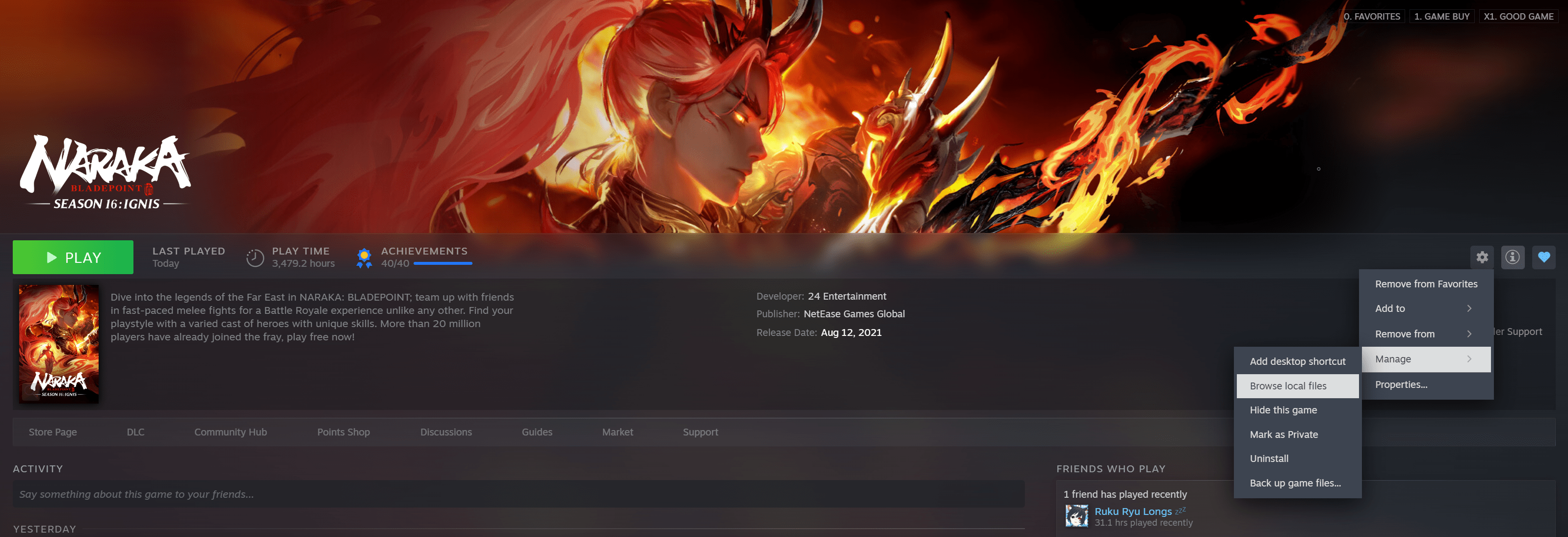
  • Steam → Right-click game → Manage → Browse Local Files


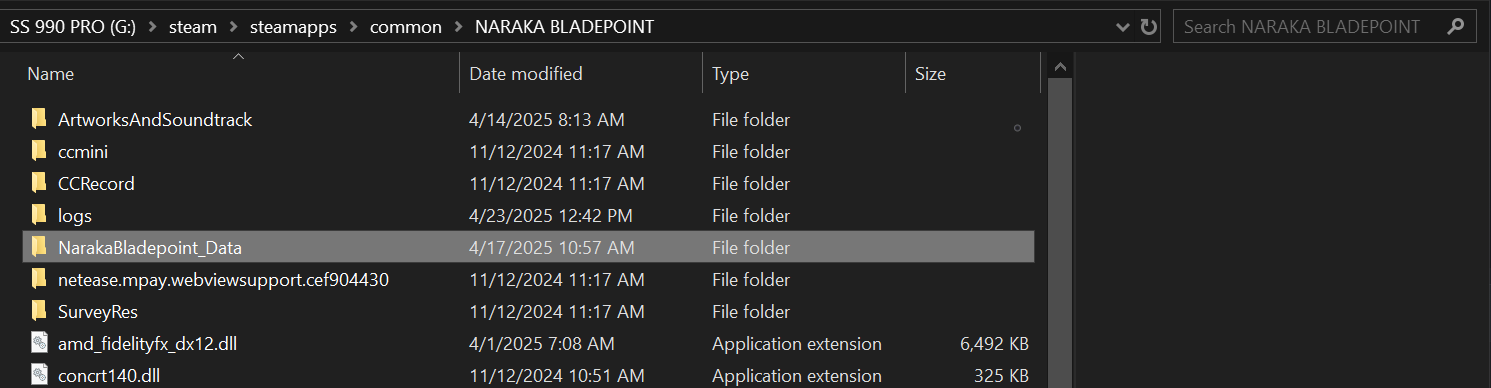
Open Folder: NarakaBladepoint_Data


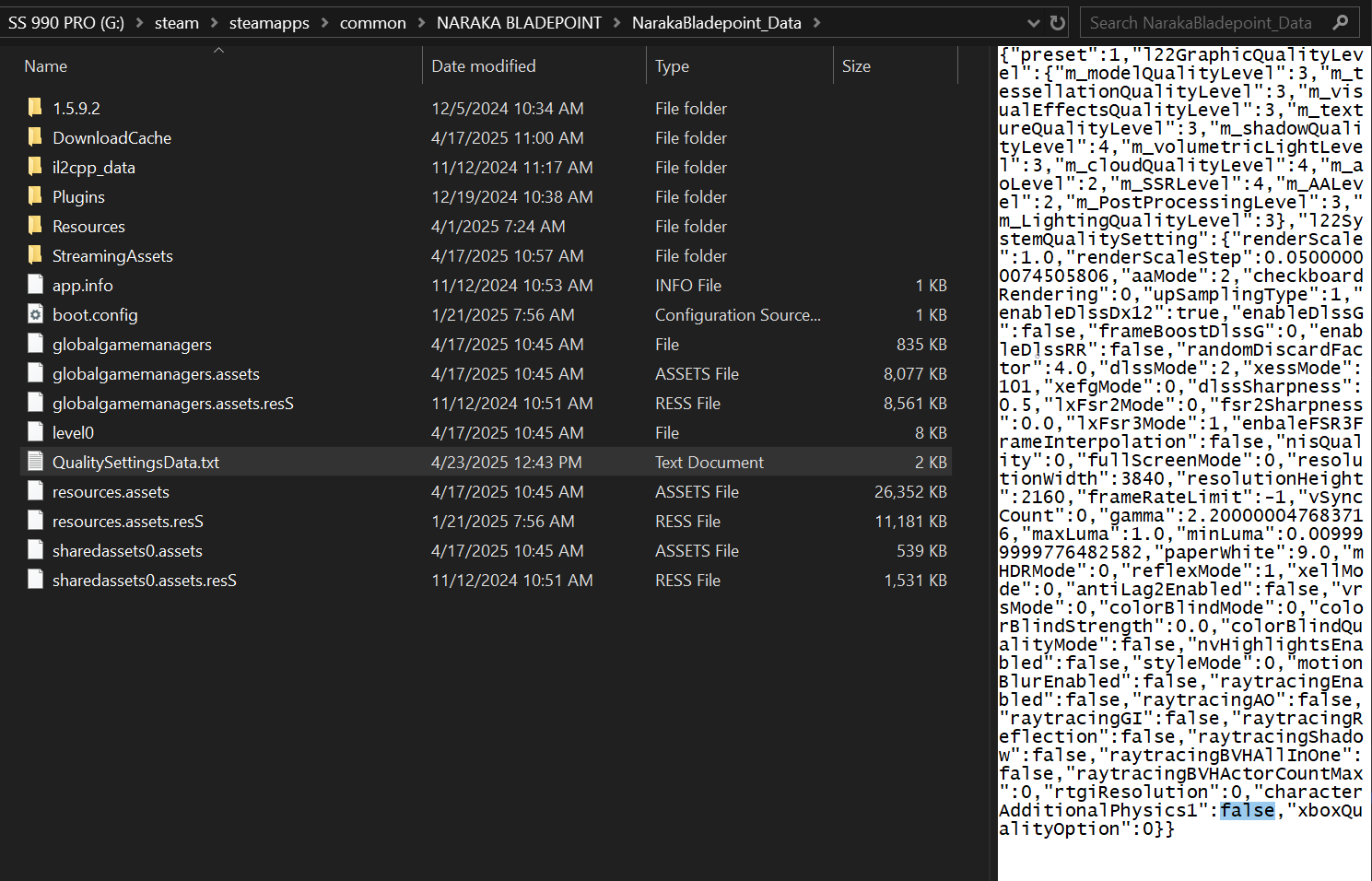
Find File: QualitySettingsData.txt
  • Or, to open it faster, paste the following path into the File Explorer address bar:
X:\Steam\steamapps\common\NARAKA BLADEPOINT\NarakaBladepoint_Data\QualitySettingsData.txt
  • (Replace X: with the drive where your Steam is installed, usually C: or D:)


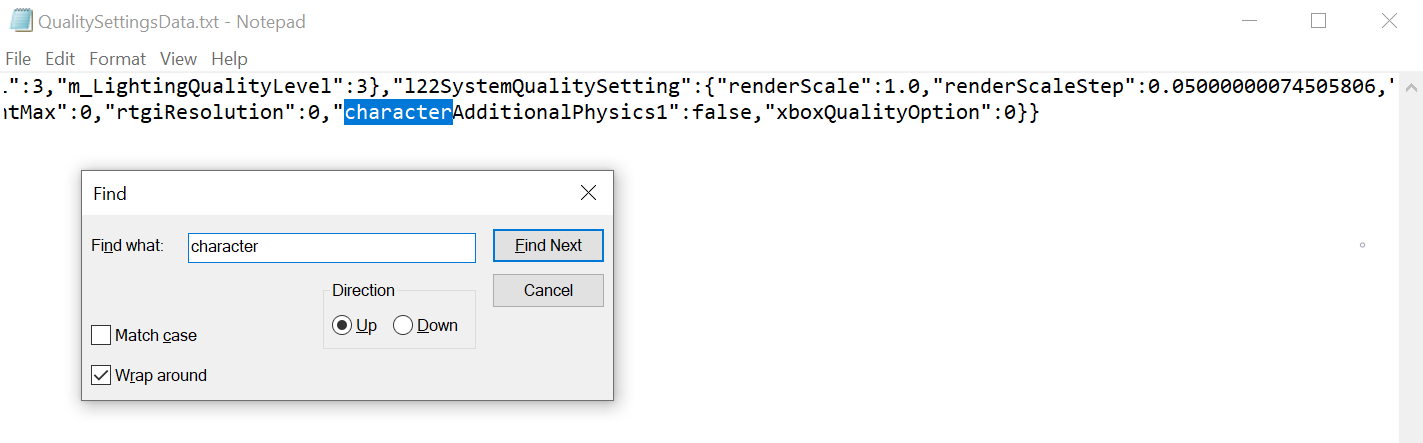
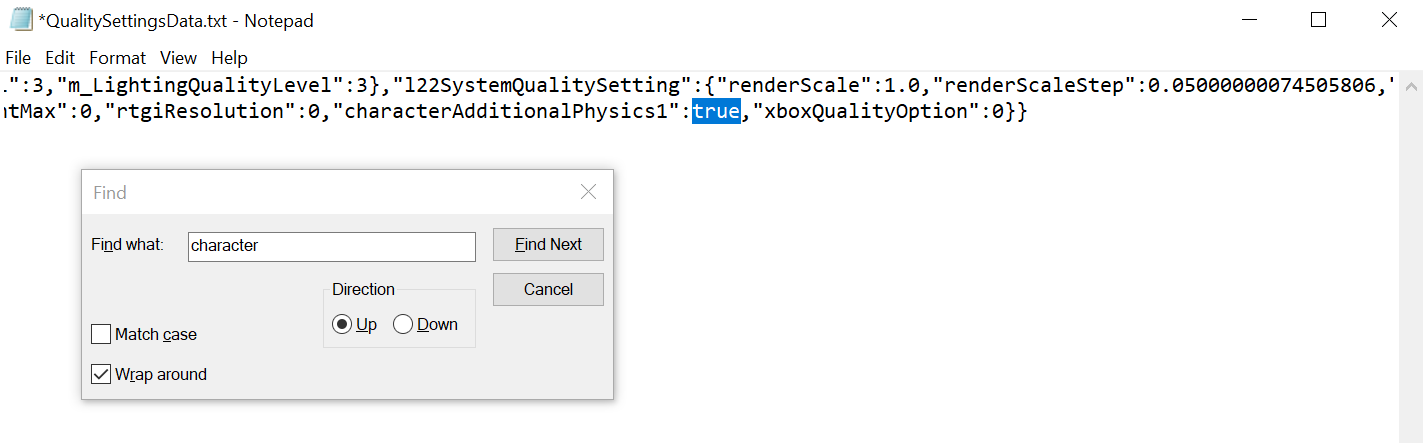
Search for: "characterAdditionalPhysics1"
  • CTRL + F → type "character"


Change Value: falsetrue


Save File and Launch Game. Enjoy smoother physics effects in-game!
Epic Game
For Epic Games version:
  • Just do the same steps — find the QualitySettingsData.txt file and edit it as shown above.
X:\Epic Games\NARAKA BLADEPOINT\NarakaBladepoint_Data\QualitySettingsData.txt
  • (Replace X: with the drive where your Steam is installed, usually C: or D:)
Xbox Games
The Xbox PC version may not include the QualitySettingsData.txt file.
  • You can create the file manually using the code below and place it in the NarakaBladepoint_Data folder.
{"preset":1,"l22GraphicQualityLevel":{"m_modelQualityLevel":3,"m_tessellationQualityLevel":3,"m_visualEffectsQualityLevel":3,"m_textureQualityLevel":3,"m_shadowQualityLevel":4,"m_volumetricLightLevel":3,"m_cloudQualityLevel":4,"m_aoLevel":2,"m_SSRLevel":4,"m_AALevel":2,"m_PostProcessingLevel":3,"m_LightingQualityLevel":3},"l22SystemQualitySetting":{"renderScale":1.0,"renderScaleStep":0.05000000074505806,"aaMode":2,"checkboardRendering":0,"upSamplingType":1,"enableDlssDx12":true,"enableDlssG":false,"frameBoostDlssG":0,"enableDlssRR":false,"randomDiscardFactor":4.0,"dlssMode":2,"xessMode":101,"xefgMode":0,"dlssSharpness":0.5,"lxFsr2Mode":0,"fsr2Sharpness":0.0,"lxFsr3Mode":1,"enbaleFSR3FrameInterpolation":false,"nisQuality":0,"fullScreenMode":0,"resolutionWidth":3840,"resolutionHeight":2160,"frameRateLimit":-1,"vSyncCount":0,"gamma":2.200000047683716,"maxLuma":1.0,"minLuma":0.009999999776482582,"paperWhite":9.0,"mHDRMode":0,"reflexMode":1,"xellMode":0,"antiLag2Enabled":false,"vrsMode":0,"colorBlindMode":0,"colorBlindStrength":0.0,"colorBlindQualityMode":false,"nvHighlightsEnabled":false,"styleMode":0,"motionBlurEnabled":false,"raytracingEnabled":false,"raytracingAO":false,"raytracingGI":false,"raytracingReflection":false,"raytracingShadow":false,"raytracingBVHAllInOne":false,"raytracingBVHActorCountMax":0,"rtgiResolution":0,"characterAdditionalPhysics1":true,"xboxQualityOption":0}}
  • I used this method to create the file, and the game ran without any issues during gameplay.
Will this get you banned?
I've been using it for about a year and haven't received any bans.
This is a feature that exists in most NetEase games (you can even see it enabled in the Naraka Mobile version). It's likely disabled on PC due to certain regulations. Instead of removing it entirely, they just turned it off to comply with those rules.
Are there any side effects when enabling it?
Yes — enabling it adds more physics-based movement, which can impact FPS. However, if your PC is powerful enough, the performance drop is minimal. Since more character motion is processed, the game may handle more tasks during combat.
1 条留言
Onbegaan 12 月 9 日 下午 12:35 
Ah, I See You're a Man of Culture As Well