Deus Ex: Revision

Deus Ex: Revision

评价数不足
Settings for the most original and "lag free" Deus Ex experience
由 chuckles n chestnuts 制作
This is a simple, but in-depth guide to adjust your Deus Ex: Revision settings to play Deus Ex in its most original form with only the basic fixes from the base mod of Revision (no Revision textures or custom maps). This also will help with performance issues as Revision causes lag for some people.
   
奖励
收藏
已收藏
取消收藏
Steps are as follows
Step 1
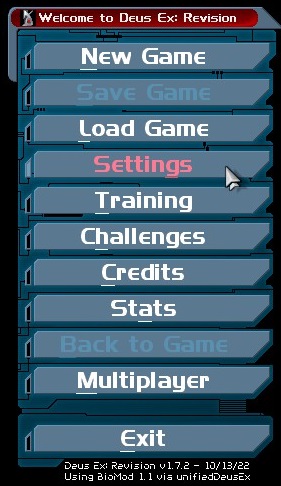
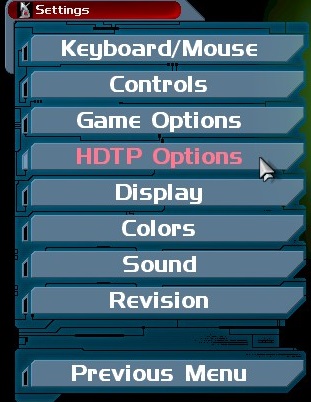
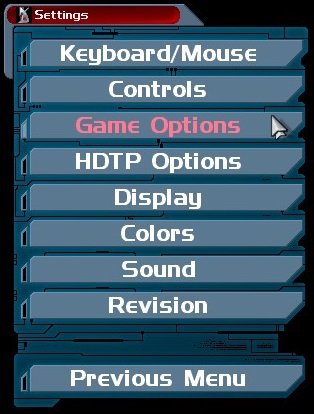
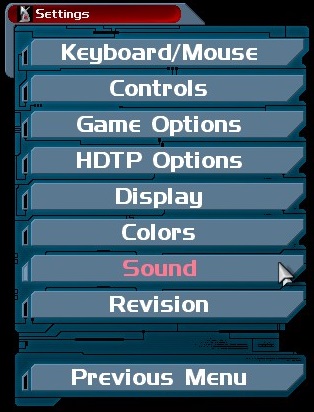
Go into your settings in the starting menu (NOTE: After this step you can do the following in any order).


HDTP Options
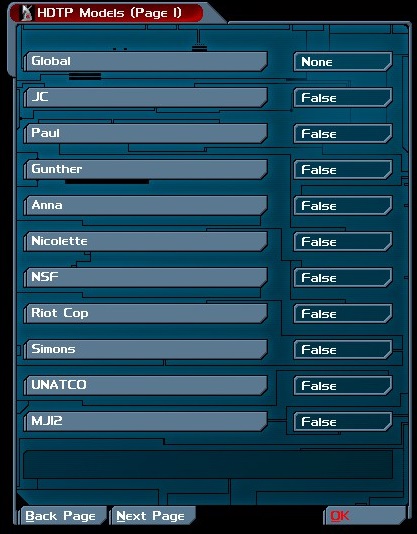
HDTP Options
Go into HDTP Options and make sure all are set to 'False' (there are a couple pages so go thru each one to check..you only have to do this once! Unless you want them on sometime later in the future).
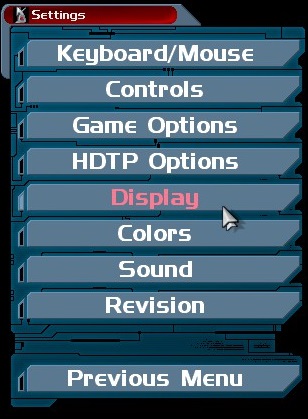
Display
Display
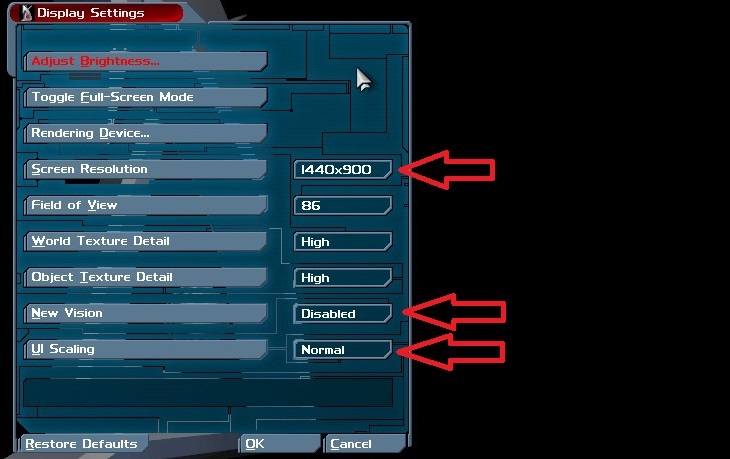
Go into your Display Settings and adjust the following settings marked by the red arrows which are:
  • Set 'Screen Resolution' to 1440x900 (this may not be best for everyone but it generally is a good resolution for Deus Ex on a modern Desktop monitor).

  • Set 'New Vision' to Disabled (this will help with performance in a big way).

  • Set 'UI Scaling' to Normal (however you can experiment with this while in game it affects your HUD, I personally find Normal to be the best).

Optional: you can adjust Field of View (FOV) to your liking.

Note: "High" World and Object texture detail are stock high settings from Original game..to my knowledge from what I can tell so its fine to leave those unless you really have an under performing PC.

Game Options
Game Options
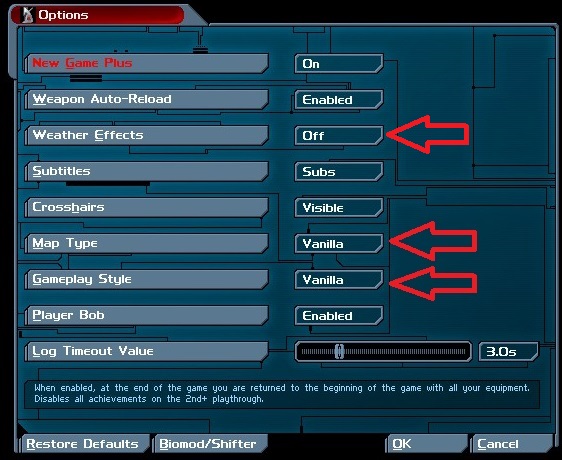
Go into your Game Options setting and adjust the following settings marked by the red arrows which are:
  • Set 'Map Type' to Vanilla (This is the Big One! This is what will determine if you play on Revision's custom Deus Ex maps or the Original "Vanilla" Deus Ex maps).

  • Set 'Gameplay Style' to Vanilla (I personally like Biomod as it adds some somewhat minor tweaks and gives NPC's random loot, but for the sake of this guide Vanilla will give you the original Deus Ex experience).

  • Set 'Weather Effects' to Off.
Revision
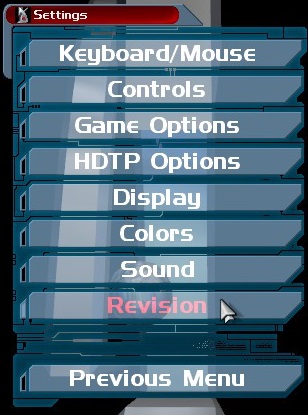
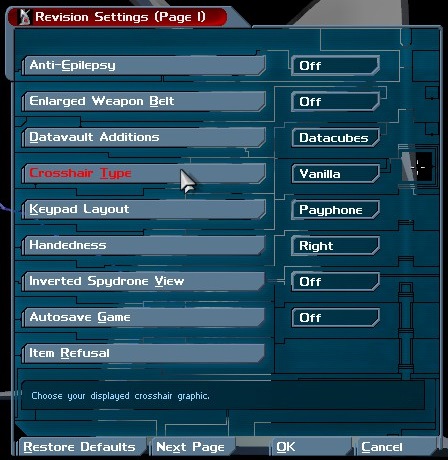
Go into 'Revision Settings' and set Crosshair type to Vanilla.
Sound
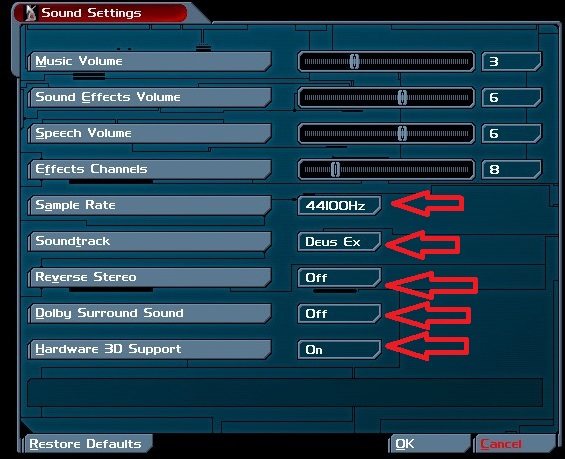
Go into your Sound Settings and adjust the following settings marked by the red arrows which are:
  • Set 'Sample Rate' to 44100Hz (This may already be set by default which is fine).

  • Set 'Soundtrack' to Deus Ex.

  • Set 'Reverse Stero' to Off (This may already be set by default which is fine).

  • Set 'Dolby Surround Sound' to Off (This may already be set by default which is fine).

  • Set 'Hardware 3D Support' to On (This may already be set by default which is fine).
Additional Notes
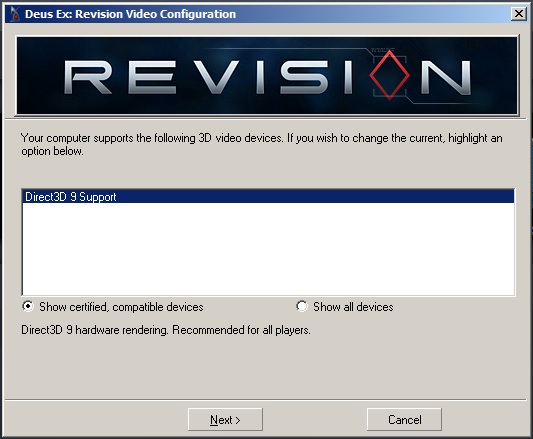
When you initially startup Deus Ex: Revision you maybe greeted with the 'Video Configuration', I found that the default selected video option works best which, from what I can tell, for the majority of PC Desktop users is 'Direct3D 9 Support'.

Note: You may have more options than just the one shown in the picture below; if its already set on 'Direct3D Support' I would suggest to leave it on that setting unless you have difficulties.
Disclaimer
Some selections will require you to restart your game, specifically the 'map type' and 'gameplay style' in the game options menu. This may reset some of your options that you already changed. Just double check your changes once you've adjusted everything in this guide if your uncertain.

If you have any further questions or comments, feel free to add them.
6 条留言
chuckles n chestnuts  [作者] 2024 年 1 月 4 日 下午 4:33 
To be honest I have no idea on that exact info Chris
-Chris- 2024 年 1 月 4 日 下午 3:18 
Would be interesting to establish which achievements can be unlocked in vanilla.
the following worked for me, vanilla maps with shifter:
Safe cracker
Licensed agent
Scrooge
My body is augmented
Muscle man
Over the line (NSF commander related)
Mmm, delicious (ambrosia vial related)
Show me the money
Silence of the lam's
How Lovey is a hungry turret?
Friendly fire
Delicate touch
The grey death
Scrambled circuits
Disarmed
Iron body
Hot Dog
Infiltrator
Ready for action
Leaded Keratin
Quid Pro quo (max out regeneration aug)
The fall (shot & fell of navel shipyard roof)
I Spill my drink
Eye for an eye (Me vs Maggie chow in UC shut down room with dragons tooth sword)
That Familiar tune (play intro music on a piano)
Deus Executioner Machina
Black Hawk Down
Complete Collection (colourful weapons mod collection)
Caught Dead Handed (spotted by a Karkian in underwater tunnel in Hong Kong)
chuckles n chestnuts  [作者] 2023 年 5 月 14 日 下午 4:10 
There are a few, I've only beat revision with Vanilla Deus Ex (I never really played Revision maps much at all) and got some of the achievements.
Crashie // #FckAfD 2023 年 5 月 14 日 下午 2:39 
I think all of them dont work, at least for me. I tried the Training Mission achievements with the chocolate bar and the kill the unconscious trooper one, which both should be achievable in vanilla, but I got nothing.
chuckles n chestnuts  [作者] 2023 年 5 月 14 日 上午 7:33 
You welcome! Glad you like it, the achievements don't all work in Vanilla mode unfortunately. I think the Devs of this mod intentionally wanted you to play their Revision maps as pretty much all achievements are earned in Revision maps.
Crashie // #FckAfD 2023 年 5 月 14 日 上午 6:43 
Thank you for the guide! For my second playthrough I wanted the most original experience. But when I changed all settings, I couldnt get any achievements anymore. When I changed the map type from vanilla to revision they worked again. I dont know if its intended, that achievements don't work in vanilla, but I guess I have to do my vanilla playthrough when Im done achievement hunting