



安装 Steam
登录
|
语言
繁體中文(繁体中文)
日本語(日语)
한국어(韩语)
ไทย(泰语)
български(保加利亚语)
Čeština(捷克语)
Dansk(丹麦语)
Deutsch(德语)
English(英语)
Español-España(西班牙语 - 西班牙)
Español - Latinoamérica(西班牙语 - 拉丁美洲)
Ελληνικά(希腊语)
Français(法语)
Italiano(意大利语)
Bahasa Indonesia(印度尼西亚语)
Magyar(匈牙利语)
Nederlands(荷兰语)
Norsk(挪威语)
Polski(波兰语)
Português(葡萄牙语 - 葡萄牙)
Português-Brasil(葡萄牙语 - 巴西)
Română(罗马尼亚语)
Русский(俄语)
Suomi(芬兰语)
Svenska(瑞典语)
Türkçe(土耳其语)
Tiếng Việt(越南语)
Українська(乌克兰语)
报告翻译问题









 奖励
奖励



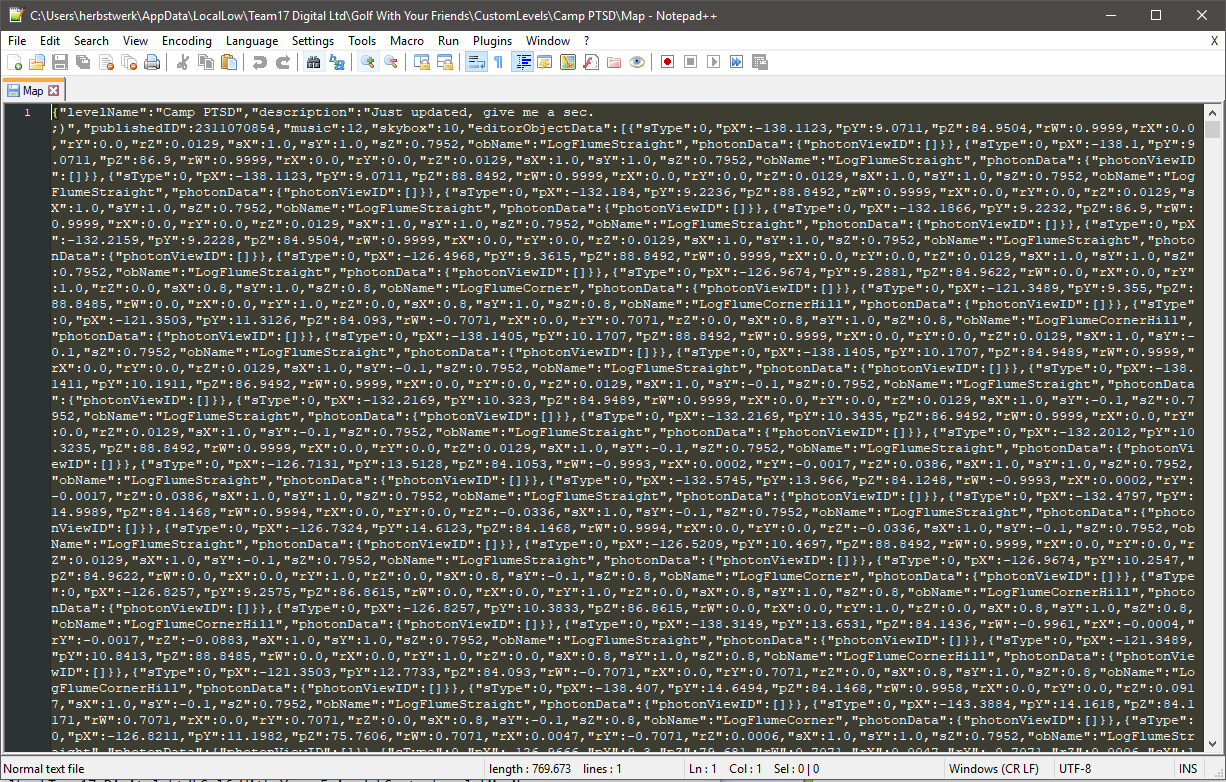
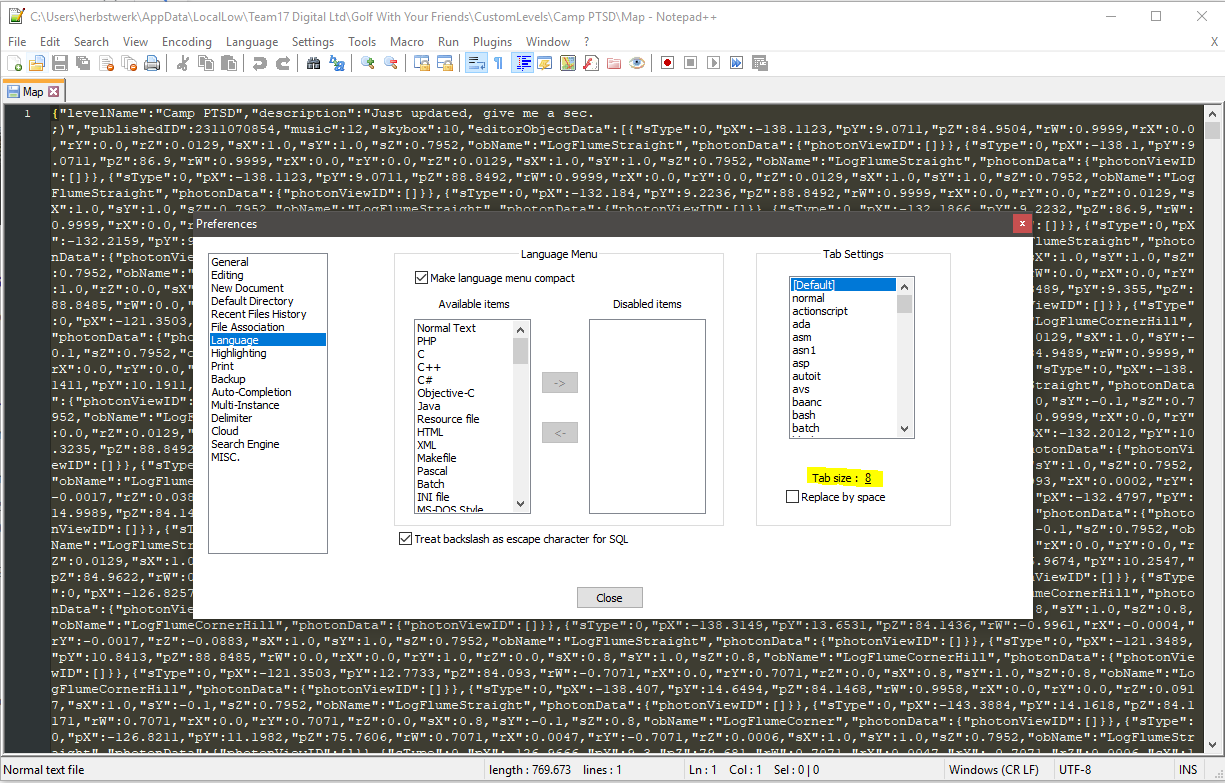
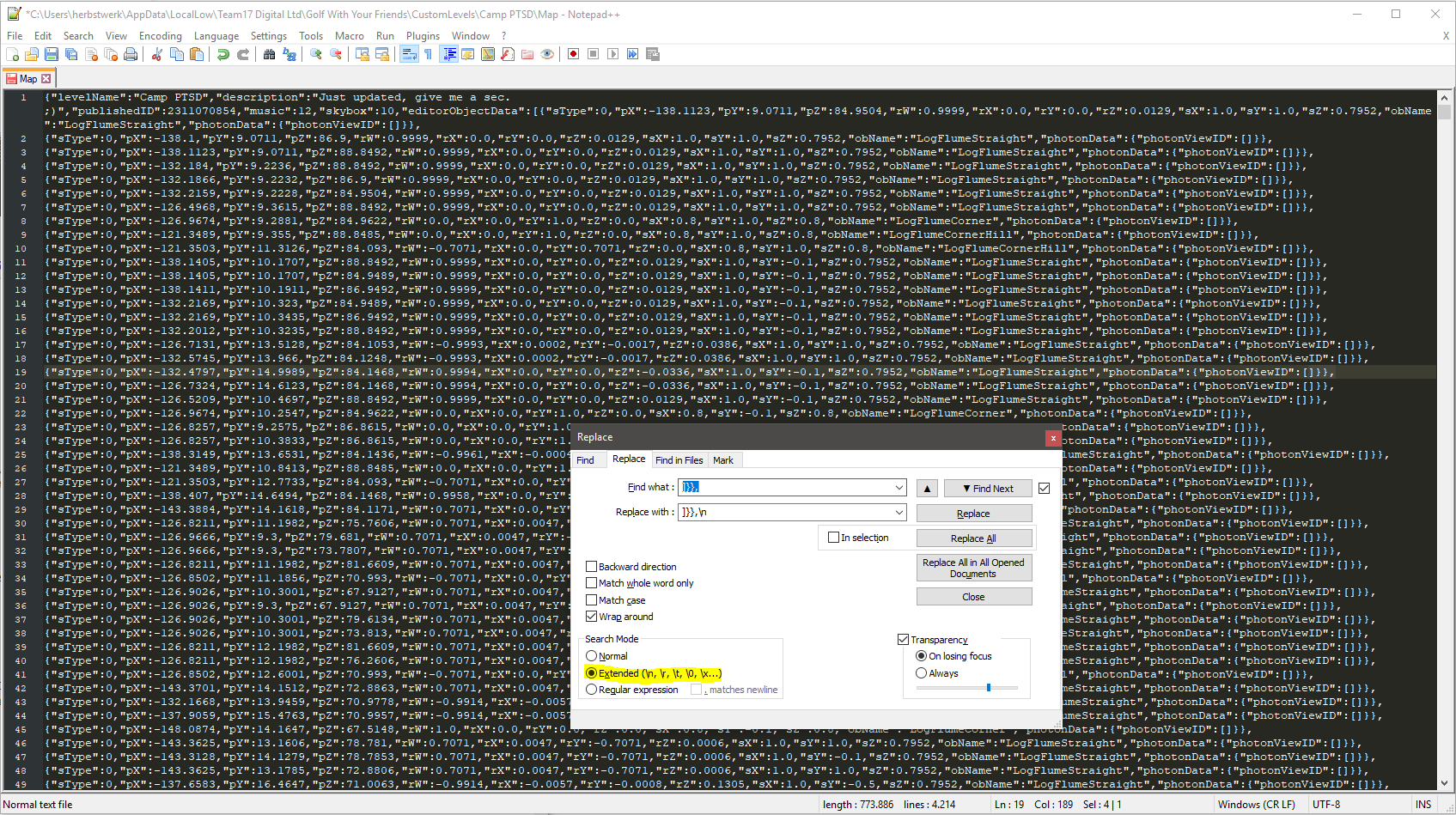
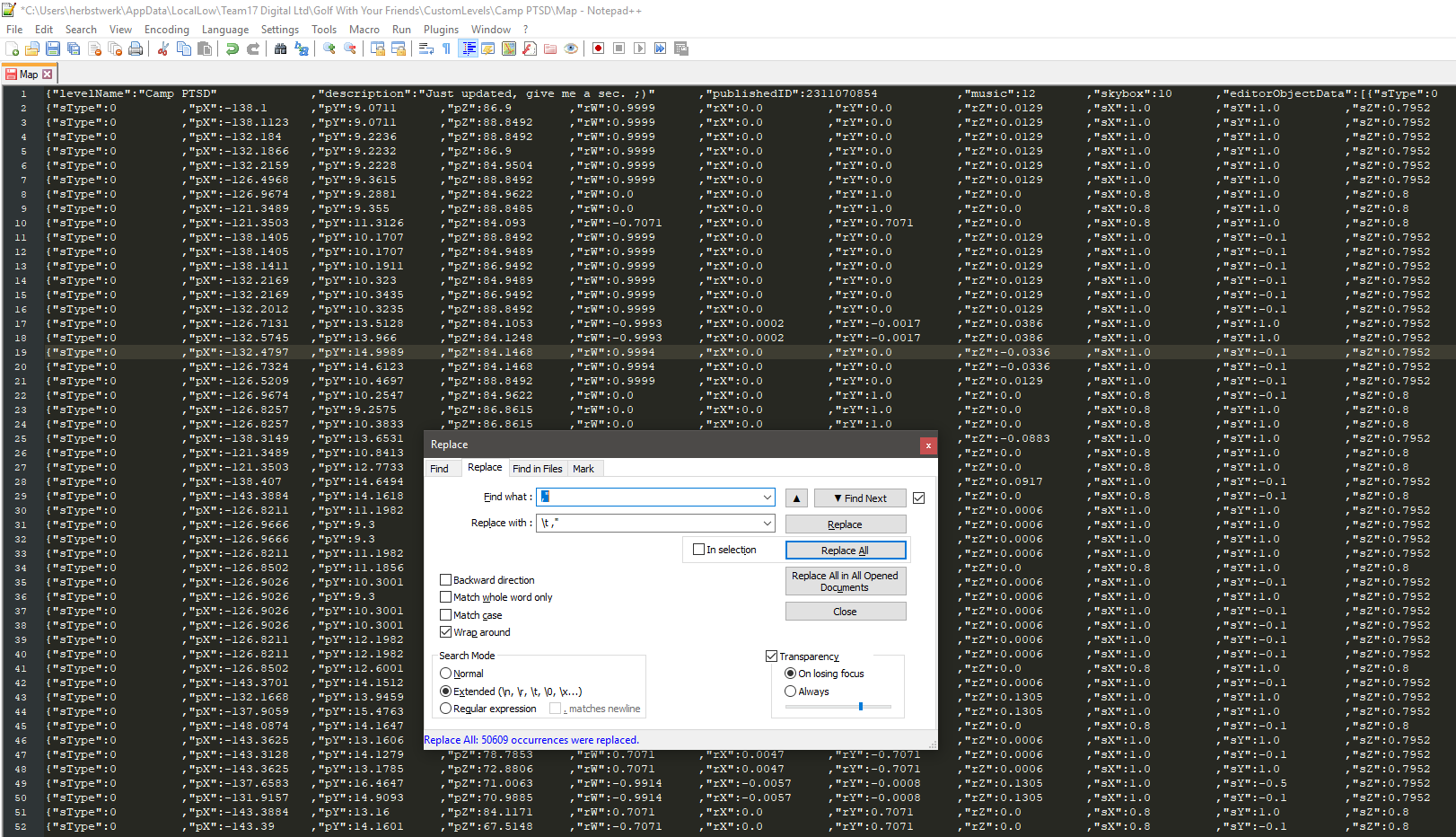


Jokes aside, you saved my map by sharing your wisdom, thanks a lot!
Very easy to follow, well done.
I had two walls that were about 15 million units outside the map (lol) which was making a part of the course unplayable. Followed this tutorial and now it works like a charm.
If anyone else sees this post and is using Linux like me, then:
1. Custom maps are located in ~/.config/unity3d/Team17 Digital Ltd/Golf With Your Friends/CustomLevels
2. A Linux-native text editor that can do what you need for this is notepadqq
Made something wrong the first try fixing this, but second try on backup worked!
Now back to editing the map :)