Counter-Strike 2

Counter-Strike 2

45 个评价
Rebind, the enable cursor on scoreboard to any key.
由 Mr. uLLeticaL™-S 制作
How to rebind, the enable cursor on scoreboard to any key.
   
奖励
收藏
已收藏
取消收藏
How To


1. Open up the console.

If you want the L key to be your key, you can paste this into your console.
alias "L Key"; bind L "L Key"; cl_scoreboard_mouse_enable_binding "L Key"

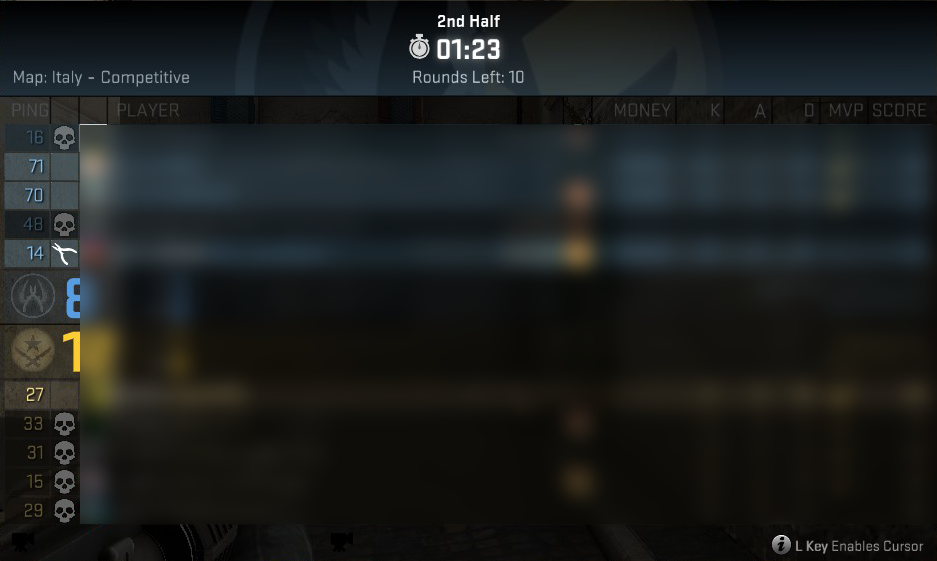
The alias, is the name that will be shown on the scoreboard as text, this can be anything.

For example:
alias "Nothing" bind L "Nothing" cl_scoreboard_mouse_enable_binding "Nothing"

This will show as "Nothing Enables Cursor" on your scoreboard.

2. Save it to your config, by executing the following command in your console.

host_writeconfig

And this is how mine looks like :D:
22 条留言
fnkey killa 2020 年 4 月 12 日 上午 10:58 
tnx
c0zyyy 2019 年 3 月 1 日 下午 7:01 
TYSM BRO <3
Razex 2018 年 3 月 13 日 下午 1:53 
Thanks @gay
๋๋๋๋๋๋ 2017 年 8 月 26 日 下午 2:13 
ty sky
spinningrifles 2017 年 6 月 20 日 上午 5:50 
just do this and everything is back to normal
cl_scoreboard_mouse_enable_binding +attack2
beia 2016 年 10 月 25 日 下午 2:33 
I want my mouse in place of L
bangerman 2016 年 10 月 19 日 上午 4:42 
not working for me
BLUNTSONBLUNTSONBLUNTS 2016 年 3 月 5 日 下午 5:18 
ty <3
Trebacky 2016 年 2 月 4 日 上午 3:20 
How can I activate the score table while spectating
1ShotenougH -| GreyField |- 2015 年 12 月 29 日 下午 2:57 
THX Kapz