STAR WARS™ Empire at War: Gold Pack

STAR WARS™ Empire at War: Gold Pack

评价数不足
Star Wars: Empire at War: Forces of Corruption Editor Guide [ENGLISH]
由 乚モ州ノㄨ 制作
In this guide I only deal with the space map and this is only for the Star Wars Empire At War expansion (forces of corruption).

German version
   
奖励
收藏
已收藏
取消收藏
Creation of the map
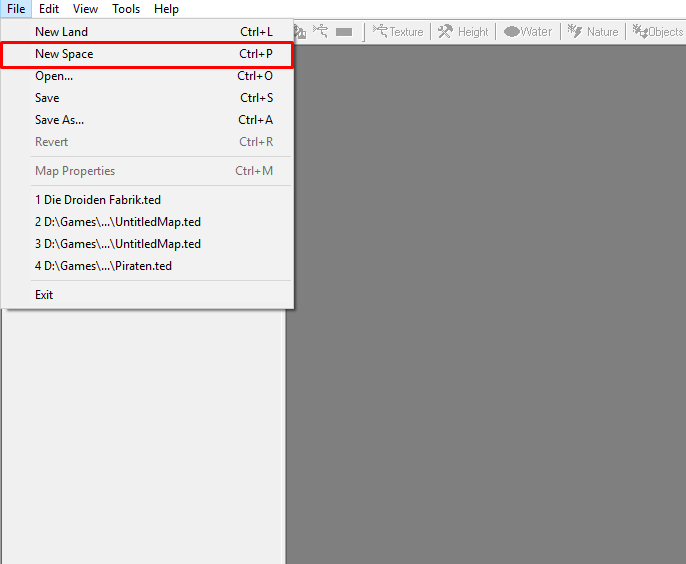
When you have started the editor, click on "File" at the top left and click on "New Space".
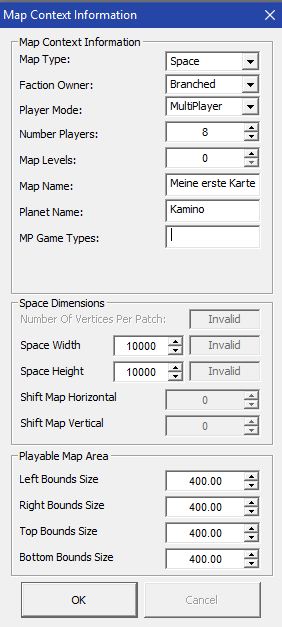
Then a new window appears where you select "Map Type" "Space", "Faction Owner" "Branched" and "Player Mode" "Singleplayer" or "Multiplayer".
If you select "Singleplayer" you can only play the map alone and if you select "Multiplayer" you can play online and alone.


With "Number Players" you choose how many can play on the map.
You can leave "Map Levels" as it is and at "Map Name" you can enter the name of the map.
Attention you must not use special characters or you will get errors!

"Planet Name" normally the planet name is entered, but you can enter anything.
Leave "MP Game Types" blank.
With "Space Width" and "Space Height" you set the size of the map. There you can try a little bit.
You can leave the "Playable Map Area" as it is.
Insert background
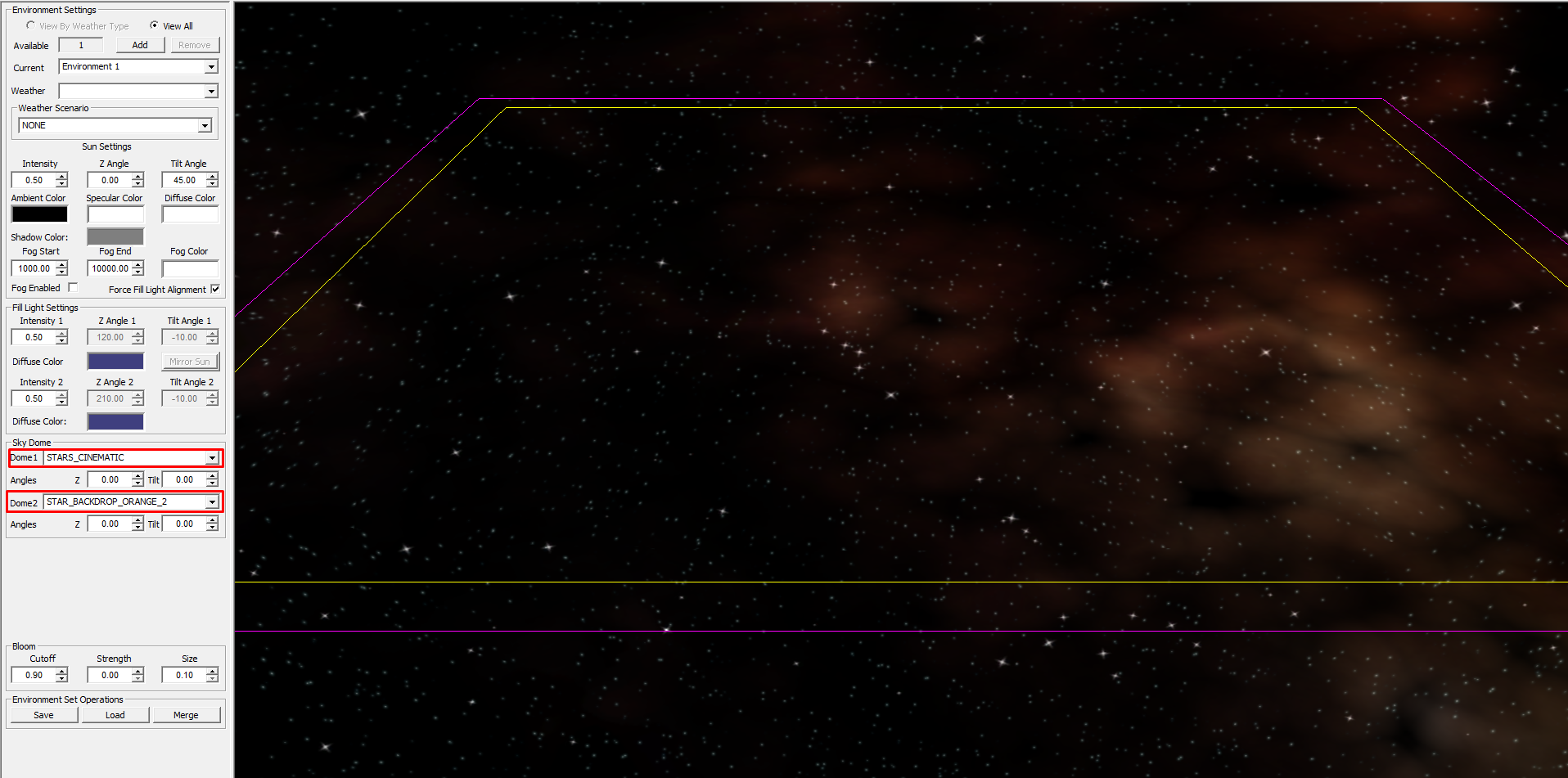
Next click on "Nature" above and select the background.


Then select "Dome1" and "Dome2" once for "Sky Dome".

Objects and properties
After that you go to "Objects" at the top next to "Nature".
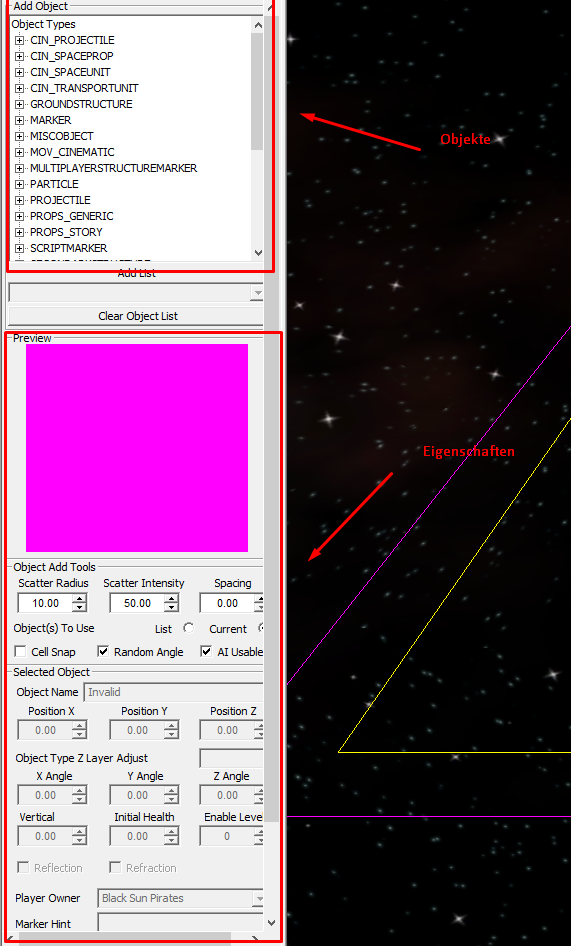
Then you will see a window with some fold-out stuff in the upper left corner.
There are ships, markers, effects, etc... Underneath is the window where you can change properties.

To be able to play at all we first have to define the base and the spawn points.
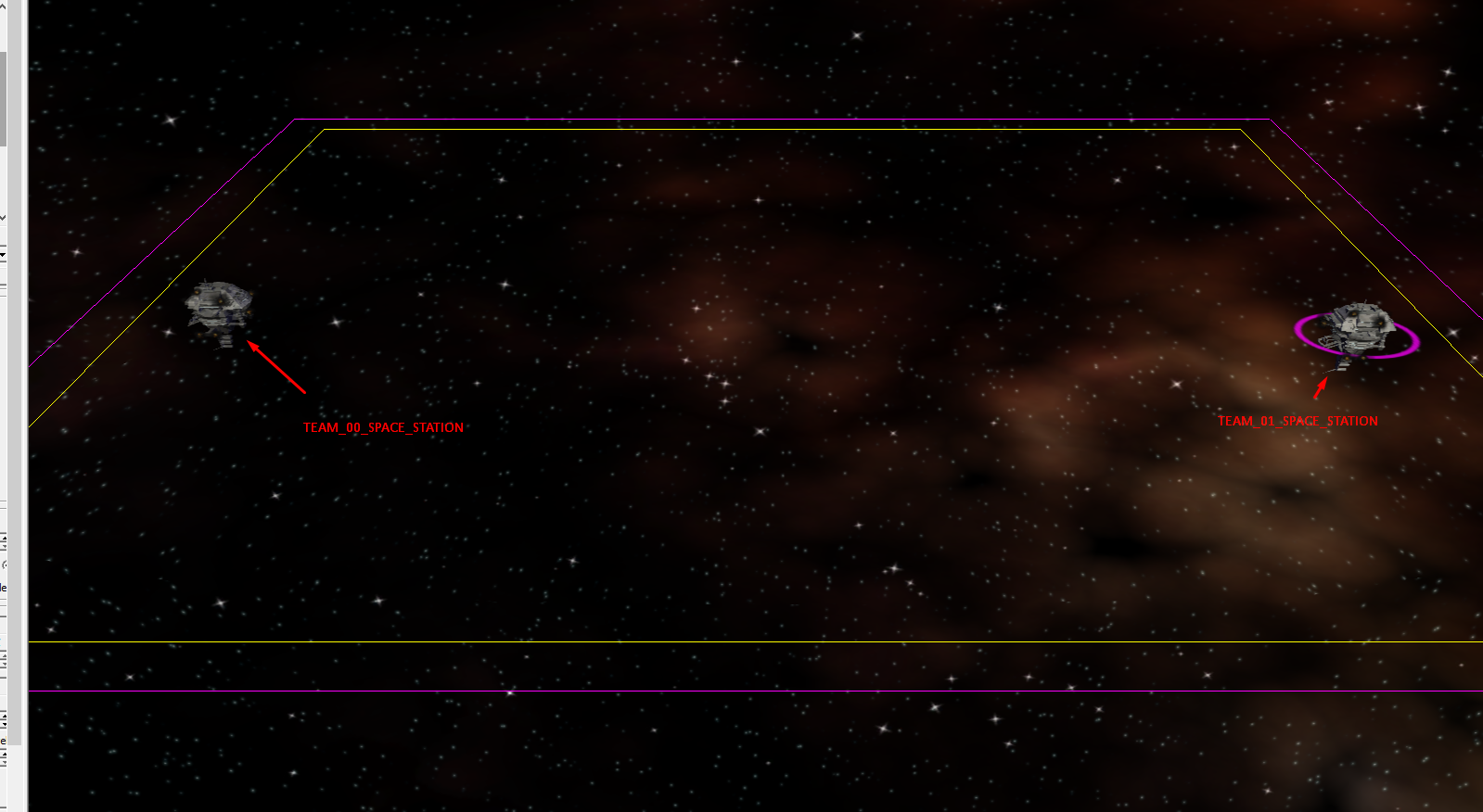
To do so, first go to MULTIPLAYERSTRUCTUREMARKER and select TEAM_00_SPACE_STATION, then press LEFT SHIFT and you will see the base. With LEFT-CLICK you place it and if you hold SHIFT after the mouse click you can rotate it. When you have selected it you can delete this object with the DEL key.
The same again with the base of Team 2 so we take TEAM_01_SPACE_STATION because there you start counting from 0.


So now we have to mark it with MARKER. Therefore we now go to MARKER under Objects and scroll down to the bottom where you will see two markers for each team
TEAM_xx_BASE_POSITION_MARKER and TEAM_xx_SPAWN_POINT_MARKER.
Because TEAM_00_BASE_POSITION_MARKER is placed at the base TEAM_00_SPACE_STATION and TEAM_00_SPAWN_POINT_MARKER.
For the other base, the same with TEAM_01_BASE_POSITION_MARKER and TEAM_01_SPAWN_POINT_MARKER.
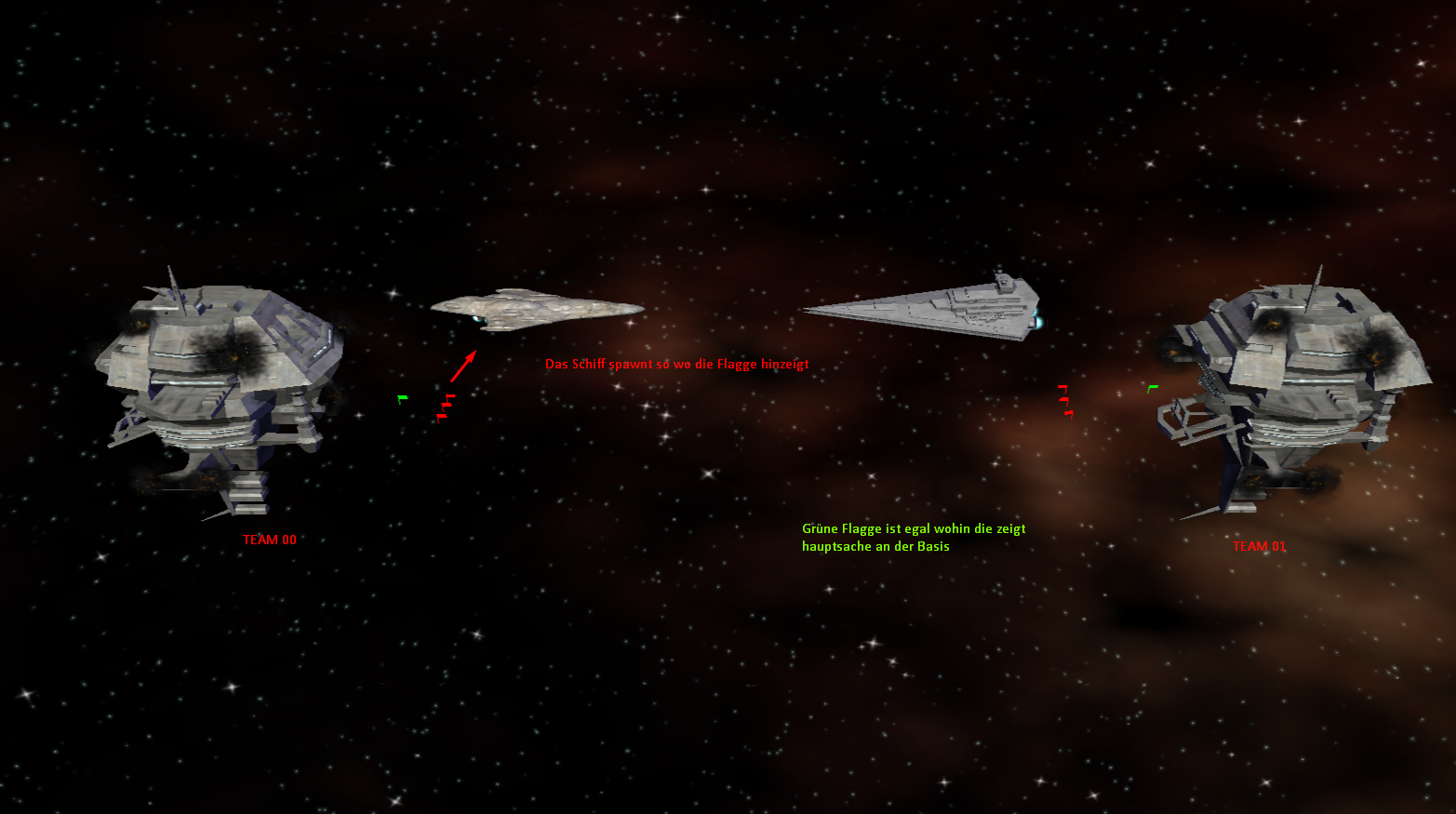
The TEAM_xx_SPAWN_POINT_MARKER is turned in the direction in which the ships should spawn.
For example the red flag points to the left and from right to left the ships come spawned.
Where the red flags are spawned, so are the initial fighters.
So finished is the map, you could play now.

Image translation:
Red: The ship spins towards the flag
Green: With the green flag the direction is not important, the main thing is near the base

But mines or special buildings are still missing.
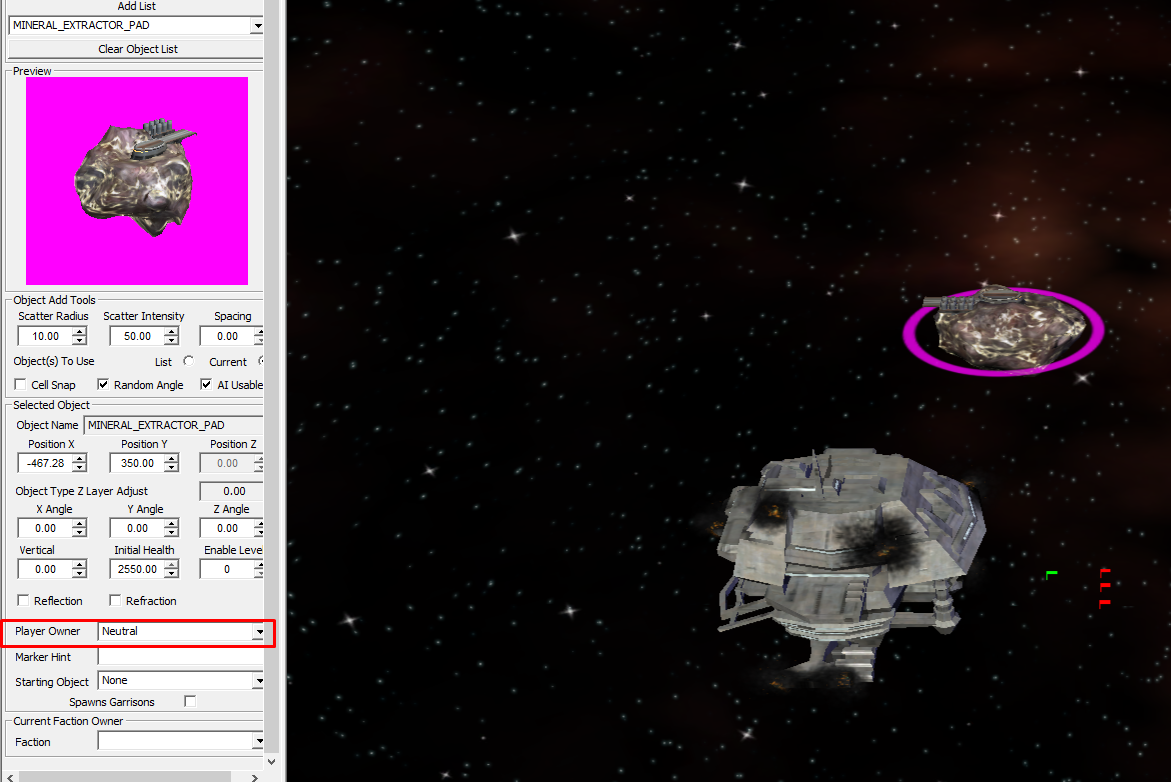
To add a mine, go to SPACEBUILDABLE and search for the MINERAL_EXTRACTOR_PAD. You can spawn it now somewhere.
You click on it and on the properties there you change PLAYER OWNER to Neutral so that you can capture this mine. It works the same way with the satellite.


To add a special building click on SECONDARYSTRUCTURE and select a building (Death_Clone objects are destroyed ships or buildings).
After you have saved this you can set PLAYER OWNER to neutral again.

Props can be found under SPACEPROP. There are planet asteroids and more.
To add a planet as background you just place it and move it to where you want it to be.
A little hint: In my opinion it looks nicer if you enter -2000 under Properties Vertical.


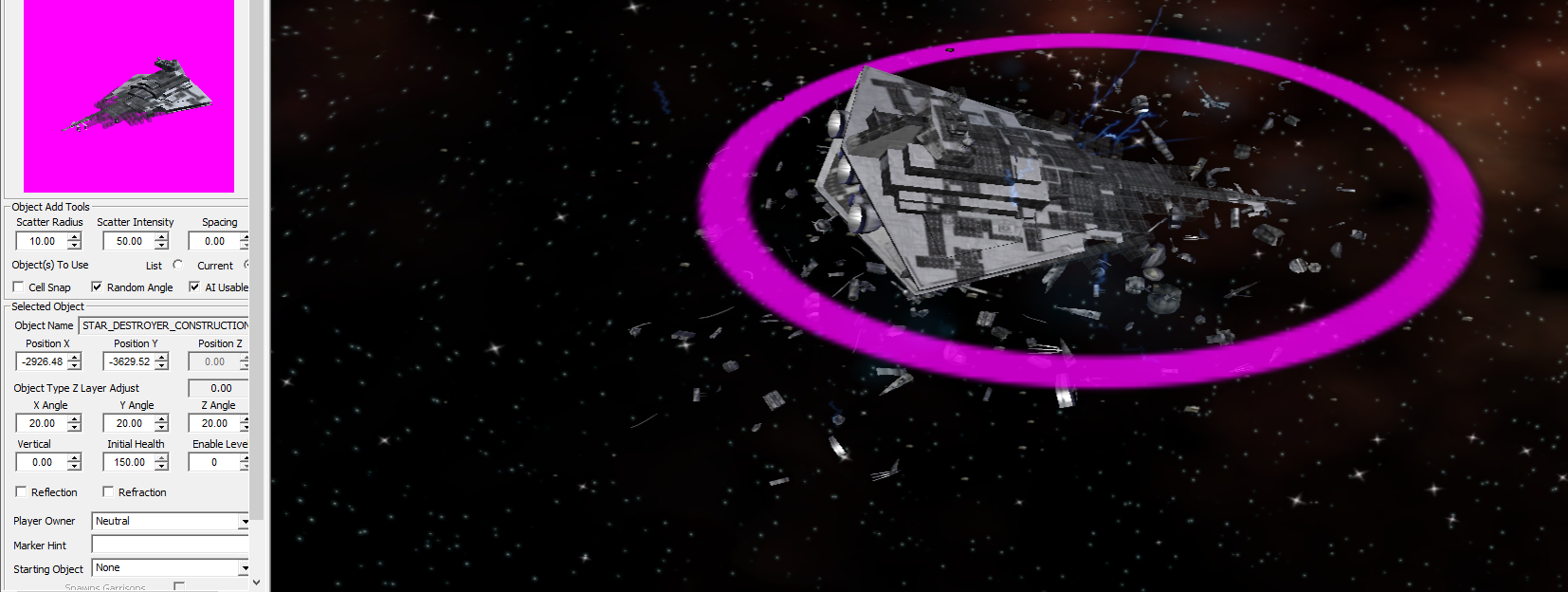
To display such a thing I used SPACEDROP SPACE_JUNK, STAR_DESTROYER_CONSTRUCTION and SPACE LIGHTNING and set Star Destroyer to 20(°) for the properties X Angle, Y Angle and Z Angle.

Under SPACEUNIT you find the ships (single fighters, frigates, capital ships, ...) and under SQUADRON you find the fighter squadrons.
Saving the map
Go to "File" then "Save as" and save the file:
It is important that you name your map the same way you named it at the beginning.
If you don't remember, go to "File" and then to "Map Properties". There you can change everything again or look at the name.

Steam: C:\Program Files (x86)\Steam\steamapps\common\Star Wars Empire at War\corruption\Data\CustomMaps\MAPNAME.ted

CD: In the Star Wars Empire at War folder then …\EAWX\Data\CustomMaps\MAPNAME.ted
Concluding words
For further questions or criticism use the comment function or send me a friend request on Steam.

To really learn the editor it takes a lot of trial and error this is just a short introduction.
Downloads
Editor for EAW[www.4players.de]

Editor for EAW Forces of Corruption[www.4players.de]