Total War: ROME II - Emperor Edition

Total War: ROME II - Emperor Edition

301 betyg
Lux Un Umbra - ReShade Preset
2
2
3
2
2
   
Utmärkelse
Favorit
Favoritmarkerad
Avfavoritmarkerad
Taggar: mod, Graphical
Filstorlek
Lades upp
Uppdaterades
151.036 KB
16 jun, 2020 @ 12:39
16 jun, 2020 @ 13:06
2 ändringsnotiser ( visa )

Abonnera för att ladda ner
Lux Un Umbra - ReShade Preset

I 2 samlingar av Hazard
Hazard's Graphical Collection
23 artiklar
Hazard's Graphical Collection - DEI Edtion
21 artiklar
Beskrivning


Lux Un Umbra - a light shade


DESCRIPTION
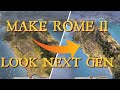
So what is this? Well this is a ReShade preset I have made in combination to a lighting mod to bring Rome 2 into 2020 hopefully....

Please note that subscribing will give you an empty file. Please see installation guide below.

Why upload it to the workshop? So more people get to see it and hopefully start using :D

PLEASE NOTE - This will work with vanilla lighting or another lighting mod, the preset will just look better using Orbis Terranum II

Link to other presets here with a quick readme HERE[drive.google.com]


INSTALLATION
I have now streamlined the installation for ReShade even easier the file now comes with all the required fixes :D.

1. Get the lighting mod - HERE

2.download the RAR File - HERE[drive.google.com]

3.Put into the Rome 2 main folder 'were the .exe file is'

4.Download ReShade from here - https://reshade.me/

5.Choose Direct X 10/11/12 and install all the packs included.

6.Home to bring up the overlay :D and click on the top bar defaultpreset.ini and load in my preset.

7.Open up the overlay top tab called Add-Ons click on it make sure top box is ticked then tick the box beneath should fix any DoF issues. PLEASE NOTE - In newer versions that box is now called Add- Ons, and the two boxes that need ticking are 1. Use Aspect Ratio Heuristics and 2. Clear depth buffer before clear operations.

8.for 1080p users add the shader named 'Levels' then tweak from there that should make the picture clearer for you :D


TIPS AND TRICKS

1. Holding down and dragging a shader above or below will produce different effects much like a modlist.

2. Right clicking on a shader will bring up a small window which you can then designate your own toggle buttons to.

3. Make sure DoF style shaders are always at the bottom of the shader order. dont worry this is already done within the preset.


END NOTES
This preset has RTGI (Ray Traced Global Illumination) built into it, though the actual shader required to use it, is not supplied with the preset due to it being in a beta phase. So please subscribe to the comment thread so that when RTGI is made public I can announce it so you can add it via the installer.
This preset was built on 1440p and 4K resolutions, so any resolutons at 1080p may have to adjust the shader sliders mainly strength/power sliders to get the clearness in.


CREDITS

Thank You to Malay Archer for using this preset in his latest video :D


Populära diskussioner Visa alla (1)
2
30 mar, 2021 @ 18:16
Screenshots
Hazard
210 kommentarer
Maréchal Lannes 30 apr @ 15:20 
thank you very much, that helped a lot!
Hazard  [skapare] 29 apr @ 8:15 
@Marechel Lannes - when you install Reshade it will bring up a list of Direct x 9 direct x 10/11/12 or Vulcan after you have chosen the correct .exe the pack part is the next screen after were you get to check/uncheck the packs you do not want. I install all of them cause then you get to play around with the extra 1's at your own leisure - hope this helps
Maréchal Lannes 28 apr @ 15:52 
Im confused on 5 and 6, what packs do I install? where do I find them? and for 6 im just confused overall
Hazard  [skapare] 4 apr @ 9:13 
@✠ WARZONE ✠ that is weird does it work as intended in battle?or close to units?
✠ WARZONE ✠ 3 apr @ 11:42 
there is a portrait shaped blur at the top left of the screen every time i select a unit or agent on the campaign map. its invisible but its the blur in the shape of whoever i selected as their portrait and its quite large and obstructs the visibility
dxunuds 16 mar @ 17:31 
how did you get yours to look kind of dark, mines like a flashbang
Hazard  [skapare] 29 jan @ 11:43 
@YuriyPro Should do, do not see why it should not as it is only an INI file required via ReShade.
YuriyPro 29 jan @ 8:03 
work ?
Hazard  [skapare] 1 dec, 2024 @ 12:08 
@auellb right click Rome 2 on Steam highlight Manage and click on browse local files it will be there.
dksammy 1 dec, 2024 @ 10:15 
where is the .exe file?