Fallout 4

Fallout 4

96 hodnocení
The Quick Fix (FPS + Mouse Fix)
Vytvořil: Oldfoy
Sup y'all

I'll show you how to fix two major problems:

Mouse acceleration
and
FPS Problem (if you get low fps on any settings, having problems with the world in general (caused by having more than 60fps and not being capped, this guide is for you)
5
   
Ocenit
Přidat do oblíbených
Oblíbeno
Odebrat z oblíbených
Mouse acceleration fix
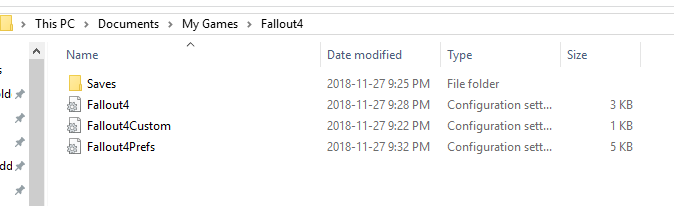
Step 1) You will have to go to Documents\My Games\Fallout4 and open Fallout4.ini
located at C:\Users\[NAME]\Documents\My Games\Fallout4\
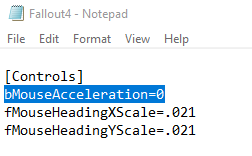
Scroll down to [Controls] and add bMouseAcceleration=0 under it


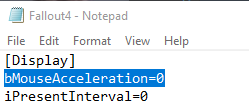
If you want to be 100% sure it worked, add this:

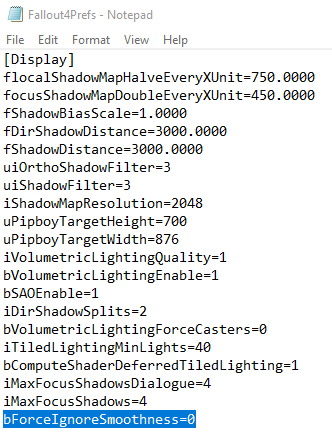
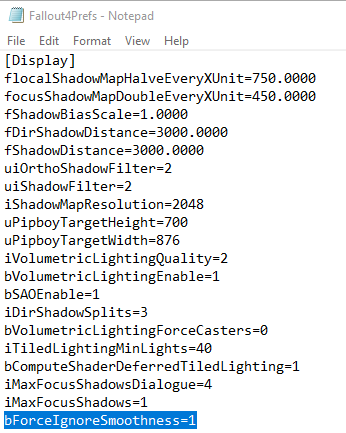
Step 2) Now open up Fallout4Prefs.ini (in the same folder as the previous step) and add under [Display] bForceIgnoreSmoothness=1 (There's an error in the picture, and it says =0, replace it with 1.


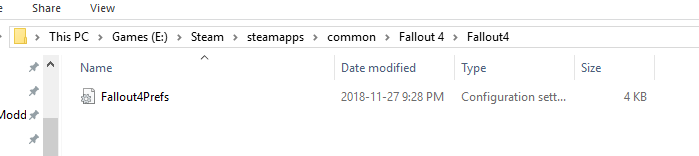
Step 3) Next thing is in another folder, locate your Fallout 4 installation folder (usually in program files, or where you've installed steam by default, or your custom fallout 4 folder) a great way to find it is by right clicking Fallout 4 on steam, properties, local files and click browse local files, locate this: Steam\SteamApps\common\Fallout 4\Fallout4 and open Fallout4Prefs.ini and add bForceIgnoreSmoothness=1 under [Display]
FPS Fix
Step 1)
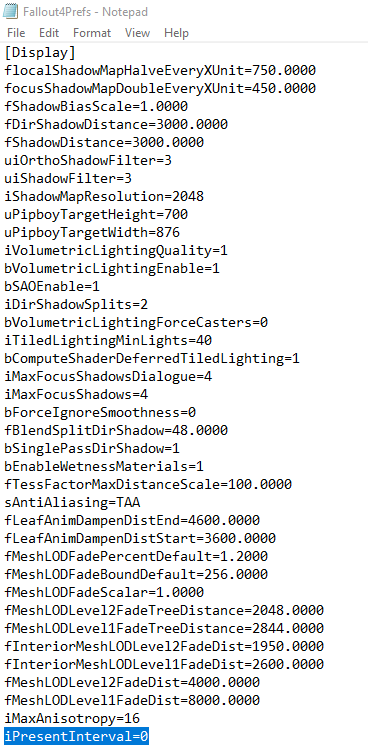
Documents\My Games\Fallout4 and open Fallout4Prefs.ini

Find iPresentInterval=1 line and change it to iPresentInterval=0


Step 2) If you're still having issues, try capping your fps down to 60 and turning your monitor down to 60hz
For AMD cards users, use the amd radeon software, you'll have to add fallout 4, turn on upgraded vsync, turn off amd freesync and turn down the fps to 60

For NVIDIA cards users, Download Rivatuner
You will have to cap your fps to 60, unfortunately fallout 4 engine *just like any other bethesda games so far, cannot be played over 60 fps without having issues with the game (a famous glitch from skyrim is caused for having over 60 fps
https://www.youtube.com/watch?v=xRFXjPwGc9E
Anyways, once you've downloaded rivatuner, it might be on your "mini" taskbar

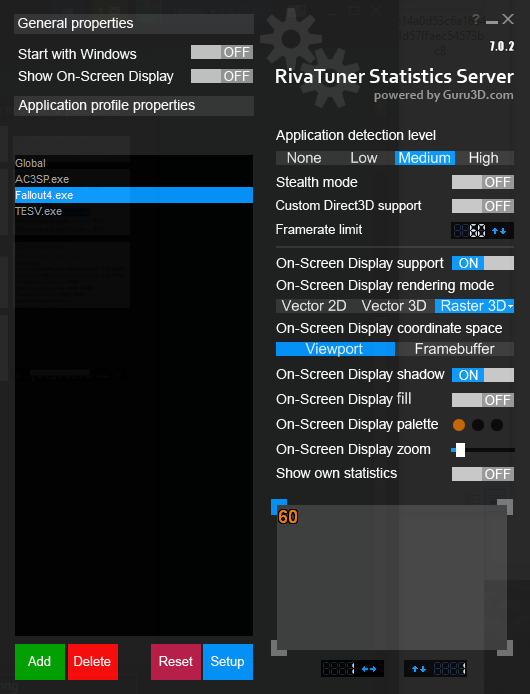
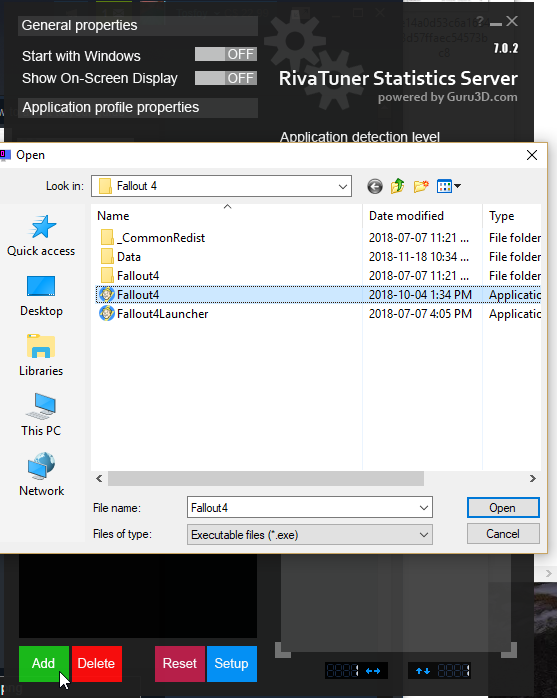
Open it and you will see this

Click add and find fallout 4.exe

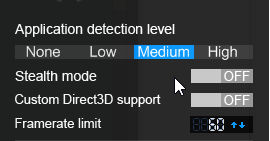
Finally, set the fps to 60 and the detection level to medium and let rivatuner opened everytime you play a bethesda game (this also fixes older assassin's creed games)
Fixed.
One last thing, if you've capped your FPS to 60, and you're still having issues on a 144hz monitor, try lowering your monitor refresh rate to 60 so it matches the maximum fps

Problem fixed? Drop a like, and share this guide to your friends!

Still having problems? Comment down bellow and i'll try to help you as much as I can, otherwise reddit is a great place for fixes

Enjoy your Fallout 4 adventure!
Počet komentářů: 37
Sourcz 19. dub. 2024 v 9.34 
Thank you very much!
blyad 25. úno. 2023 v 9.36 
Vert 24. úno. 2023 v 2.53 
amazing guide, all worked, thanks u so much!
Oldfoy  [autor] 23. led. 2021 v 18.01 
Wtf did you just do? Not following step 2
Flaming 21. říj. 2020 v 14.38 
i did the mouse acceleration fix and fps fix step 1, and now my frames are over 400 but the game is suddenly playing in like 5 times the normal speed. wtf did i just do?
blazingflames 28. čvc. 2020 v 23.23 
if you play fo4 or skyrim or literally anything bethesda original (developed and published by beth) the engine will destroy itself if you reach anything above 60fps and its disgusting
i was playing with a g-sync monitor, reaching high frames like a true gamer, but when i went into third person the game turned into benny hill and dialogue was broken and the game softlocked itself many-a-time
Curtis Sliwa (legally not real) 11. čvc. 2020 v 13.45 
Because the Creation Engine breaks over 60 FPS (the engine's speed is tied to frame rate)
koyoinu 11. čvc. 2020 v 8.35 
why would you wanna cap your fps down tho more frames are better
Sam 3. čvc. 2020 v 3.36 
running 144hz 144fps with G-sync, no terminal problems or other issues here.
luvstospoog 27. čvn. 2020 v 16.16 
I was about to delete fallout. ♥♥♥♥ worked like a dream and runs amazing on ultra now. da best