



安装 Steam
登录
|
语言
繁體中文(繁体中文)
日本語(日语)
한국어(韩语)
ไทย(泰语)
български(保加利亚语)
Čeština(捷克语)
Dansk(丹麦语)
Deutsch(德语)
English(英语)
Español-España(西班牙语 - 西班牙)
Español - Latinoamérica(西班牙语 - 拉丁美洲)
Ελληνικά(希腊语)
Français(法语)
Italiano(意大利语)
Bahasa Indonesia(印度尼西亚语)
Magyar(匈牙利语)
Nederlands(荷兰语)
Norsk(挪威语)
Polski(波兰语)
Português(葡萄牙语 - 葡萄牙)
Português-Brasil(葡萄牙语 - 巴西)
Română(罗马尼亚语)
Русский(俄语)
Suomi(芬兰语)
Svenska(瑞典语)
Türkçe(土耳其语)
Tiếng Việt(越南语)
Українська(乌克兰语)
报告翻译问题



 奖励
奖励



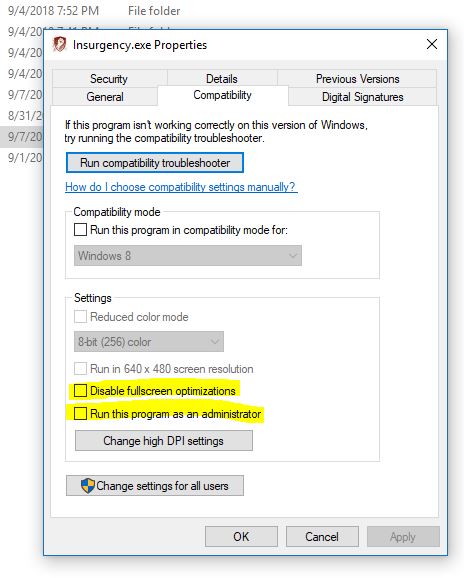
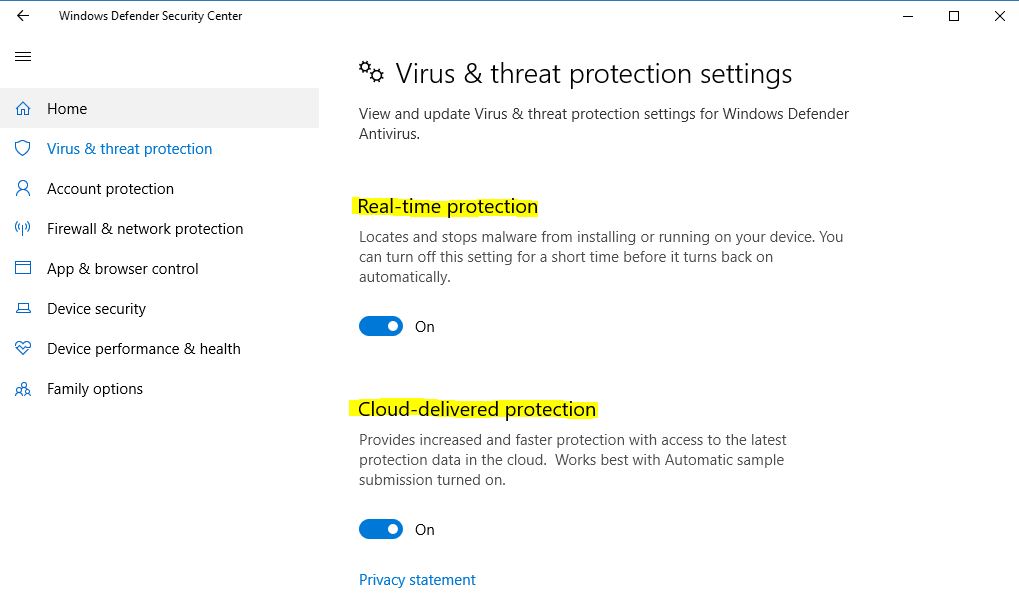



That's weird
Check out what's occupying your RAM with task manager
Naturally, I have never seen that before with high RAM usage (for me, it takes up to 3-4g)
You can stil try:
Set full screen mode and adjust to the best screen res
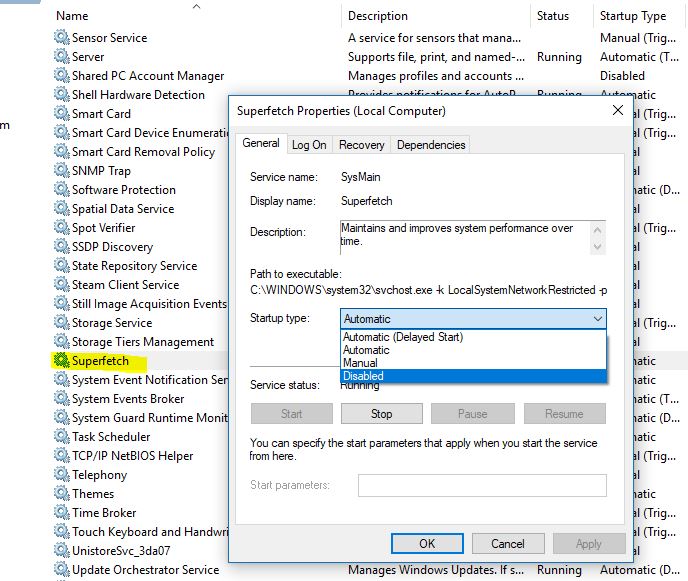
Turn off SUPERFETCH (I guess this will be the problem)
gtx 970
ram 8 gb
play 1280x720 , fps 0-20 (not stable) ram usage 98%, what wrong eith my PC ?
that's why they postone the release day for 3 months.
I have been testing for weeks about the performance, and unfortunately there is still no any noticeable way to reach a comfortable gameplay. You can also post the issues in community discussion or send feedback from the game. I used to getting a quick reply from the steam community.
I encountered with the same issue since the latest update a few days ago,
my GTX1060 runs at 30-50fps and it's getting quite unstable.
Here are some tips if they would help, in terms of your GTX970
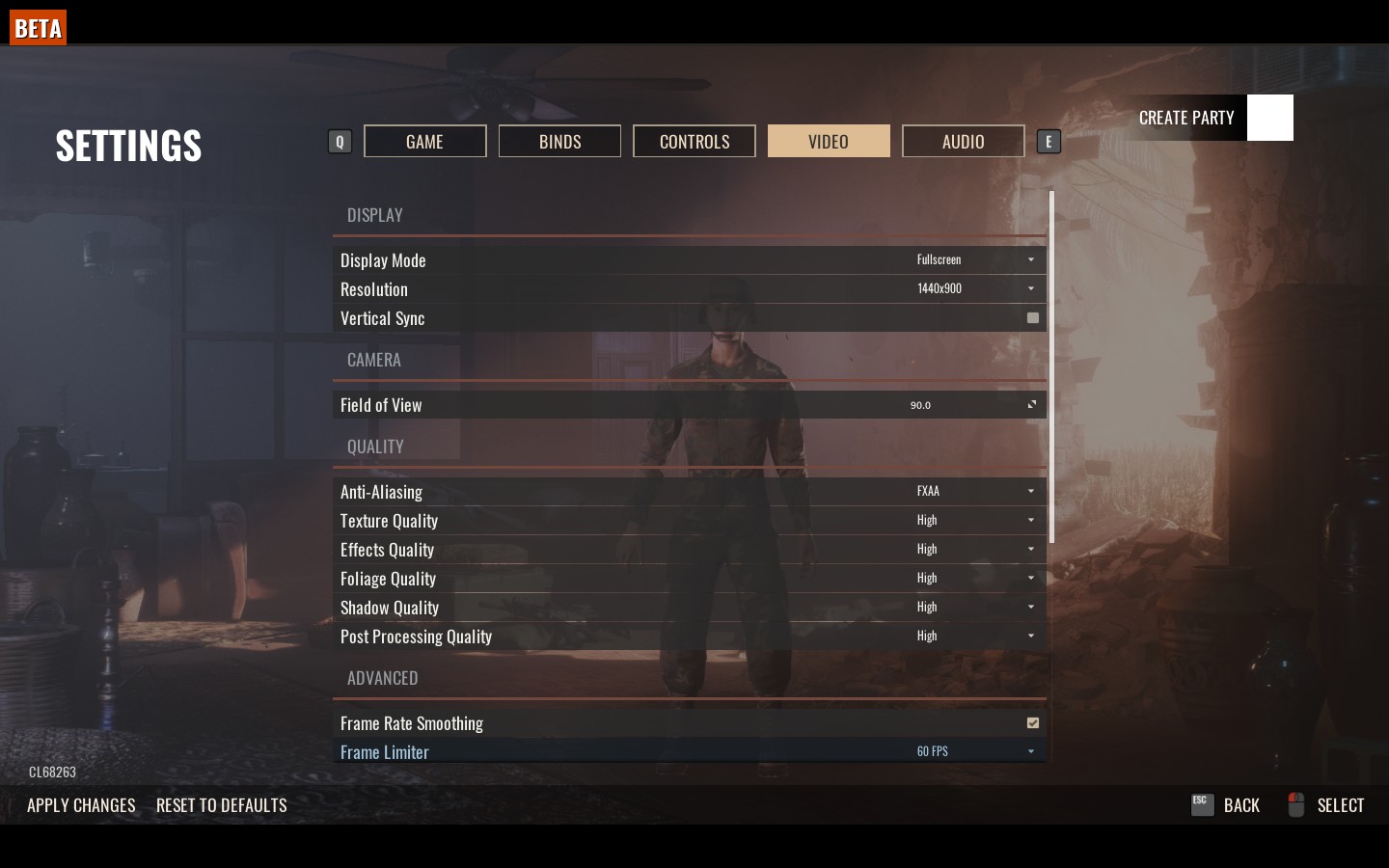
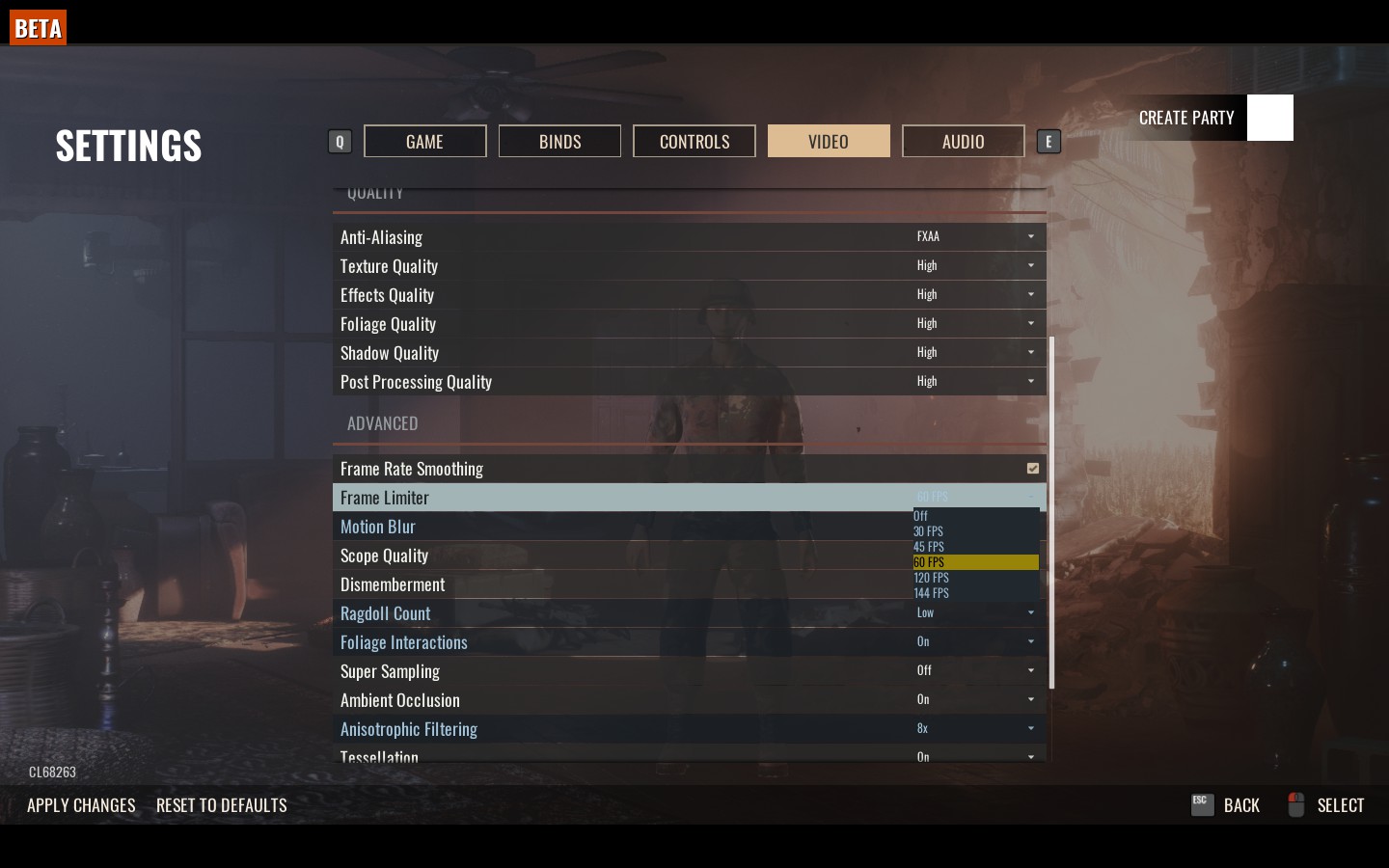
1. set Anti-Alisaing - FXAA
Texture Quality
Effects Quality
Foliage Quality
Shadow Quality
PP Quality all these high, or medium/low for Shadow Quality
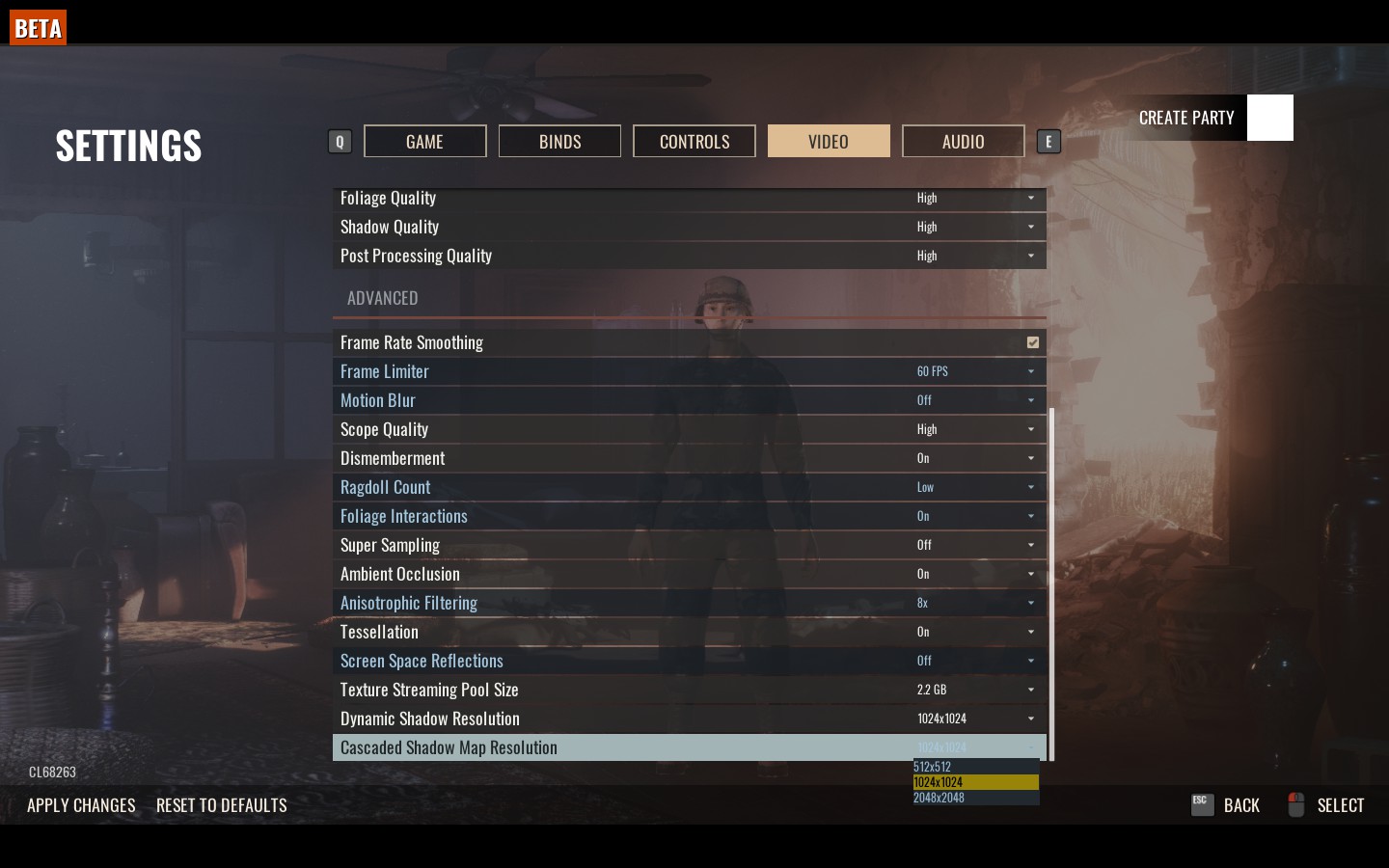
2. Turn on framerate smoothing and turn off framerate limiter
3. 1.6 GB or lower for texture streaming size
4. 512x512 for shadow res.
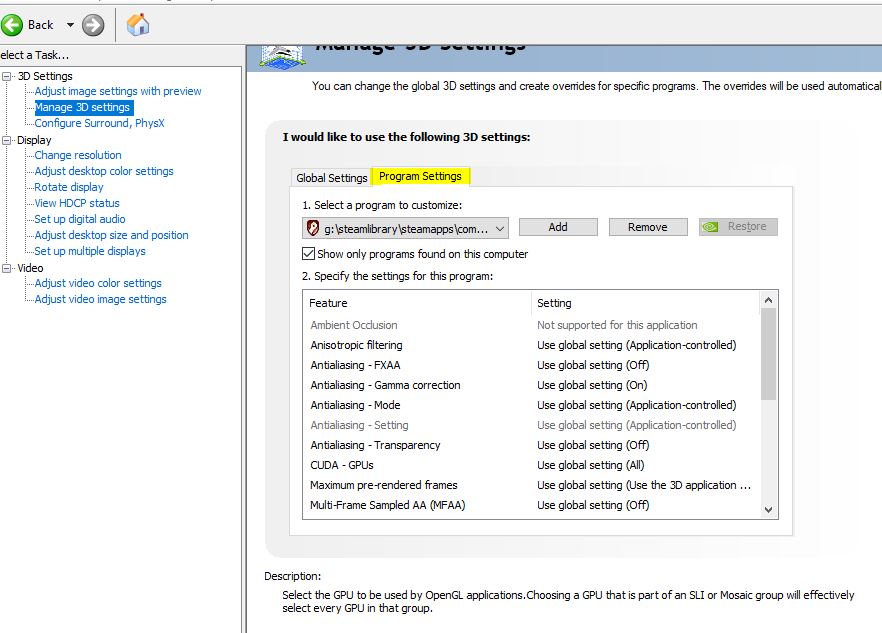
5. Unistall geforce experience if you have.