Warhammer: Vermintide 2

Warhammer: Vermintide 2

1,068 vurderinger
UI Tweaks
8
5
12
17
2
12
6
9
4
2
2
4
3
   
Pris
Føj til foretrukne
Gjort til foretrukken
Fjern som foretrukken
Sanctioned Status: approved
Categories: UI, QoL
Filstørrelse:
Offentliggjort:
Opdateret:
963.753 KB
6. aug. 2018 kl. 2:49
12. juli 2022 kl. 8:33
199 ændringsbemærkninger ( vis )

Abonner for at downloade
UI Tweaks

I 1 samling af prop joe
Prop Joe's mods
26 genstande
Beskrivelse
Adds a million options to customize the HUD.

Adds a Priority Buff Bar that is positioned mid-screen for important timed buffs.
Options to reposition, scale, and change direction of UI elements.
Options to hide UI elements or make them less obtrusive.
Options to prevent passive and aura buffs from showing on the UI.
Compatible with Numeric UI mod.

Some tips:
F4 is the shortcut to open the mod options. You'll need it.
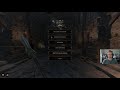
Also to move the mod to the first spot inside mod options click the star left of the mod name, like in the screenshot.

Check this out if you'd like to share your settings with others.

MAKE SURE THE MOD LOAD ORDER IS CORRECT: in the launcher, put the dependency mods you see on the right above this mod.

How to report mod errors

Source[github.com]

Buy me a coffee:
[paypal.me]
1.073 kommentarer
St-Freedom 6. dec. kl. 23:04 
How do I change the teammate UI's arrow icon from green to the default gray?
WAAAGH! 1. dec. kl. 23:15 
I have both Numeric UI and UI Tweaks installed. I want to prioritize some Numeric UI stats, such as numeric health, show max health, numeric health (team), show max health (team), ammo counter (team), career skill cooldown timer, last life icon, and natural bond icon.

But UI Tweaks automatically replaces these stats with its own. How can I use both mods while still retaining the stats listed above from Numeric UI?
InsecureDecapod 23. nov. kl. 8:09 
If I use any of the presets it misaligns both bars at the bottom and the only way I've found to fix it is to select default again AND quit the game, so it loads in with default.
NewType 24. okt. kl. 18:14 
pls update, im having brain problems w/o
Sulphuric 13. sep. kl. 9:52 
The HP bar is misaligned when using the Mini HUD option.
Grunk 20. juni kl. 21:44 
When I have the mod turned on my buffs will overlap my hp/equipment bar instead of starting a second row like they usually do. Is there a fix for this? I can't seem to find a setting that changes this
Rain 13. juni kl. 22:38 
If you're referring to the misalignment of the health bar, it likely is due to a bug introduced when Versus was added to the game. There is a mod for modded realm that might fix this issue.

I posted a link to the mod earlier in the comments.

If you are referring to something else, perhaps you could describe the problem in a little more detail and we can try to look for a solution.
Dakota 13. juni kl. 14:13 
does anyone know how to move the corrupted health or regular health bar for some reason I cant have them both on the same line and ones gotta be above or below my health bar
GRRR 10. juni kl. 23:19 
thank you, i did actually just now manage to get it working, my bad <3
Rain 10. juni kl. 23:18 
Yes it still works. Try unsubscribing and resubscribing to this mod, Simple UI, and Vermintide Mod Framework.

Also remember to check the box for it in the launcher for the game before loading into Official Realm.