Cyberdimension Neptunia: 4 Goddesses Online

Cyberdimension Neptunia: 4 Goddesses Online

49 个评价
Skipping Introductory Logos
由 anonymous14z 制作
Short guide on how to replace 2 files to skip the 45 seconds of unskippable logos.
2
   
奖励
收藏
已收藏
取消收藏
Download and Installation
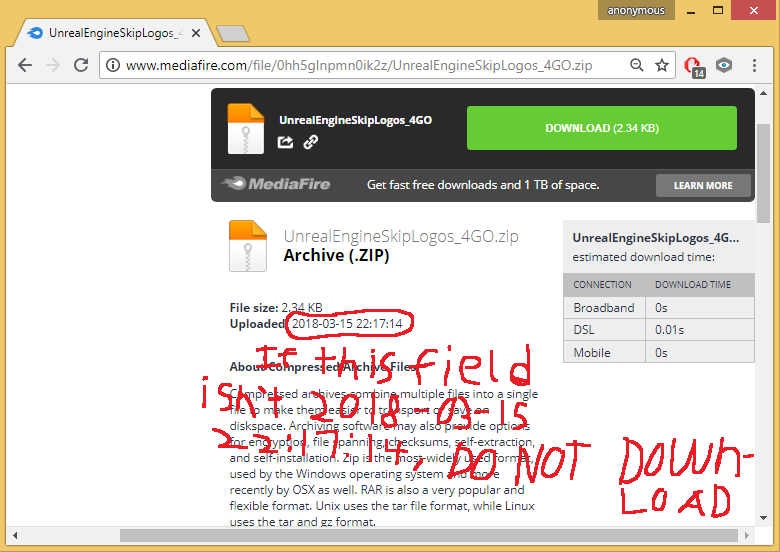
Download this file:
http://www.media-fire.com/file/0hh5glnpmn0ik2z/UnrealEngineSkipLogos_4GO.zip


NOTICE: If you see that the upload date for the download is not 2018-03-15 22:17:14 Then ignore it, it may have been updated with a virus.
Notice: You'll have to remove the "-" symbol in the download link, steam won't seem to let me use the direct link.
Notice: I suggest you push the file through https://www.virustotal.com/#/home/upload if you're still worried.

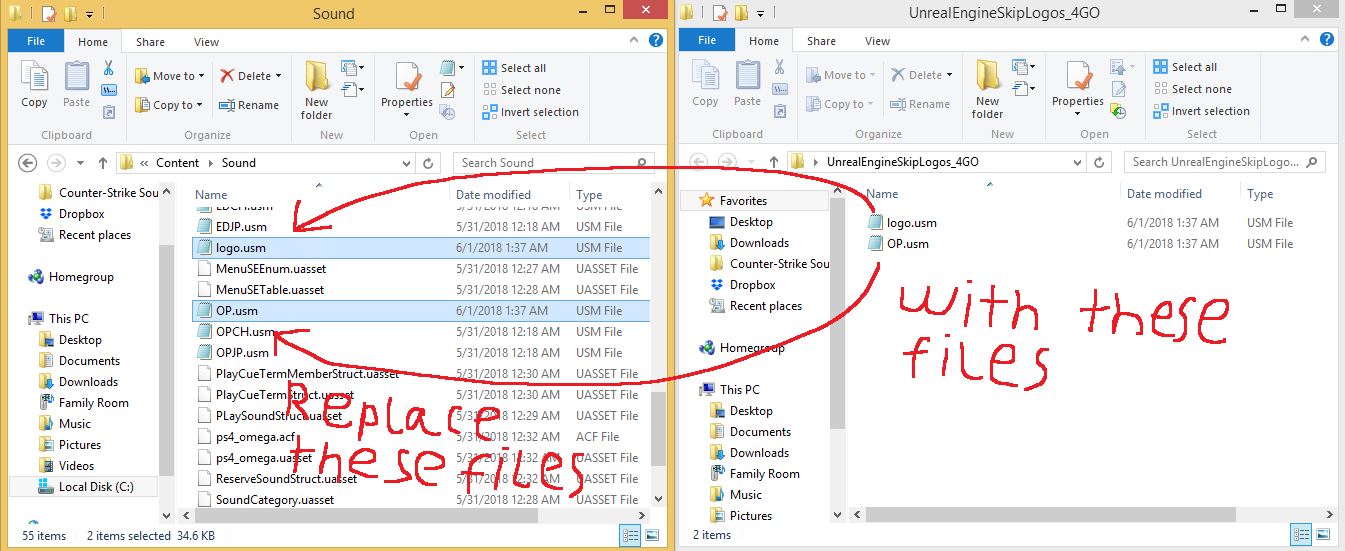
And then going to
C:\Program Files (x86)\Steam\steamapps\common\Cyberdimension Neptunia 4 Goddesses Online\CyberdimensionNeptunia4GoddessesOnline\Content\Sound

And then replacing both the "logo.USM" and "OP.USM" with the files from the download will force the game to skip the logos instantly.


Removing Loading Screen
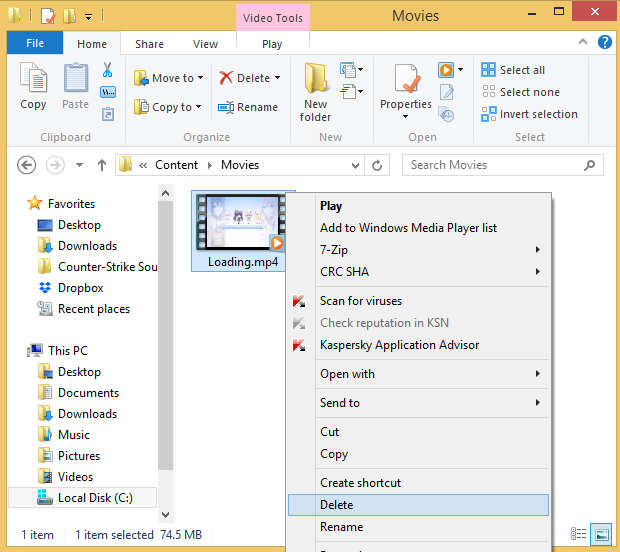
You can go to:

C:\Program Files (x86)\Steam\steamapps\common\Cyberdimension Neptunia 4 Goddesses Online\CyberdimensionNeptunia4GoddessesOnline\Content\Movies

And delete the "Loading.mp4" file to remove the loading screen too, however the game still needs to load, this just removes the loading screen, so it's more convienient to alt-tab while the game loads.

CREDITS
Credit goes to "Parin" for making the download files here:

https://psteamcommunity.yuanyoumao.com/app/632350/discussions/0/2949168687310318887/
16 条留言
Kimarnic 2024 年 2 月 3 日 下午 3:05 
dead link
Metalgamerjonny 2023 年 2 月 20 日 下午 4:28 
click the credits link, copy the link in there and put it in your browser, and take away the "-" in
"media-fire" then hit enter. it should take you to the download that has the right date
耄耋神选 2022 年 8 月 19 日 上午 6:33 
my man below literally saved my life
Nep 2022 年 4 月 5 日 上午 8:59 
dang bro, that was a while ago, but sure.
Nep 2021 年 7 月 17 日 上午 9:44 
dead link
InmaDjinn Samalik 2020 年 8 月 27 日 下午 6:42 
you might wanna update the link if you think it has viruses
Pk_Nep 2020 年 3 月 4 日 上午 10:59 
@Shooting Star you have to remove the "-" from inbetween media and fire
Visual Studio 2026 2020 年 2 月 2 日 上午 9:10 
The link is down, fix pls
Egret 2019 年 7 月 7 日 上午 12:38 
Good instruction :IrisHeartRebirth3:
Bun 2018 年 11 月 2 日 下午 5:09 
Link no longer broken. Thumbs up! :)