



安装 Steam
登录
|
语言
繁體中文(繁体中文)
日本語(日语)
한국어(韩语)
ไทย(泰语)
български(保加利亚语)
Čeština(捷克语)
Dansk(丹麦语)
Deutsch(德语)
English(英语)
Español-España(西班牙语 - 西班牙)
Español - Latinoamérica(西班牙语 - 拉丁美洲)
Ελληνικά(希腊语)
Français(法语)
Italiano(意大利语)
Bahasa Indonesia(印度尼西亚语)
Magyar(匈牙利语)
Nederlands(荷兰语)
Norsk(挪威语)
Polski(波兰语)
Português(葡萄牙语 - 葡萄牙)
Português-Brasil(葡萄牙语 - 巴西)
Română(罗马尼亚语)
Русский(俄语)
Suomi(芬兰语)
Svenska(瑞典语)
Türkçe(土耳其语)
Tiếng Việt(越南语)
Українська(乌克兰语)
报告翻译问题

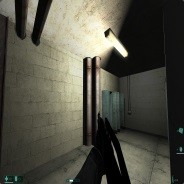

how can i install ti?
https://www.youtube.com/watch?v=y8qRlnb4XDI&lc=z22uzvbpdrvdulryl04t1aokg1qgzoojvpfcnyerthw0bk0h00410.1505230096678152
1. fixed the grid lines that were causing the textures to look strippy
2. deleted the new weapon model prefabs and stayed to the originals
3. added the new texture work with this update
4. increased the particles to be more effective upon the filters being added and enabled with 3d view instead of a simulated 3d view
5. added a better shader update this means the shaders react with the lighting to increase the sharpness on the textures instead of me tweaking the textures with photoshop i feel a connection that the community has to the original so i have stayed true to the core aspects of the game itself but in the next video we will be looking at how we can get better 4k particles and 4k shaders and 4k options added with a easyer aproach but still keep the game at the original state in wich it was built.
video part 5 link https://www.youtube.com/watch?v=XWmnCXKxZ50
video part 6 link https://www.youtube.com/watch?v=eGTdLBzJTG8
I cant wait to get into it.