



安装 Steam
登录
|
语言
繁體中文(繁体中文)
日本語(日语)
한국어(韩语)
ไทย(泰语)
български(保加利亚语)
Čeština(捷克语)
Dansk(丹麦语)
Deutsch(德语)
English(英语)
Español-España(西班牙语 - 西班牙)
Español - Latinoamérica(西班牙语 - 拉丁美洲)
Ελληνικά(希腊语)
Français(法语)
Italiano(意大利语)
Bahasa Indonesia(印度尼西亚语)
Magyar(匈牙利语)
Nederlands(荷兰语)
Norsk(挪威语)
Polski(波兰语)
Português(葡萄牙语 - 葡萄牙)
Português-Brasil(葡萄牙语 - 巴西)
Română(罗马尼亚语)
Русский(俄语)
Suomi(芬兰语)
Svenska(瑞典语)
Türkçe(土耳其语)
Tiếng Việt(越南语)
Українська(乌克兰语)
报告翻译问题

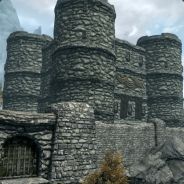
ceel castles brah
i clicked on the green button and started the game again, but the house isnt there
am i doin something wrong? plz help :D
i clicked on the green button and started the game again, but the house isnt there
am i doin something wrong? plz help :D
i clicked on the green button and started the game again, but the house isnt there
am i doin something wrong? plz help :D
Firstly, open the creation kit and then in the top left hand corner click the open folder button. You should see all the mod ESP Files you have. Find greystone and double click it (or tick the box and then underneath select 'set as active'. This means it overwrites just the mod file not your skyrim esm file. After that, load it up by clicking ok and once in there's the object window (left hand side box) which contains all the parts for skyrim. There's a filter box there that you will type 'greystone' into. Do that and then select the 'actor' section on the left.
Bethesda will provide a fix for the grey face bug, just dont know when.
Let me know if it works and if you need more help, just ask :D
Also, if you find a place you think would be good, take a screenshot and let me know. I will have a look and see if its suitable to build on ;D The main issue is altering the terrain as little as possible because some quests can have triggers in certain locations and making a new exterior nav mesh can be a pain/time consuming haha.
Firstly, open the creation kit and then in the top left hand corner click the open folder button. You should see all the mod ESP Files you have. Find greystone and double click it (or tick the box and then underneath select 'set as active'. This means it overwrites just the mod file not your skyrim esm file. After that, load it up by clicking ok and once in there's the object window (left hand side box) which contains all the parts for skyrim. There's a filter box there that you will type 'greystone' into. Do that and then select the 'actor' section on the left.
Bethesda will provide a fix for the grey face bug, just dont know when.
Let me know if it works and if you need more help, just ask :D
right click and go 'edit'. You will see a bunch of tabs in the center such as 'traits', 'stats', 'factions'. Go over the the 'inventory' tab. In the 'default outfit' section find 'ArmourEbonyAll' and select it. Once you done that just click 'ok' on the bottom left to close the window and thats it! All done! Save the plugin and load it up in skyrim! If it doesnt work for some reason you still have your original 'riftborg esp. file you can revert to. Let me know how you go, Im not too sure how much experience you have with the creation kit so I tried to include all the steps I think you might need!
First start the creation kit and click the 'open folder' in the top left hand side. All the esp. and esm. files you have should be there. Select the 'riftborg' copy you made and then in that same box click 'set as active file'. Very important you set the riftborg as the active file. The 'skyrim esm' may also be ticked thats ok, just as long as 'riftborg' is the active file. Then click 'ok' (If you need more help on that part go to here -http://www.creationkit.com/Category:Getting_Started) Once in and it has loaded (click 'yes to all' on any error messages that appear- they are normal), in the 'object window' go to 'actor' on the left hand side and then type 'heroskeepmalegaurdstatic' for the gaurds (or 'arnora' or 'thorald' if you want them). Once you have them,