



安装 Steam
登录
|
语言
繁體中文(繁体中文)
日本語(日语)
한국어(韩语)
ไทย(泰语)
български(保加利亚语)
Čeština(捷克语)
Dansk(丹麦语)
Deutsch(德语)
English(英语)
Español-España(西班牙语 - 西班牙)
Español - Latinoamérica(西班牙语 - 拉丁美洲)
Ελληνικά(希腊语)
Français(法语)
Italiano(意大利语)
Bahasa Indonesia(印度尼西亚语)
Magyar(匈牙利语)
Nederlands(荷兰语)
Norsk(挪威语)
Polski(波兰语)
Português(葡萄牙语 - 葡萄牙)
Português-Brasil(葡萄牙语 - 巴西)
Română(罗马尼亚语)
Русский(俄语)
Suomi(芬兰语)
Svenska(瑞典语)
Türkçe(土耳其语)
Tiếng Việt(越南语)
Українська(乌克兰语)
报告翻译问题

 讨论规则及指引
 2
2 
 举报此帖
举报此帖


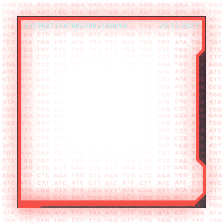
No, not the frames. The avatar themselves. I tried to open my screenshots just now in steam and tried to upload - the screenshots in the selection are different shades of red.
How do you upload or show screenshots here in the discussions?
Steamapp folder holds your games, and client files tells the game is installed.
Userdata folder holds any screenshots, and videos if you haven't uploaded or export. If you're playing old games, or games that doesn't have cloud save, or you turn off cloud save, some games uses userdata folder to store the save data in there.
have you enable monitor warm/cold look or windows nighttime, so you think its odd.
I did not say it is this, but we have seen such before. ( so technicaly it is normal but not with whatever this is with such filter.
You can also have a GPU driver issue or worst case a GPU card with show sign's of stability issue,
Even Dr shadow has a point what if steam is doing this, but as fare as i know steam dont have such option other then turn off web accelrations in webview, but this dont look related to things like that.
there has been post over a year ago with something like that , color not same in client and thirdpart browser app
but as you see very hard to ID unless you know what you have installed from when it was not doing this, drivers to whatever you think could have done this.
This is not going to be easy. imo.
Tried this. Didn't work. But thanks anyway.
You're right. But I honestly don't know where to start looking. It's odd because not only the colors are being changed, but the icons are being changed to red and matching the shading or something. When I look at the avatars of my friend, since I remember what are their avatars look like, the RED shadings seems to match the darkness/brightness of their avatars. Not only that, I have two friends that didn't change - and their avatars are black and white (or grayscale to be technical)
Try reinstall gpu driver with fresh clear install. better then not trying.
Also, tracing back the events of this, there were no changes in mind to have make this happen. I remember installing Arc Raiders but then I recalled that I sent a screenshot to my friend that I'm installing it and it shows the issue. Before that I was playing Dota 2. There was a patch but unlikely that that caused this.
ps.
even Monitors has. ini file and internal software and thats factory issue that need to update it,
i will test with spare monitor to make sure its not this.
Good idea, try steam setting and turn it off under download section shadow cache, but it doubtfull its this.
OP dont forget shader cache can still be seen as new, it dont have many years as well teste for every gear + hardware drivers. ( i relly doubt its this, but again who knows. )
https://youtu.be/wmy3kOXvwdo
I will also try all your recommendations.
If you are afraid steam will uninstall your games, move them to a different drive and disconnect that drive from steam and then uninstall steam. Once you reinstall you simply go to settings>storage> click the dropdown, then click the +(add new storage device) and add your storage device that you moved your games to.